

Cable Connection#
Warning
Only instructed or skilled persons may carry out the following operations.
The NO terminal block (green) is used to connect the button.
The button connects to the TEMP terminal block (or CTRL terminal block for outdoor digital clock models) on the digital clock PCB.
Note
The button connects input TEMP1 / S1 to −.
The wire color coding is used for documentation consistency and does not affect functionality.
Generation 4 Digital Clocks#
Indoor Models#
Caution
Simultaneous use of temperature sensors and wired stopwatch control is not possible.
Wire Color |
TEMP Terminal (Digital Clock PCB) |
|---|---|
● Brown |
TEMP1 |
● Black |
− |
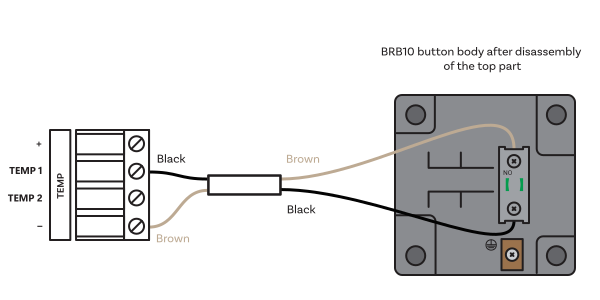
Standard plug-in terminal block#
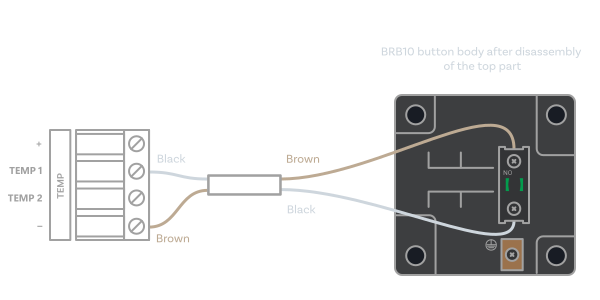
Standard plug-in terminal block#
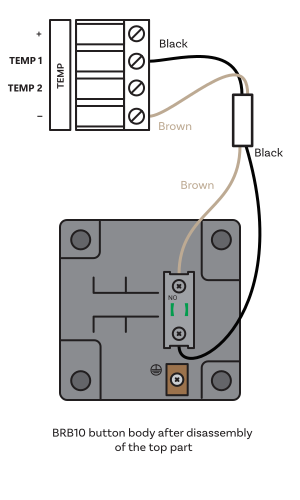
Standard plug-in terminal block#
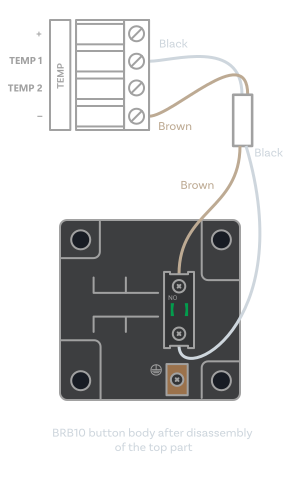
Standard plug-in terminal block#
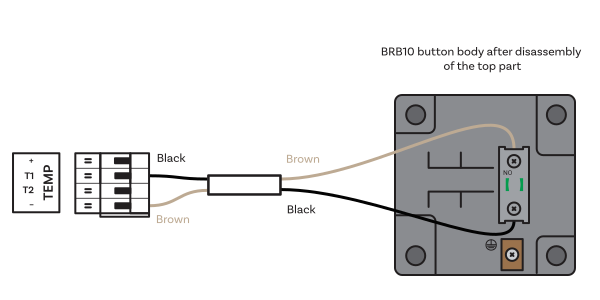
Plug-in terminal block#
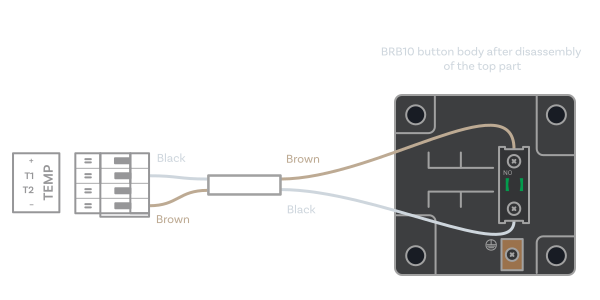
Plug-in terminal block#
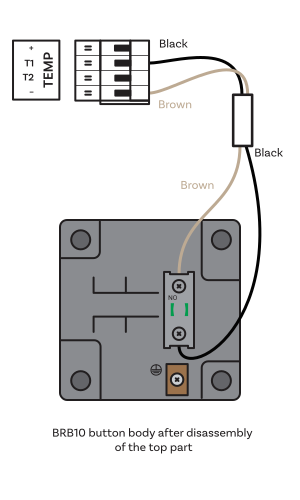
Plug-in terminal block#
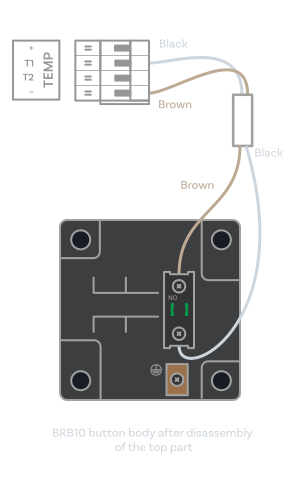
Plug-in terminal block#
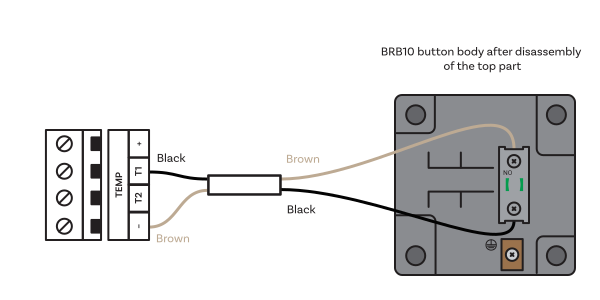
Screw terminal block (directly on digital clock PCB)#
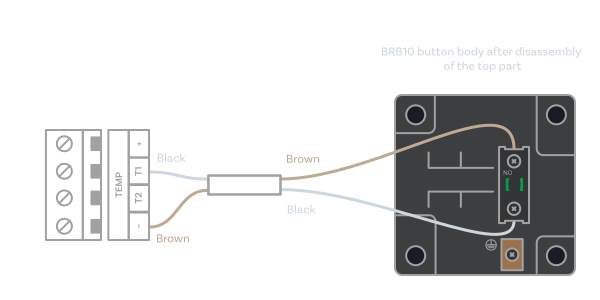
Screw terminal block (directly on digital clock PCB)#
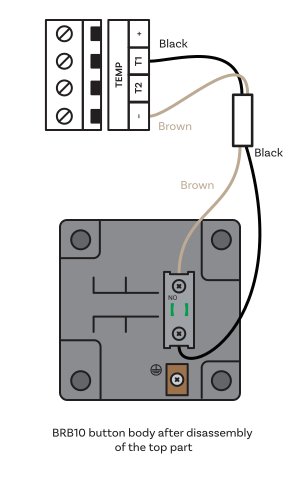
Screw terminal block (directly on digital clock PCB)#
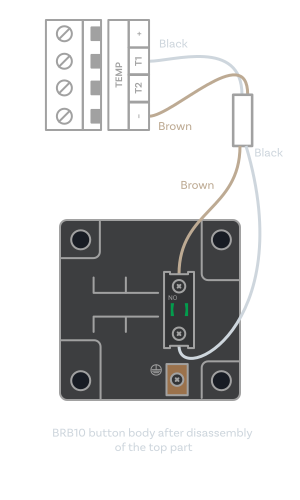
Screw terminal block (directly on digital clock PCB)#
Outdoor Models#
Wire Color |
CTRL Terminal (Digital Clock PCB) |
|---|---|
● Brown |
S1 |
● Black |
− |
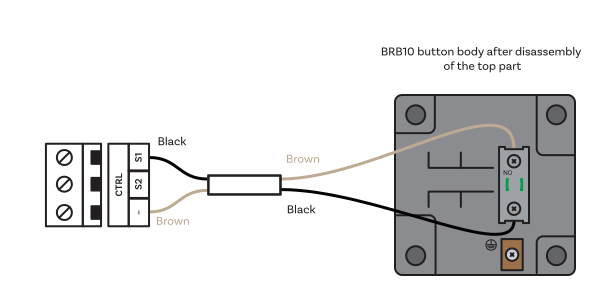
Screw terminal block (directly on digital clock PCB)#
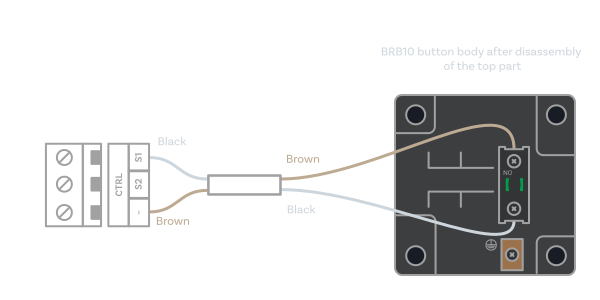
Screw terminal block (directly on digital clock PCB)#
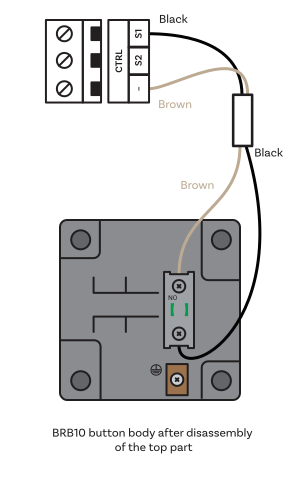
Screw terminal block (directly on digital clock PCB)#
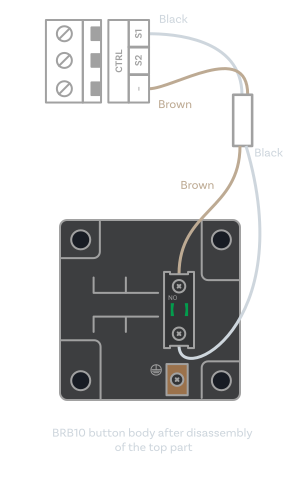
Screw terminal block (directly on digital clock PCB)#
Generation 3 Digital Clocks#
Indoor Models#
Wire Color |
CTRL Terminal (Digital Clock PCB) |
|---|---|
● Brown |
S1 |
● Black |
− |
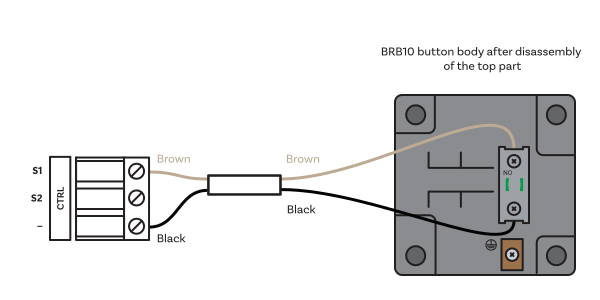
Standard plug-in terminal block#
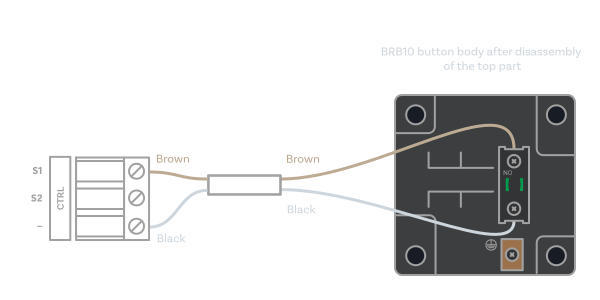
Standard plug-in terminal block#
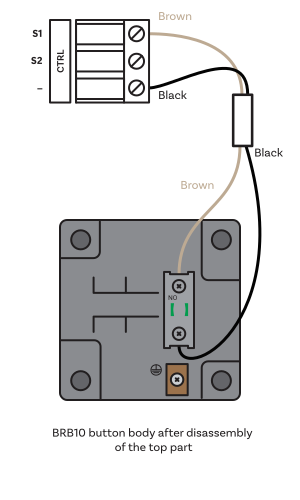
Standard plug-in terminal block#
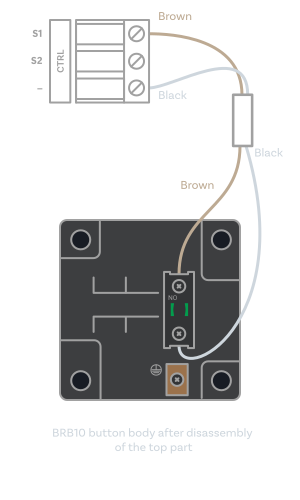
Standard plug-in terminal block#
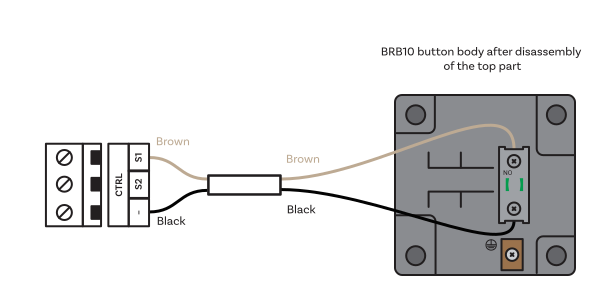
Screw terminal block (directly on digital clock PCB); only for ECO-M-DC series digital clock generation 3 with option E#
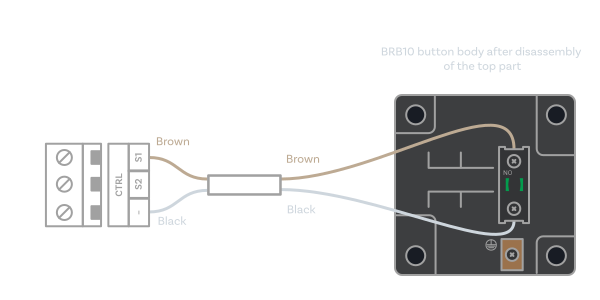
Screw terminal block (directly on digital clock PCB); only for ECO-M-DC series digital clock generation 3 with option E#
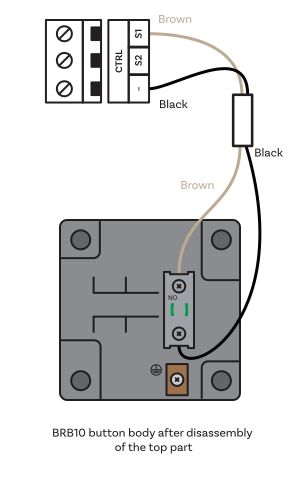
Screw terminal block (directly on digital clock PCB); only for ECO-M-DC series digital clock generation 3 with option E#
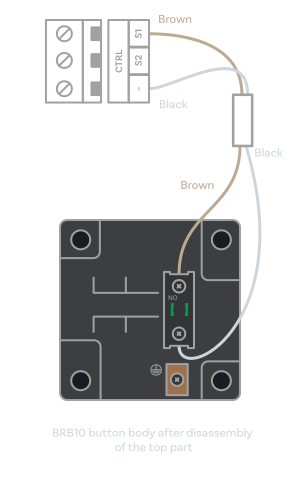
Screw terminal block (directly on digital clock PCB); only for ECO-M-DC series digital clock generation 3 with option E#