

Control Mode#
Navigation
Available Settings
Value |
Description |
|---|---|
1 (default value) |
|
2 |
|
3 |
|
4 |
|
5 |
|
6 |
|
7 |
|
8 |
|
9 |
Control Mode 1#
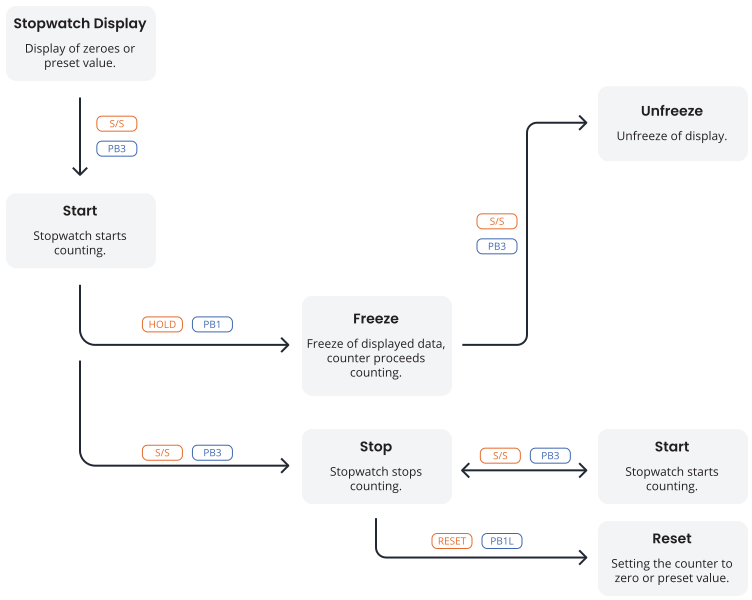
Remote controller button |
Push-button |
Function |
|---|---|---|
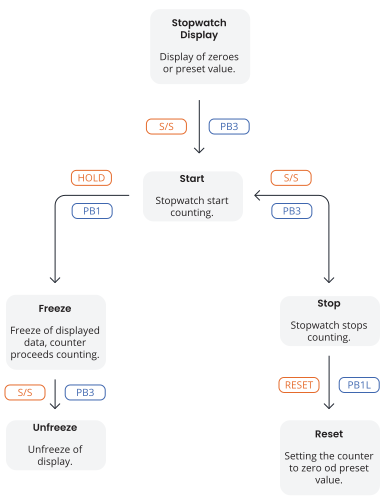
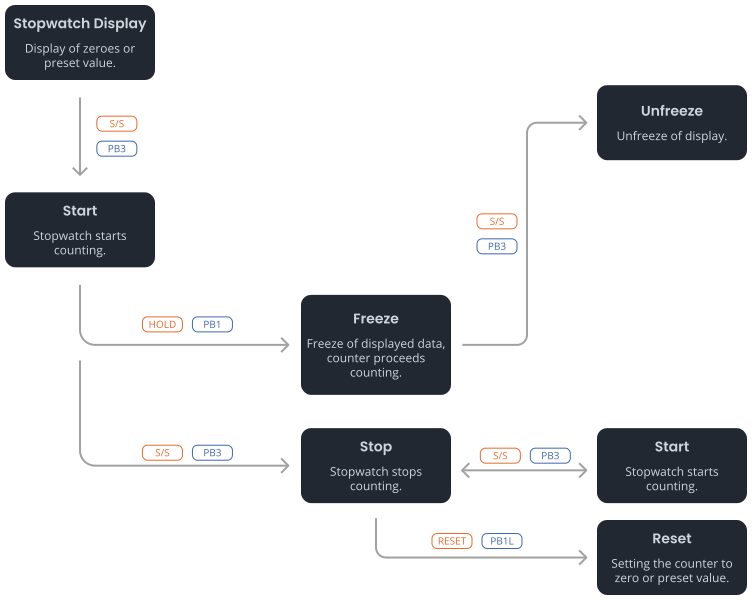
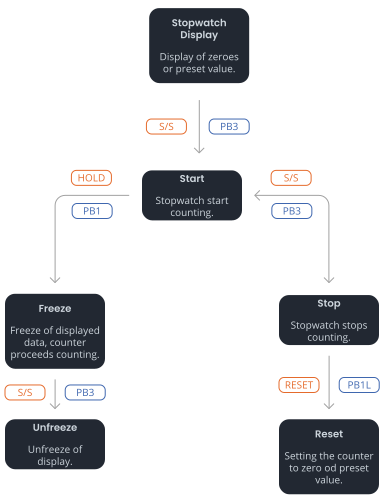
S/S |
PB3 |
Altering START - STOP - UNFREEZE of display (if freezed display) |
HOLD |
PB1 |
FREEZE of displayed data with the counter proceeding in counting |
RESET |
PB1L |
Setting the counter to zero in STOP operating mode for counting up, or return to a preset value in all other counting directions |
Control Mode 2#
Remote controller button |
Push-button |
Function |
|---|---|---|
S/S |
PB3 |
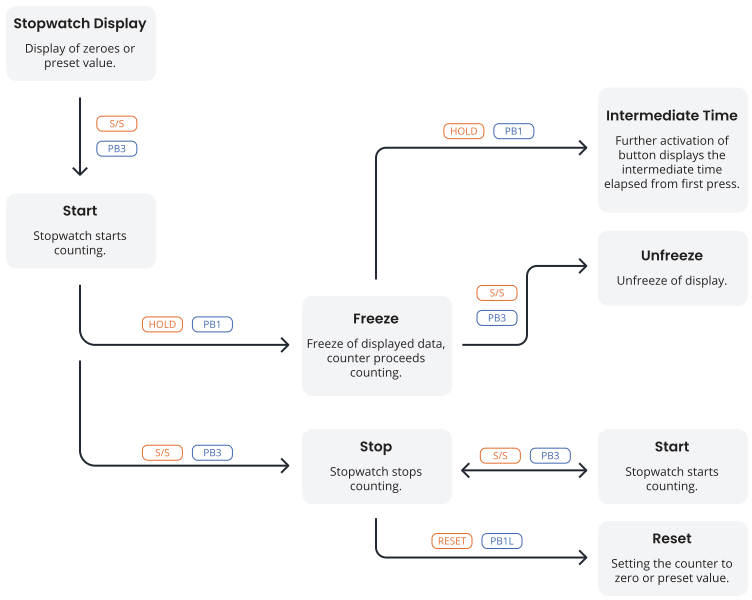
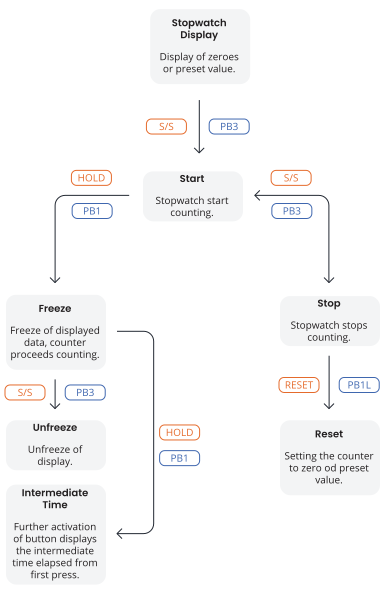
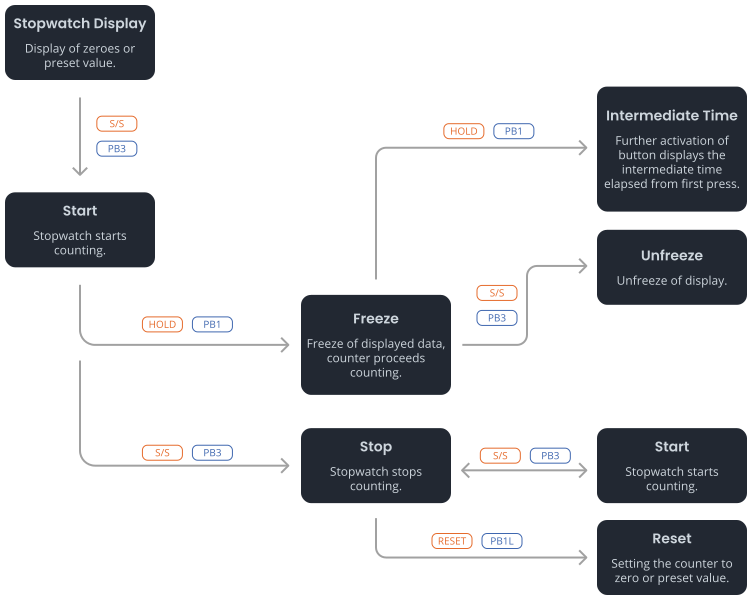
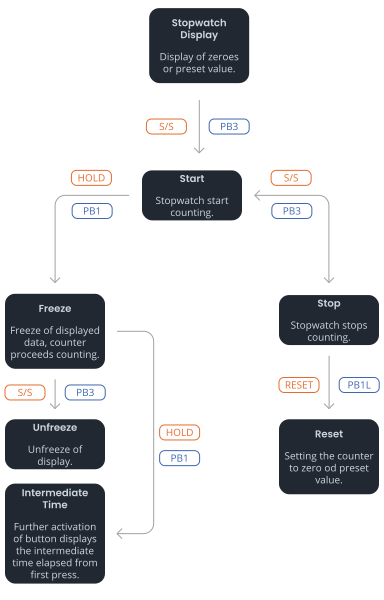
Altering START - STOP - UNFREEZE of display (if freezed display) |
HOLD |
PB1 |
First press of push-button causes the display to freeze on the respective time achieved and lets counter running; further activation of push-button shows the intermediate time elapsed from the first press |
RESET |
PB1L |
Reset of the counter in the STOP mode while in counting up, return to preset value in other counting modes |
Control Mode 3#
Remote controller button |
Push-button |
Function |
|---|---|---|
S/S |
PB3 |
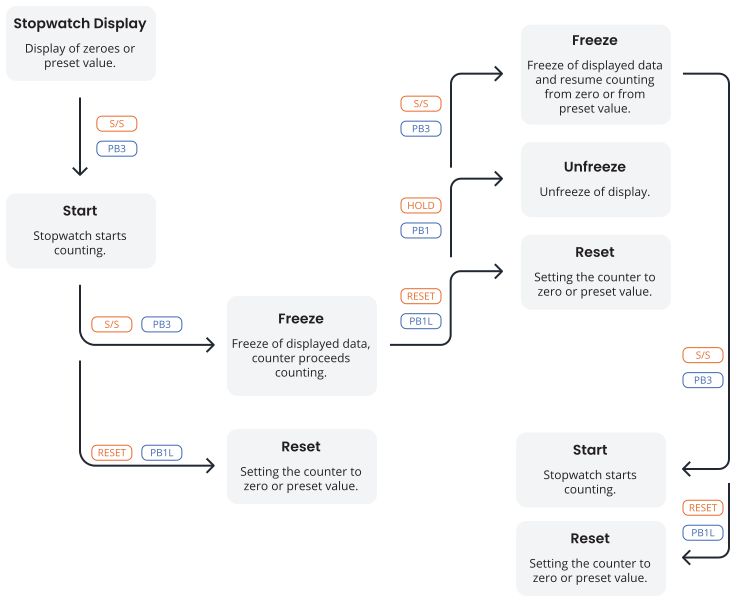
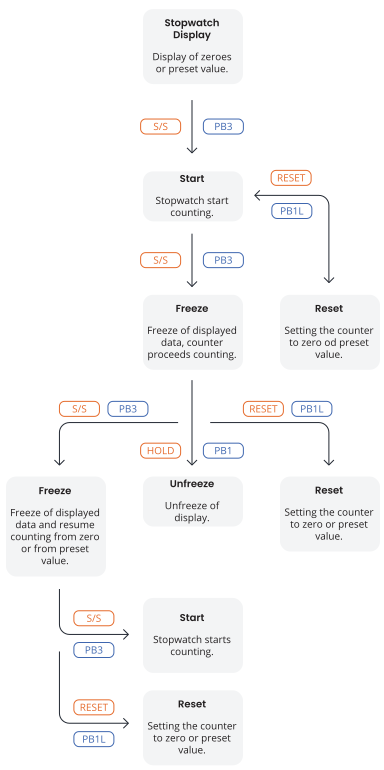
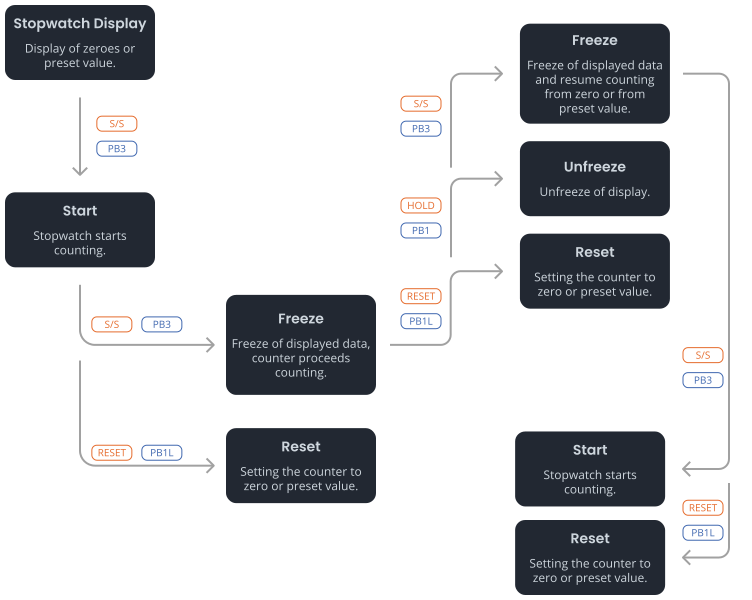
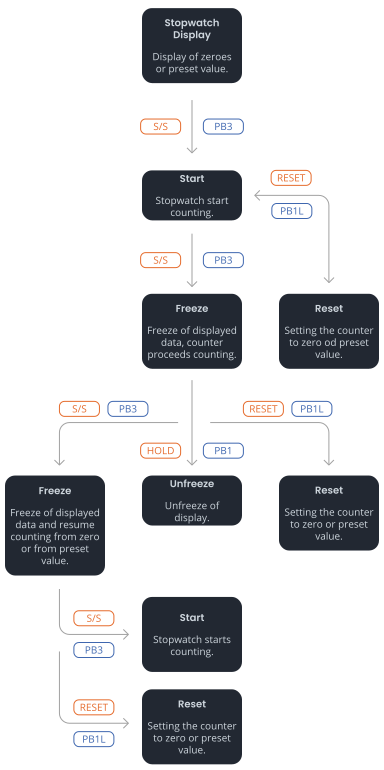
Count up from zero or from preset value in countdown mode, next press of push-button causes the display to freeze and to resume the count from zeroin counting up or from preset value in countdown mode |
HOLD |
PB1 |
Unfreeze of display, leaving the counter continue in counting |
RESET |
PB1L |
Counter reset to zero or return to preset value followed with counter stop |
Control Mode 4#
Remote controller button |
Push-button |
Function |
|---|---|---|
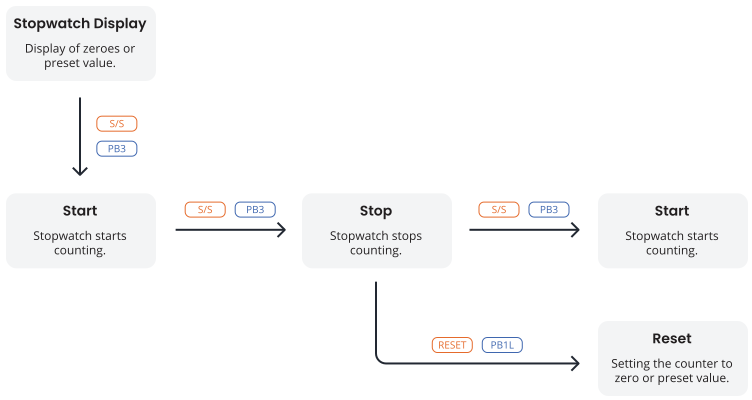
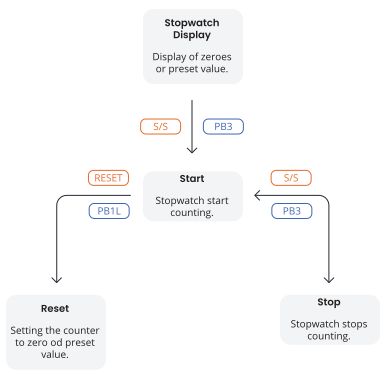
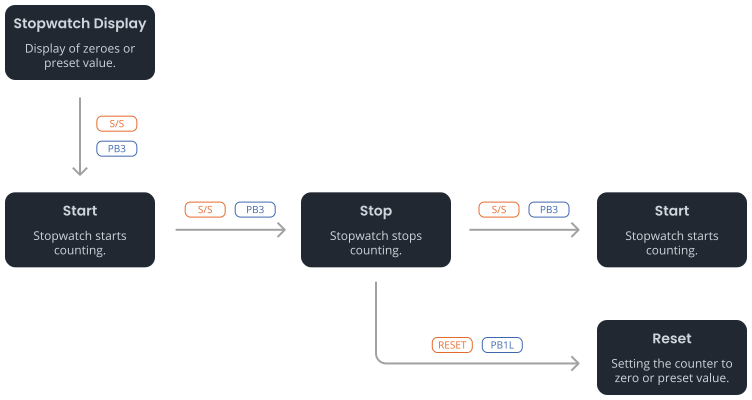
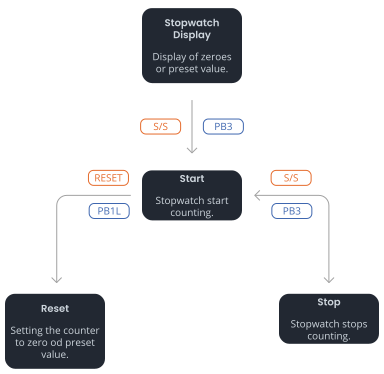
S/S |
PB3 |
Triggering the counter |
HOLD |
PB1 |
Stopping the counter |
RESET |
PB1L |
Resetting the counter or return to preset value with counter stop |
Control Mode 5#
Remote controller button |
Push-button |
Function |
|---|---|---|
S/S |
BRB10 |
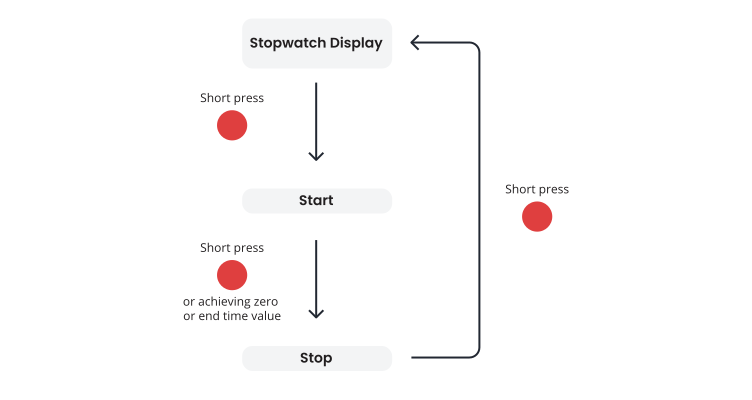
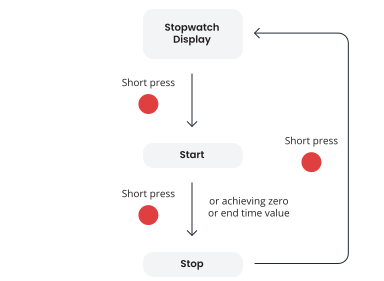
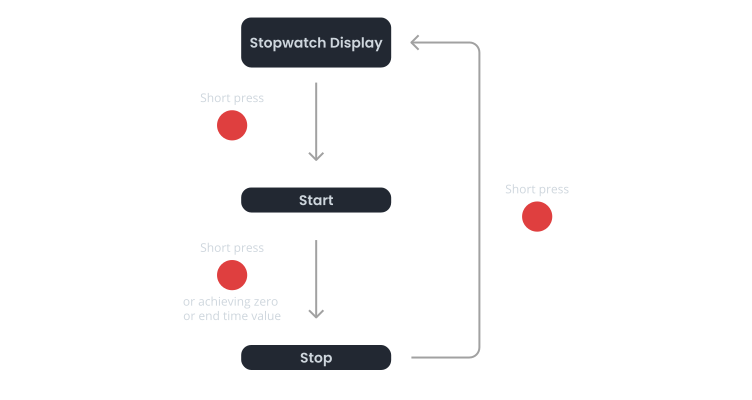
Alternately:
|
Control Mode 6#
Remote controller button |
Push-button |
Function |
|---|---|---|
S/S |
BRB10 |
Alternately:
|
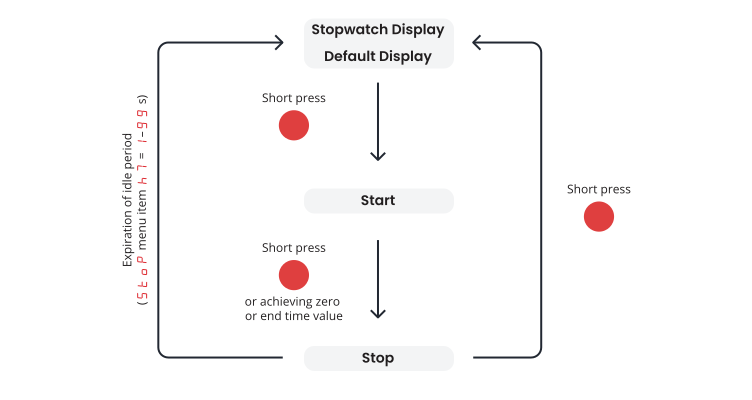
Hint
If the expiration of idle period (item h7) is set to value 0, the display will switch to default display immediately.
Hint
Default display can be set in the dISP menu item d3 (chapter Time Constants for Automatic Data Switching Over):
Display OFF
If the dISP menu item d3 is set to value 4 (continuous display of stopwatch), the display will switch OFF after the expiration of idle period or short press of button.
Display Time, Date or Temperature
If the dISP menu item d3 is set to value 0, 1, 2, 3, 5, 6 or U, the display will switch to either Time, Date or Temperature display after a expiration of idle period or short press of button.
Control Mode 7#
Remote Controller Button |
Push-button |
Function |
|---|---|---|
S/S |
PB1 (press and hold) |
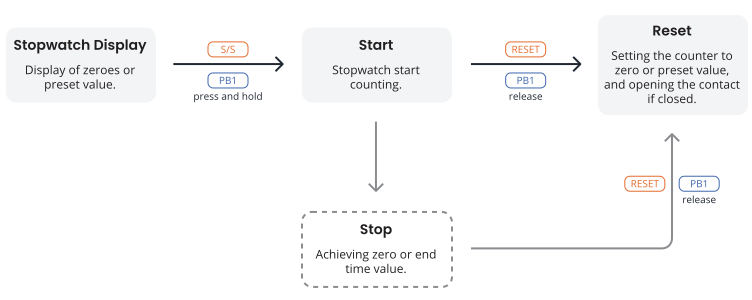
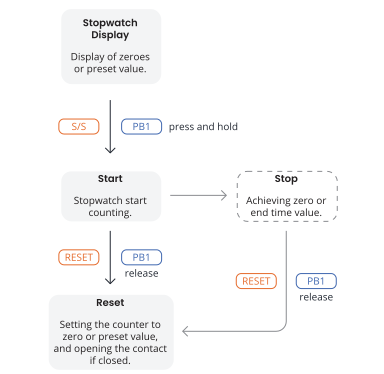
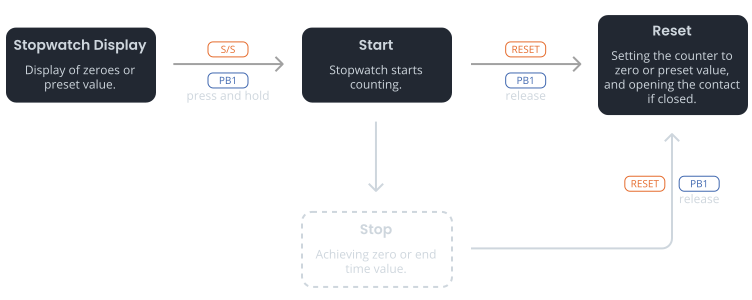
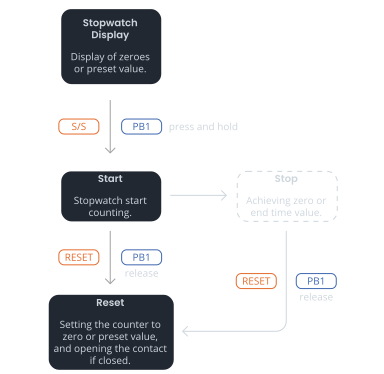
After pressing and holding down the PB1 button or alternatively pressing the S/S remote control button, the stopwatch will start counting |
After reaching zero or end time value, the stopwatch will stop counting If the menu item h4 is set to value 1–30 or L, the relay contact will close |
||
RESET |
After releasing the PB1 button or alternatively pressing the RESET remote control button, the stopwatch will reset, and the relay contact will open if closed |
1
For easy control, you can connect any external contact (e.g. relay controlled by external device) to TEMP connector.
For more information about connecting, see BRB10 Connection chapter.
Control Mode 8#
Signal |
Function |
|
|---|---|---|
TEMP1 |
activated |
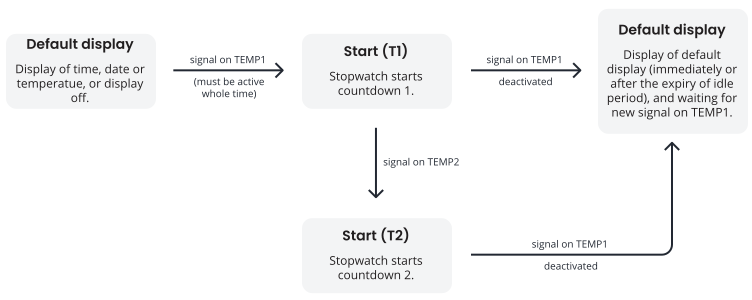
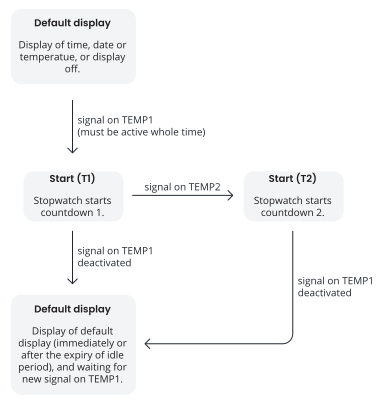
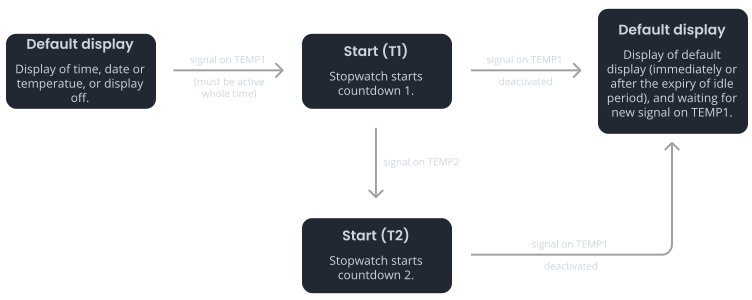
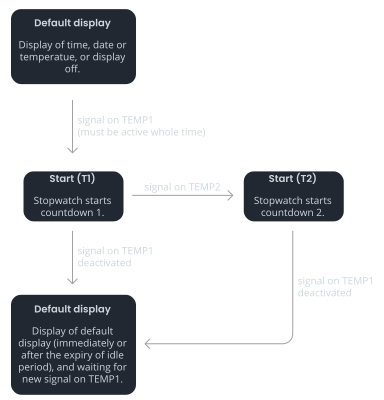
The stopwatch starts countdown 1 |
deactivated |
The stopwatch stops countdown 1 (and countdown 2 if active) and switches to default display |
|
TEMP2 |
activated |
The stopwatch starts countdown 2 (the signal on TEMP1 must be active) |
deactivated |
– |
|
1
The stopwatch may or may not finish countdown 1 (display of 00:00) in order to start countdown 2. As soon as the signal on TEMP2 is activated, the countdown 2 starts.
If the signal on TEMP1 is deactivated, both countdowns stop and the default display is displayed.
Hint
If the expiration of idle period (item h7) is set to value 0, the display will switch to default display immediately.
Hint
Default display can be set in the dISP menu item d3 (chapter Time Constants for Automatic Data Switching Over):
Display OFF
If the dISP menu item d3 is set to value 4 (continuous display of stopwatch), the display will switch OFF after the expiration of idle period or short press of button.
Display Time, Date or Temperature
If the dISP menu item d3 is set to value 0, 1, 2, 3, 5, 6 or U, the display will switch to either Time, Date or Temperature display after a expiration of idle period or short press of button.
Control Mode 9#
Signal |
Function |
|
|---|---|---|
TEMP1 |
activated |
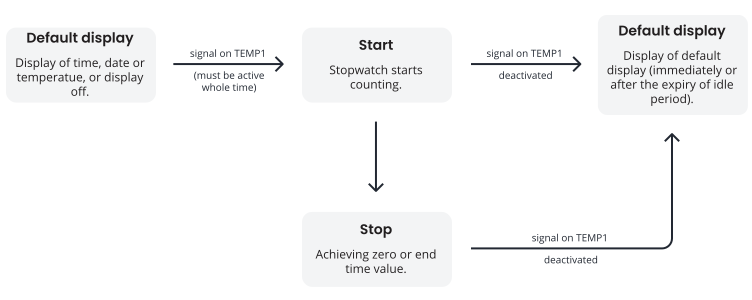
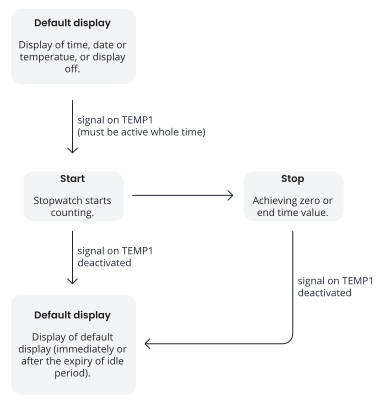
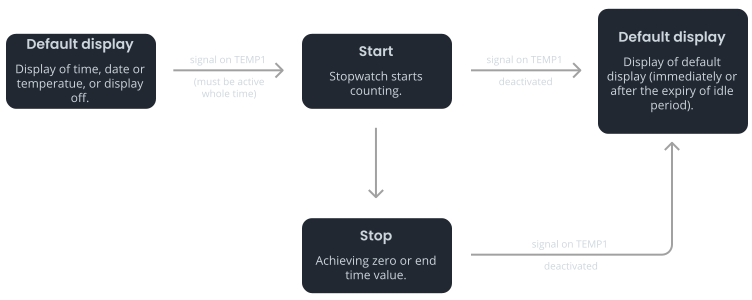
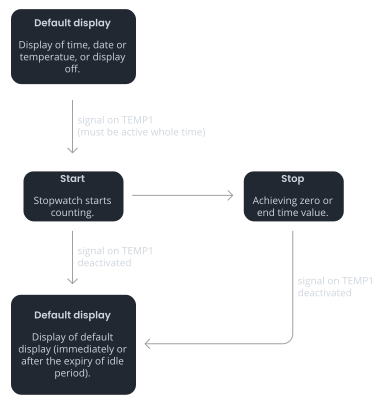
The stopwatch starts counting |
If the stopwatch reaches zero or the end-time value, it stops counting and waits for the signal to be deactivated |
||
deactivated |
The stopwatch stops counting and switches to the default display, either immediately or after the idle period expires |
|
Hint
If the expiration of idle period (item h7) is set to value 0, the display will switch to default display immediately.
Hint
Default display can be set in the dISP menu item d3 (chapter Time Constants for Automatic Data Switching Over):
Display OFF
If the dISP menu item d3 is set to value 4 (continuous display of stopwatch), the display will switch OFF after the expiration of idle period or short press of button.
Display Time, Date or Temperature
If the dISP menu item d3 is set to value 0, 1, 2, 3, 5, 6 or U, the display will switch to either Time, Date or Temperature display after a expiration of idle period or short press of button.