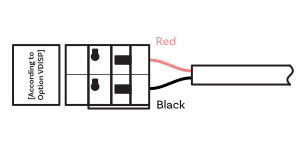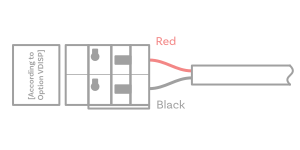

Cable Connection#
Control Elements#

Description
1 |
LINES IN connector (for LGC) |
2 |
TEMP / CTRL connector |
6 |
LAN connector (only for PoE and NTP) |
7 |
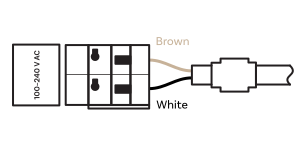
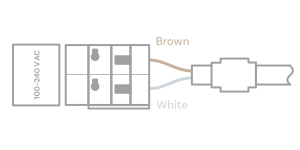
100–240 VAC (except PoE) |
8 |
DISP2 – connection for second side of the clock |
A |
Push-buttons PB1, PB2 |
Note Push-buttons location depend on digit height. For ECO-DC.57 model, push-buttons are located on the upper side of the recess. |
|
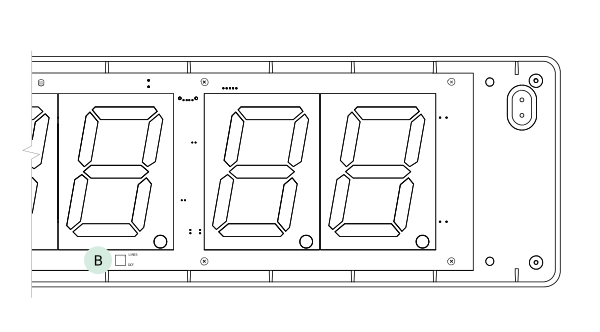
B |
DIP switch (only for LGC variant) |
Note DIP switch is accessible after removing the front frame and plexiglass. |
|
E |
Powering LED indication |
F |
State LED |
G |
Link LED |
H |
Activity LED |
Dismounting the Front Plexiglass#
Note
For the LGC variant, the front plexiglass cover is disassembled either to switch the input for the DCF/GPS receiver, or to perform a factory reset using the button (see Factory Reset Using Push-Buttons chapter).
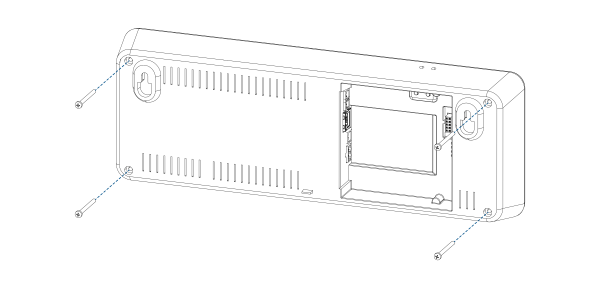
Step 1 – Remove four screws from the back side of the frame.
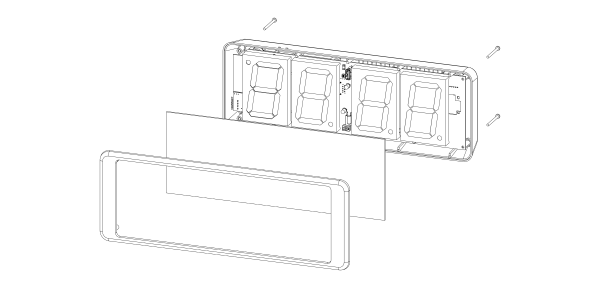
Step 2 – Remove the front frame and the plexiglass.
Wires Connection#
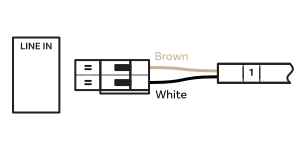
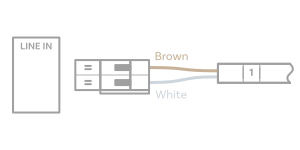
LINES IN Wire Connection#
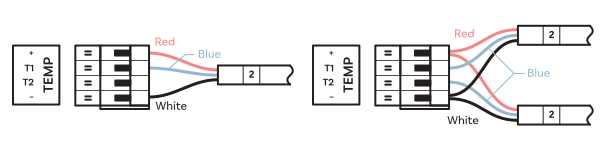
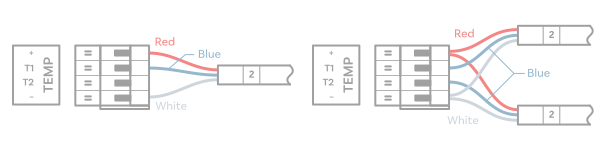
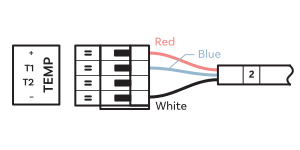
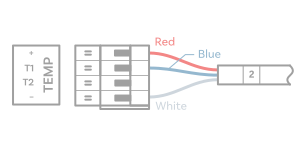
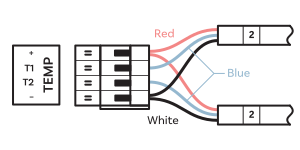
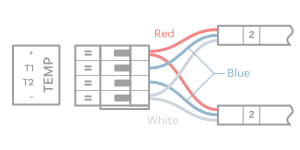
TEMP Wire Connection#
One or two temperature sensors
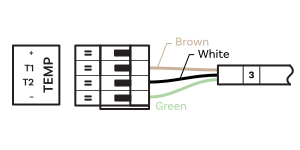
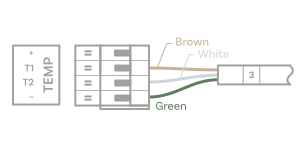
CTRL Wire Connection#
Stopwatch control connects to TEMP connector
POWER Wire Connection#
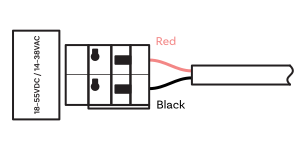
VDC or RP Option Wire Connection#
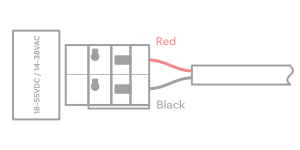
VDISP Option Wire Connection#