

Ceiling Suspension Mounting#
Step 1
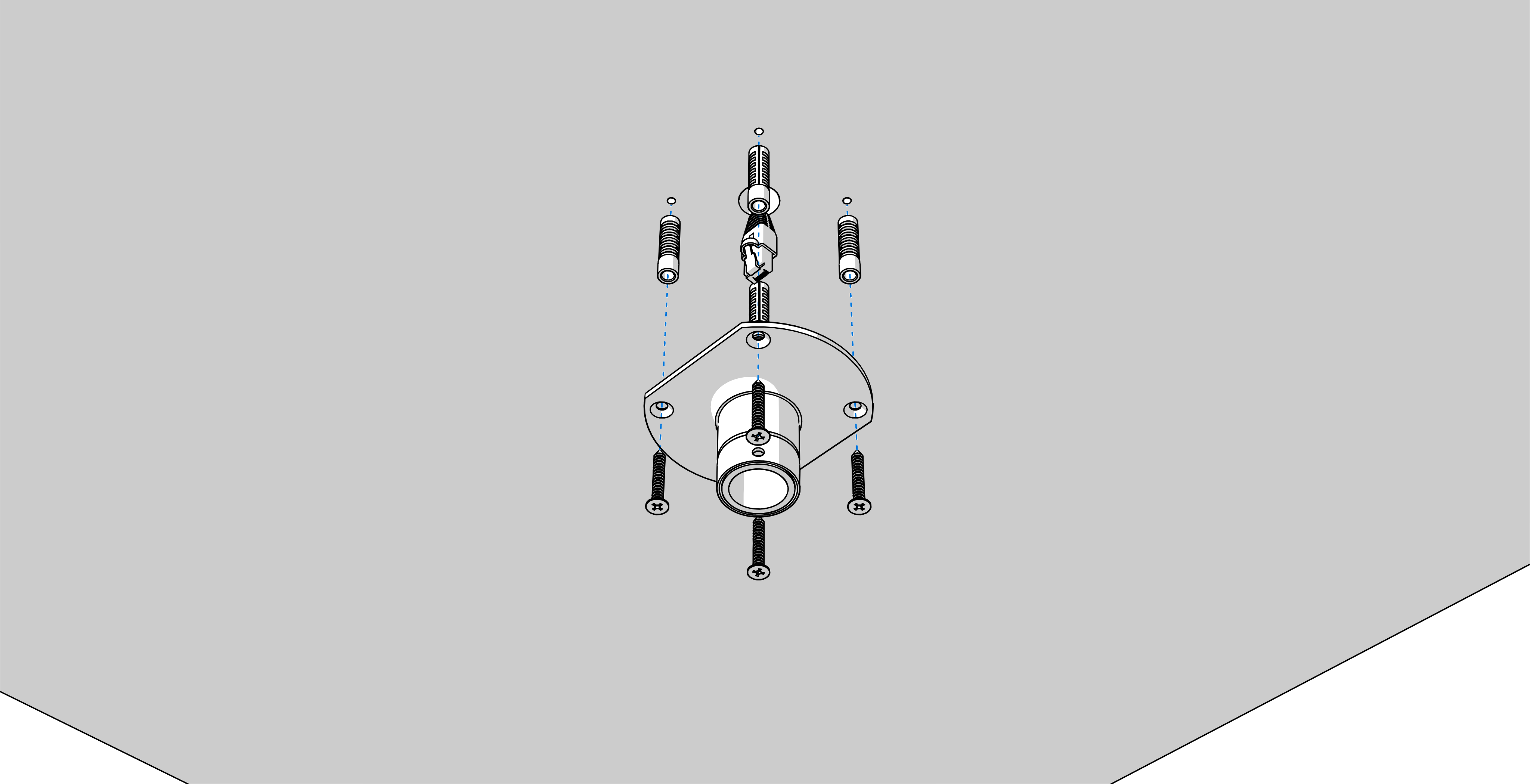
Drill four anchoring holes into a ceiling of a diameter adequate to accommodate supplied wood-type screws with dowels.
Interlace incoming cables through suspension pipe. Fasten the ceiling suspension to ceiling using 4 wood-type screws of 5 mm diameter.
Step 2
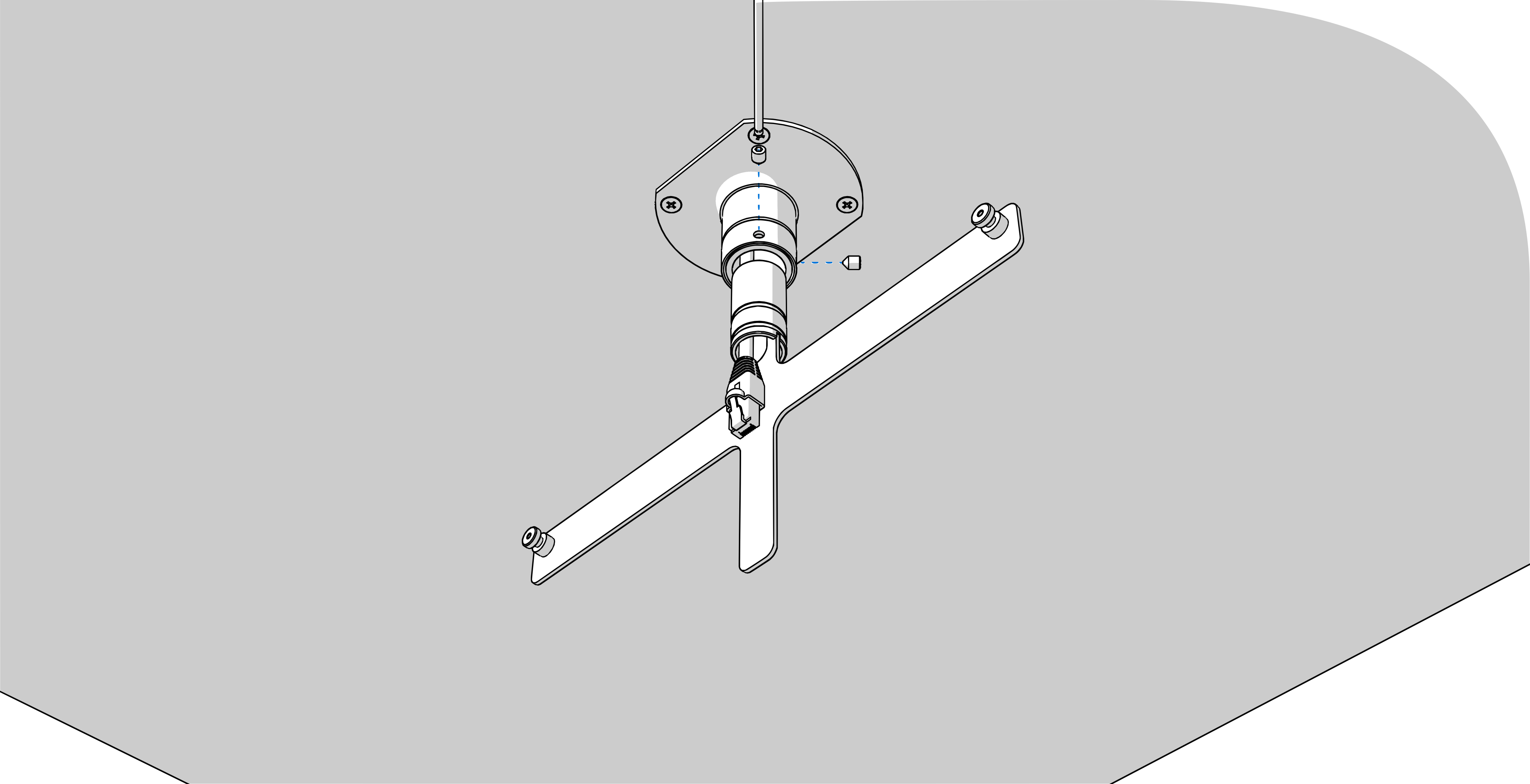
Interlace incoming cables through pipe insert on anchoring plate.
Slip-on the plate onto suspension.
Fix the connection by tightening the screws using Allen key No. 3.
Step 3
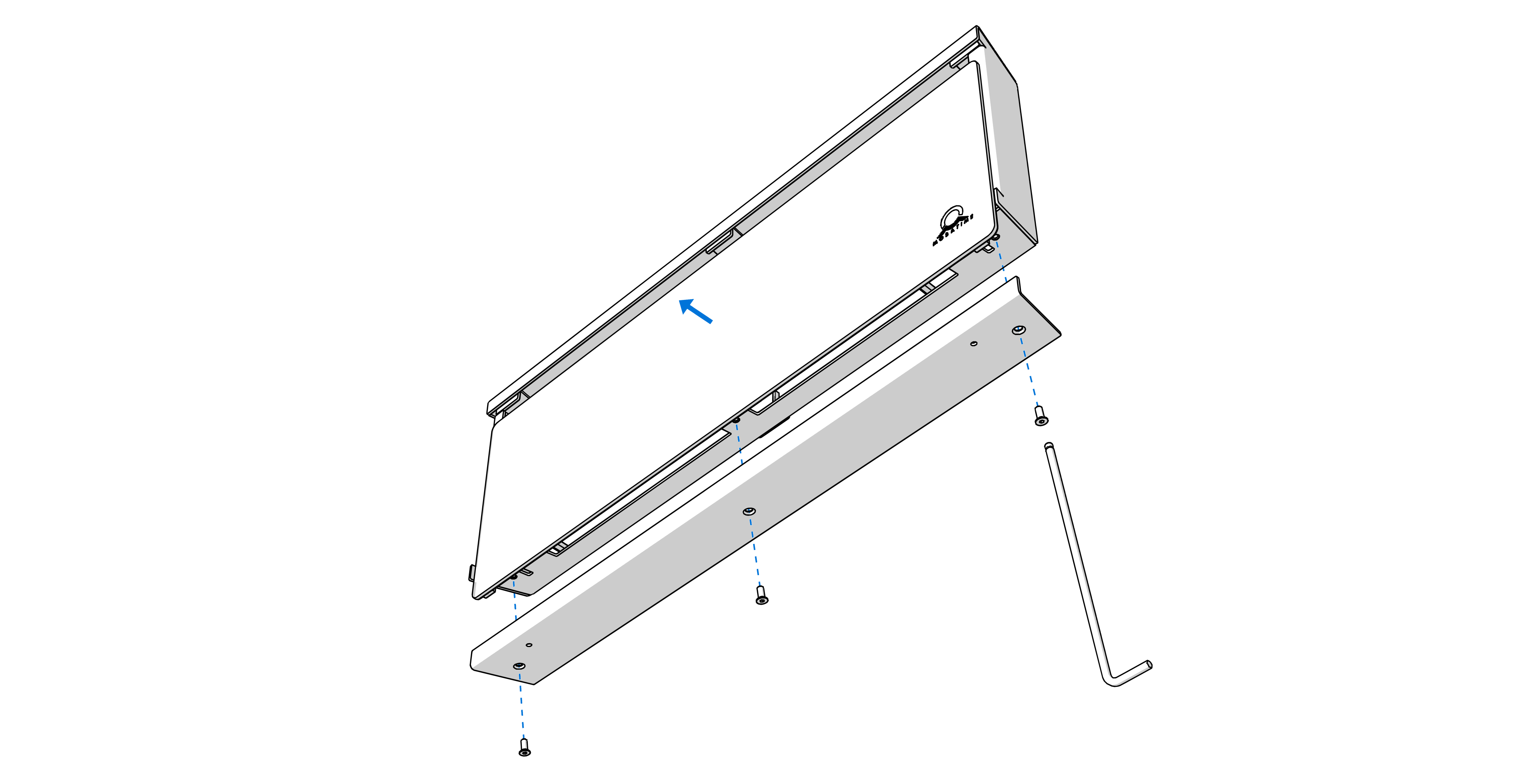
Remove the screws on the bottom side of the clock. Remove bottom cover and plexiglass.
Step 4
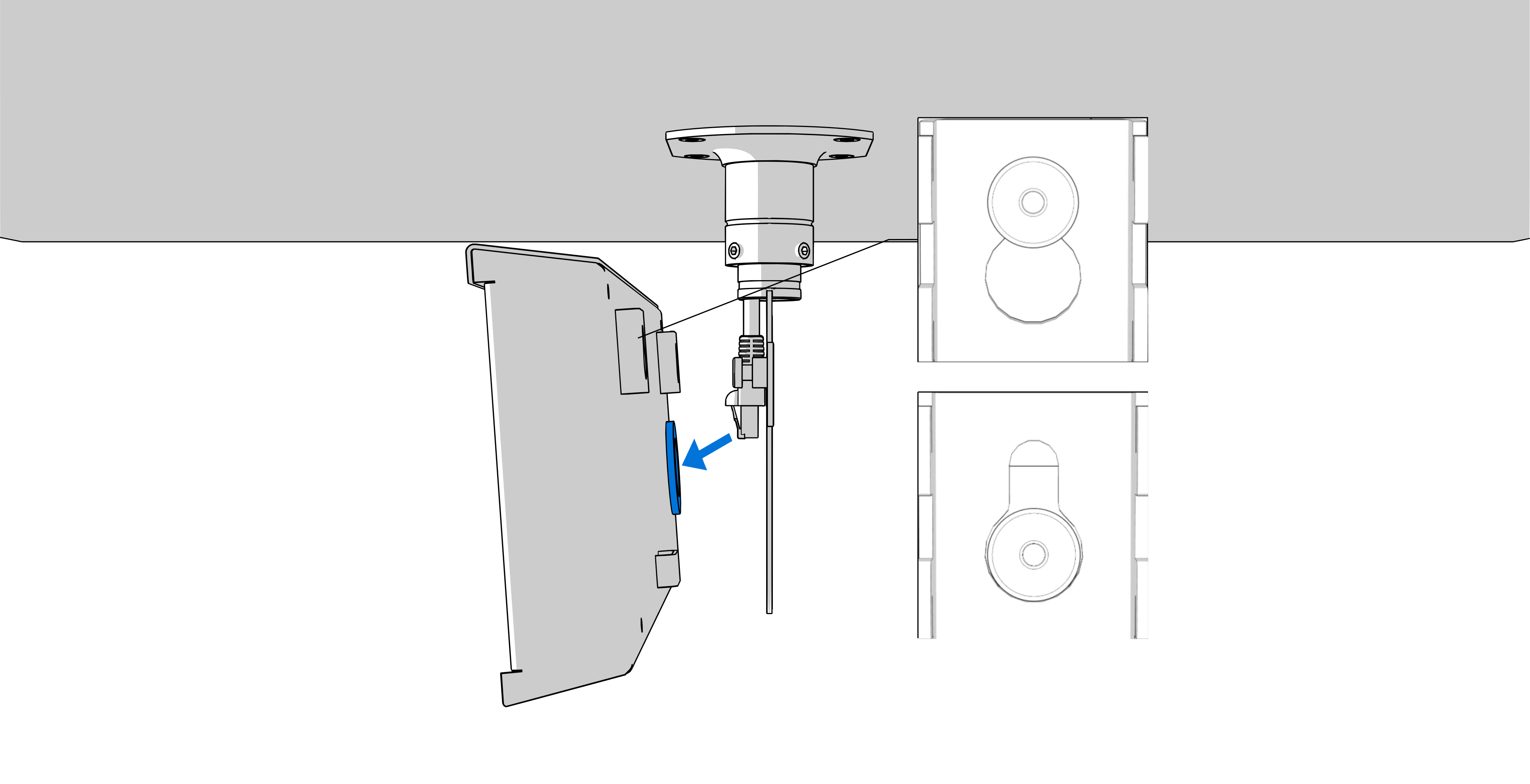
Thread the incoming conductors through the grommet on the back side of the clock.
Hang the clock on the anchor plate.
Hint
If the clock has to be tilted down slightly, remove the supporting element (marked by blue) on bottom of back side accordingly.
Step 5
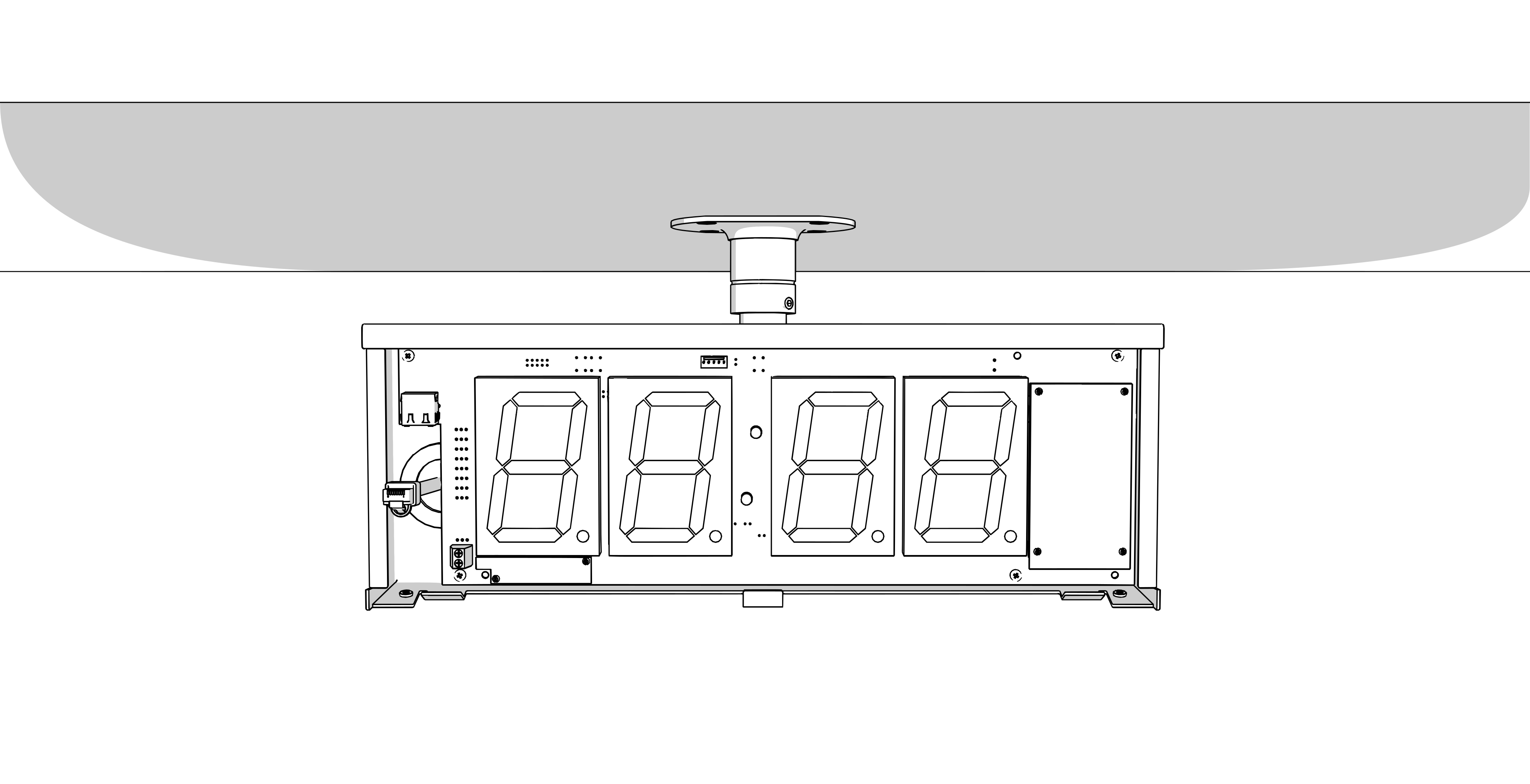
1
See chapter Cable Connection.
For mains‑powered clocks, connect the supply conductors to the terminal block on control board according to the label.
Mount a power cable of at least 3×0.75 mm2 (double isolation), maximal 3×1,5 mm2 (double isolation).
Shape or shorten the conductors so that their routing does not obstruct proper positioning and securing of the clock.
For PoE / PoE+ powered clocks, connect a PoE‑enabled Ethernet cable to the RJ‑45 connector on the control board.
Use a PoE switch port or PoE injector that provides the required PoE power.
Connect the wires of the respective component (e.g., temperature sensor, keyboard, or RS‑485 interface) to the terminal block on control board according to the label.
Connect the Ethernet cable to the RJ-45 connector, if available.
Caution
Be careful not to swap the terminals. Check the markings of the terminals on the control board.
Caution
For the LGC variant, set the DIP switch according to the used synchronization signal (its position can be found in the Cable Connection chapter, marked with the letter B).
For lines synchronization, keep the DIP switch in its default position.
For all other synchronization signals (DCF, MOBALine, polarized impulse line, IRIG‑B), set the DIP switch to the DCF position.
See the chapter Clock Operation > Non-network Clock Operation for detailed information about connecting the various synchronization sources and receivers.
Step 6
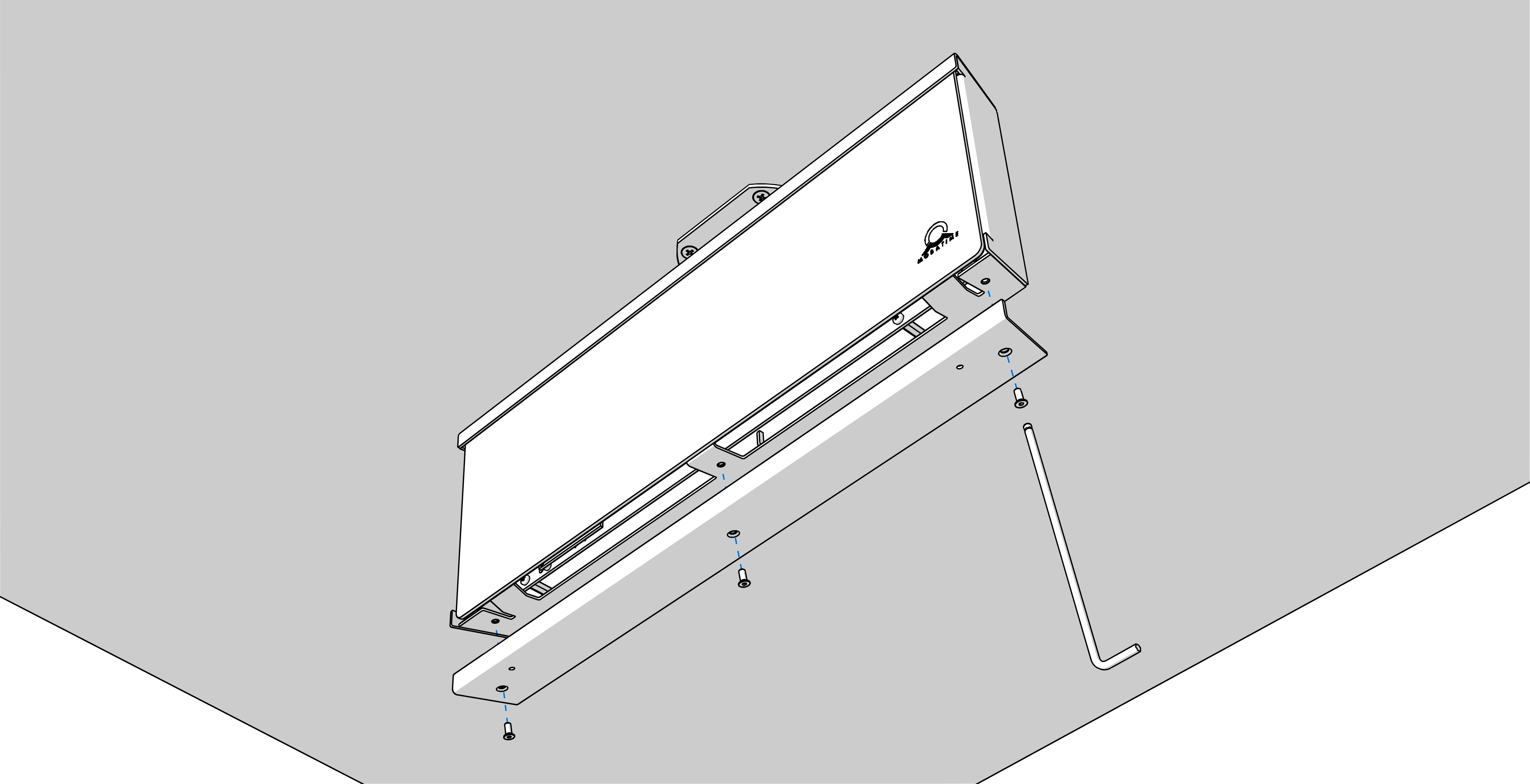
Mount back the plexiglass and bottom cover.