

Ceiling Suspension Mounting#
DSC.180–DSC.320#
The double sided clock consists of displaying part (SLAVE unit), control part (MASTER unit) and the ceiling suspension console. Both clock units are linked via one cable.
The clock is delivered as one unit – both clock units are mounted on the ceiling suspension console.
Step 1
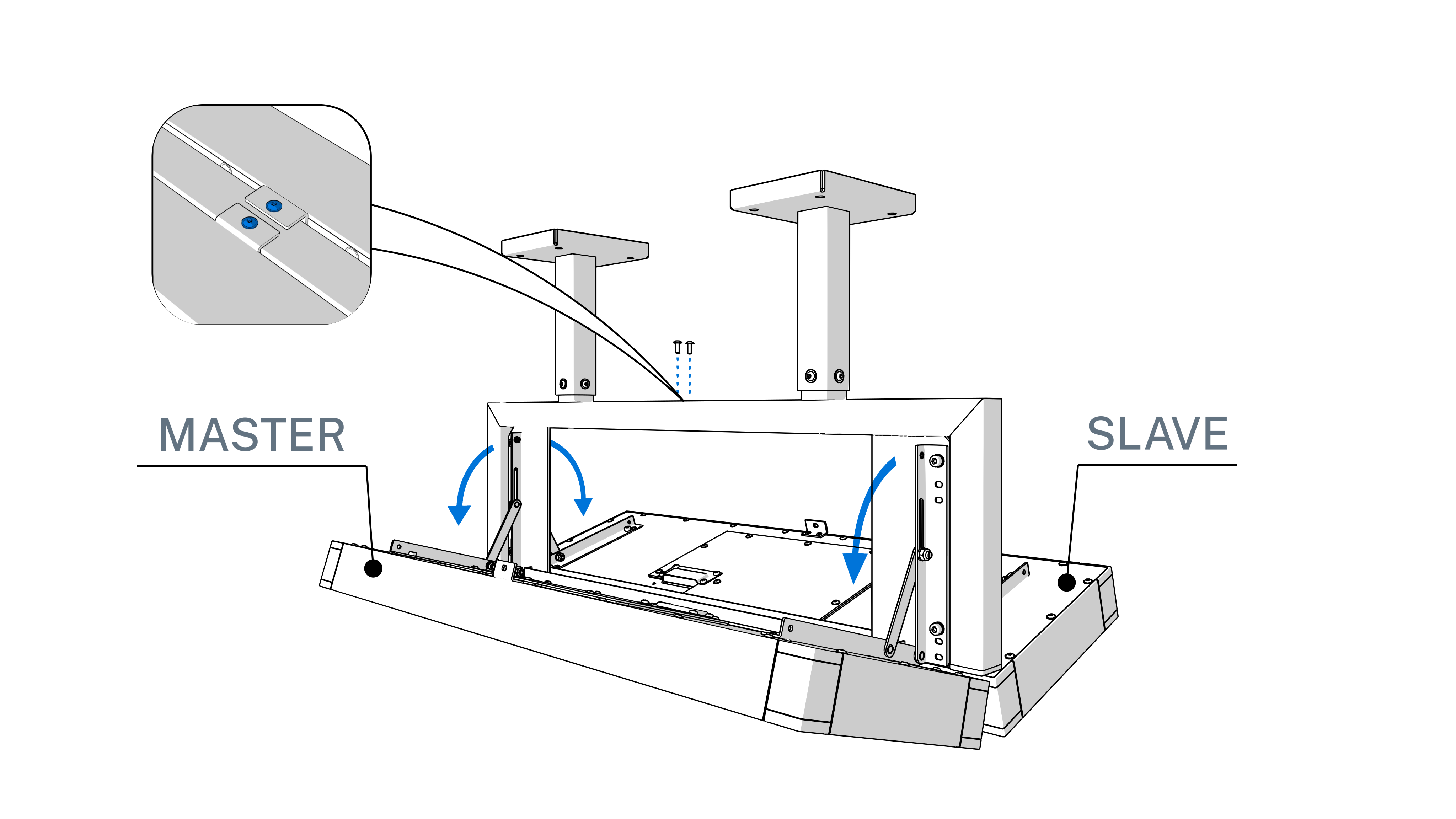
Unscrew the locking screw on the top.
Put both clock units into fully tilted out position.
Step 2
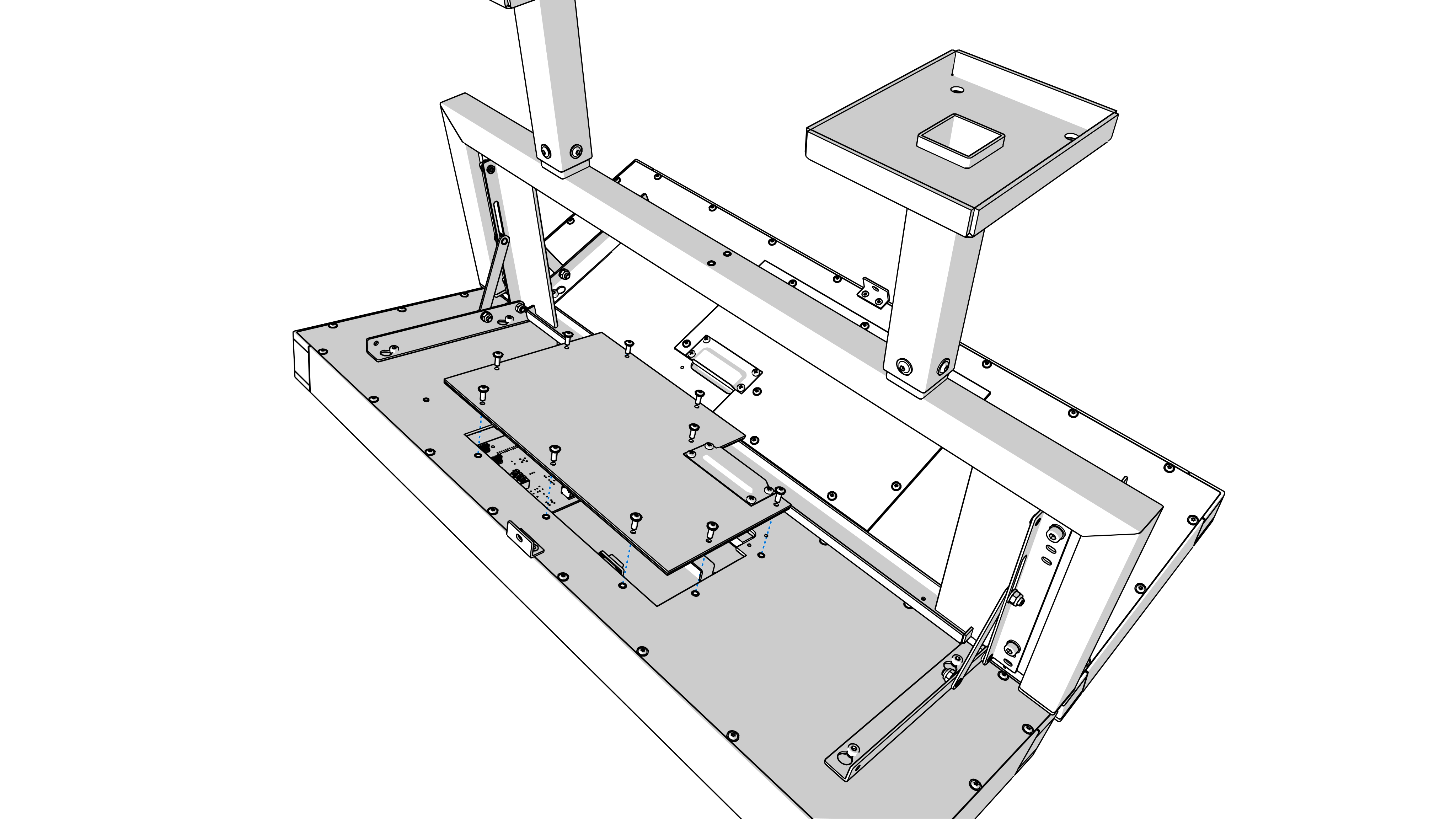
Dismantle the back cover on the MASTER unit.
Disconnect the MASTER-SLAVE connecting cable.
Step 3
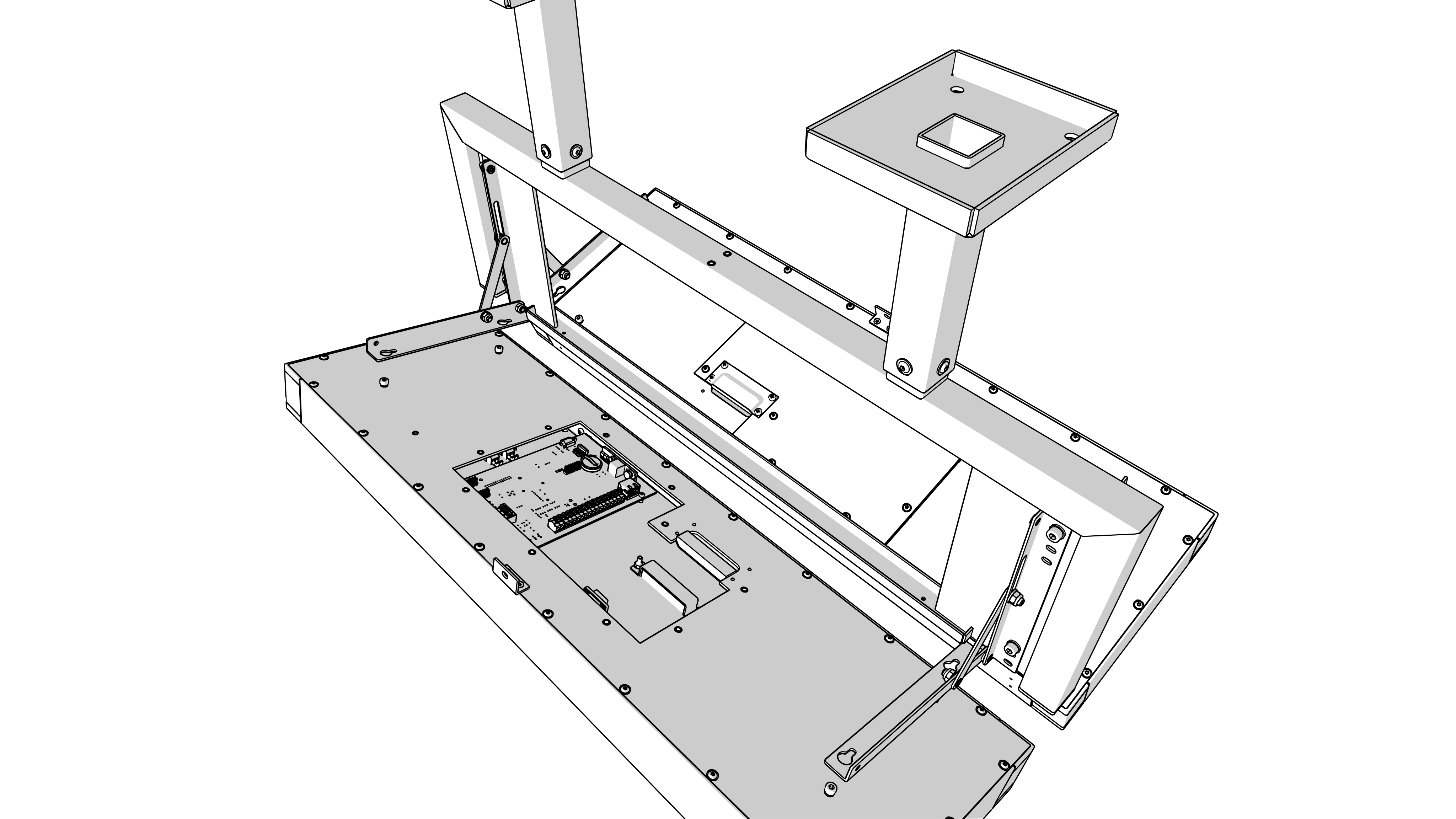
Slightly loosen the screws that hold both clock units on the suspension console.
Dismount both clock units from the suspension console.
Step 4
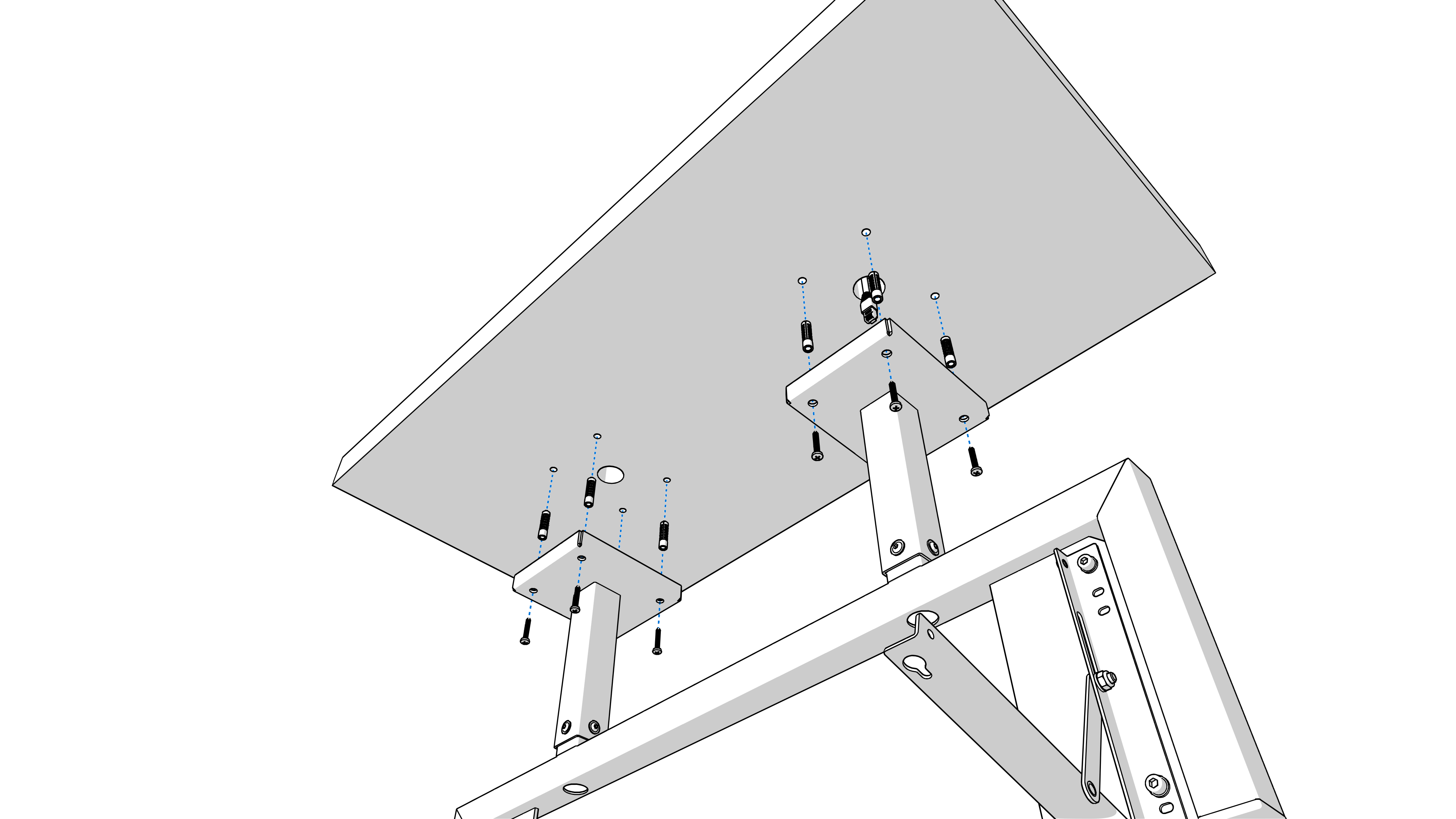
Drill appropriate number of anchoring holes in the ceiling for wood‑type screws of 10–12 mm diameter.
1
Use the mounting console as a template.
Push all incoming cables (power, temperature, synchronization) through the upper tube of the console and through the oval hole.
Mount the console on the ceiling.
Step 5
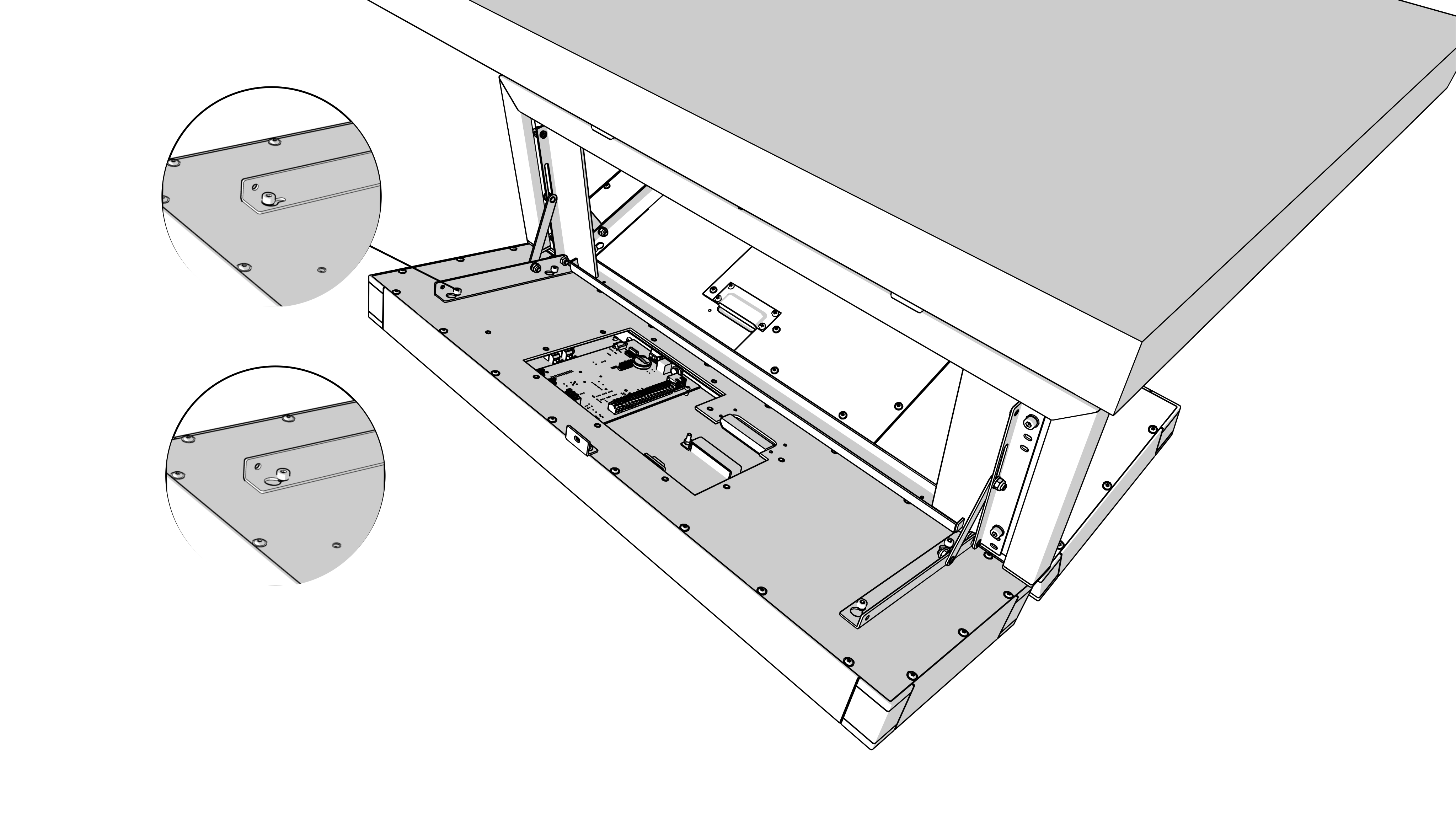
Hang both clock units into the flipped out console arms and fix it by tightening the screws.
Step 6
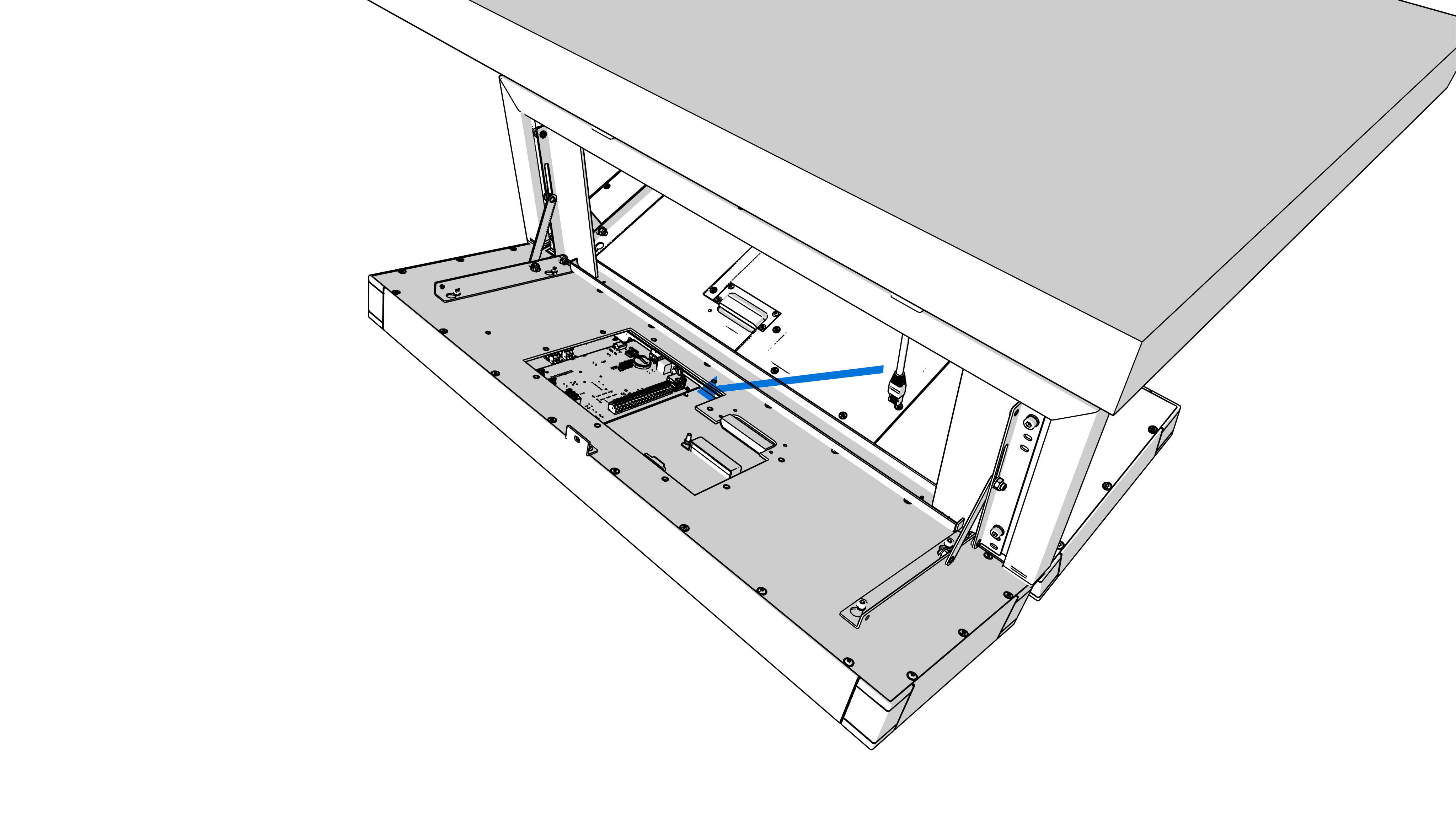
Connect the MASTER-SLAVE connecting cable.
Arrange all incoming cables to appropriate length and connect them to the appropriate terminals on the PCB. See the description of the connectors.
Caution
Observe the correct polarity where necessary.
Caution
For LGC variant, configure the position of DIP switch according to used synchronization signal (applies only for DCF, MOBALine, polarized impulse line or IRIG‑B).
Navigate to Clock Operation chapter > Non-Network Clock Operation chapter to get detailed info about connection of various synchronization sources and receivers.
Fix the cables with the holder in correct positions in order to maintain regular spacing between the cables in the area of passing through sealing. Use appropriate force to not to damage the cables insulation.
Step 7
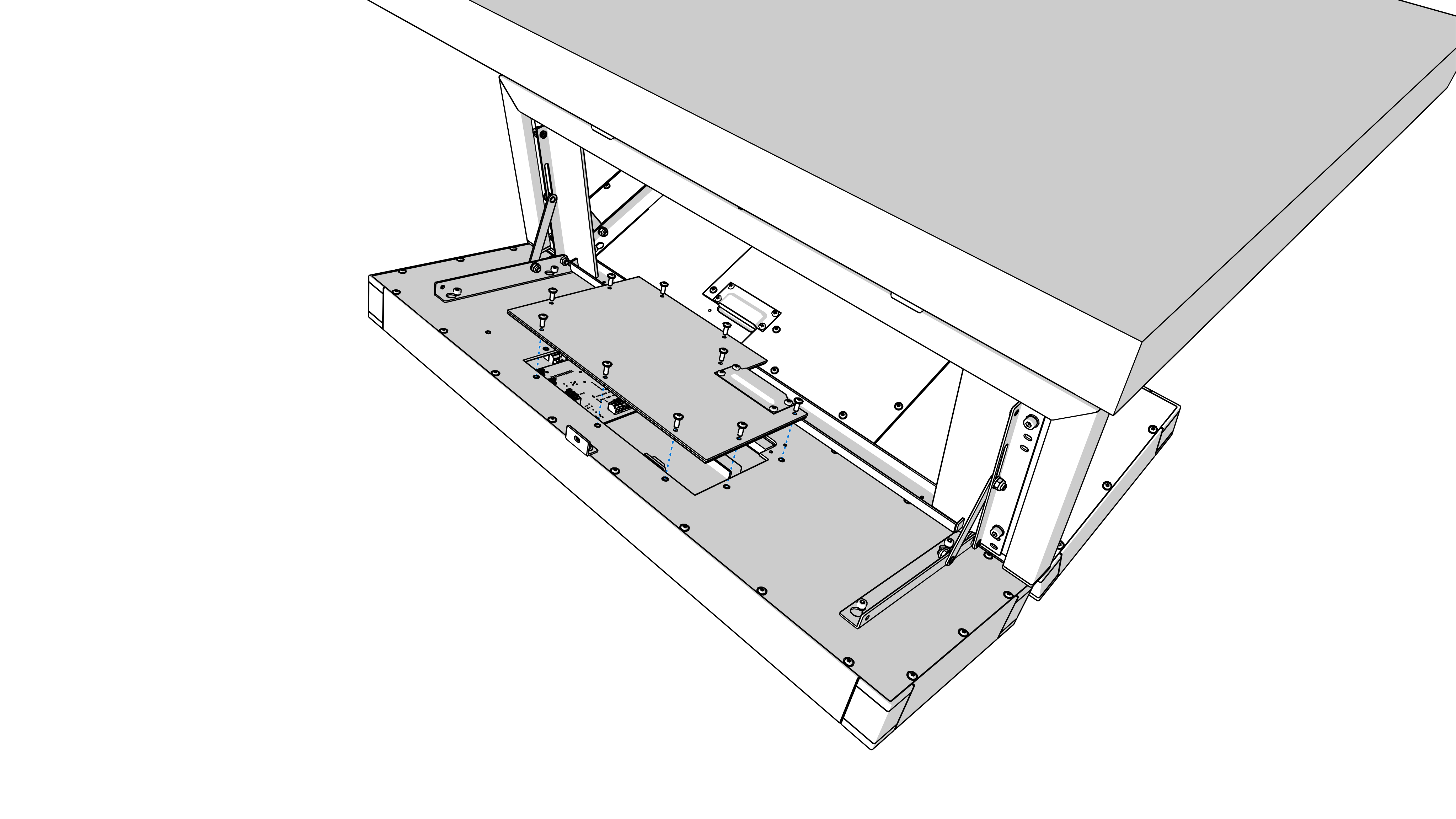
Mount back the connector covers on the MASTER unit.
Step 8
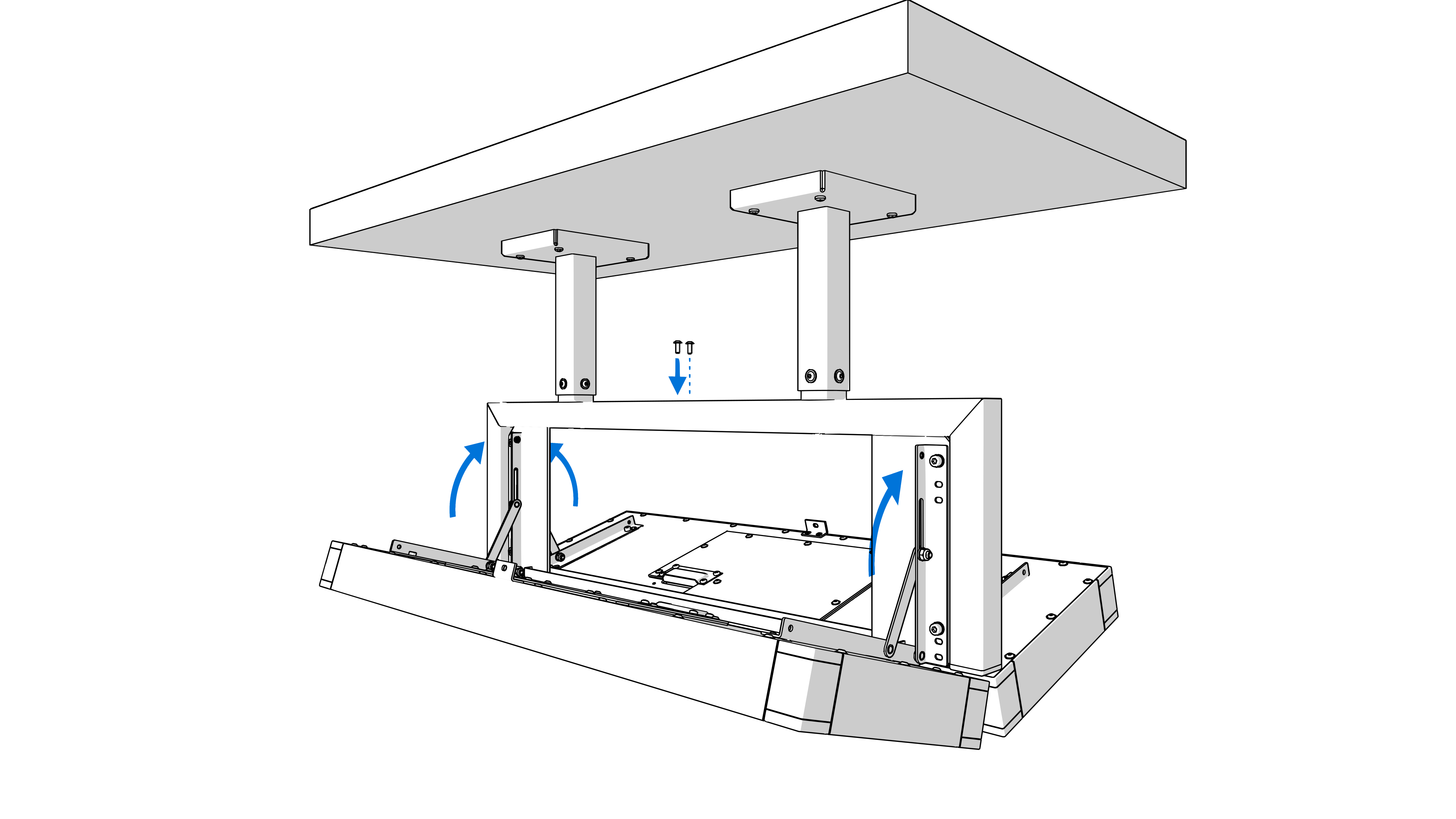
Tilt both clock units into vertical position and fix them by locking the screw on the top.
DSC.500#
TBA