
Daily Overview#
Basic Description#
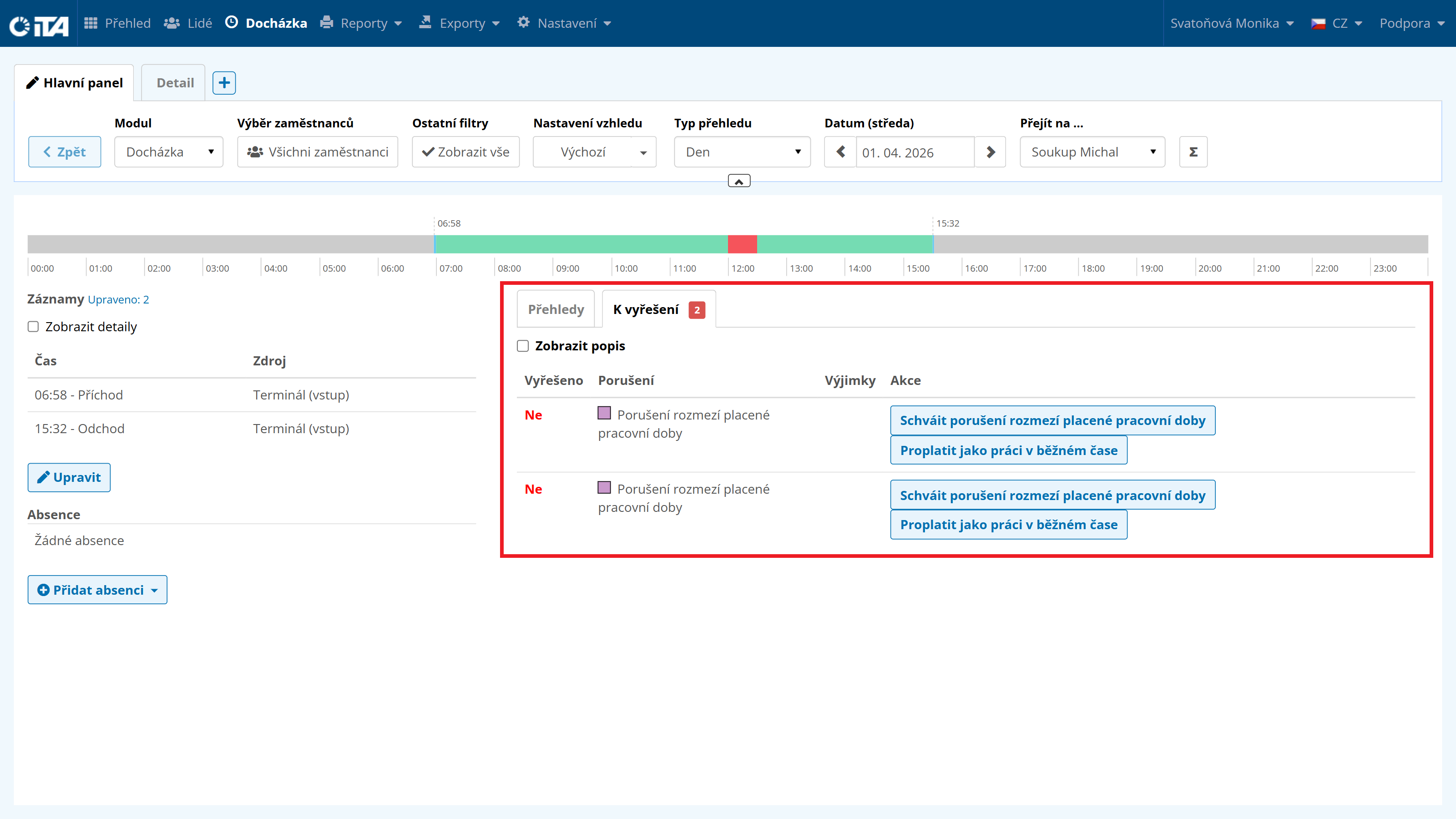
The daily overview displays records for a single specific day. In this overview, you can perform manual edits, corrections, and adjustments to attendance. You can approve work rule violations and add missing clock-in or clock-out times.
Module Attendance | Overview type Day | Date (day) any | Go to … any
Viewing and Editing Attendance#
Timeline#
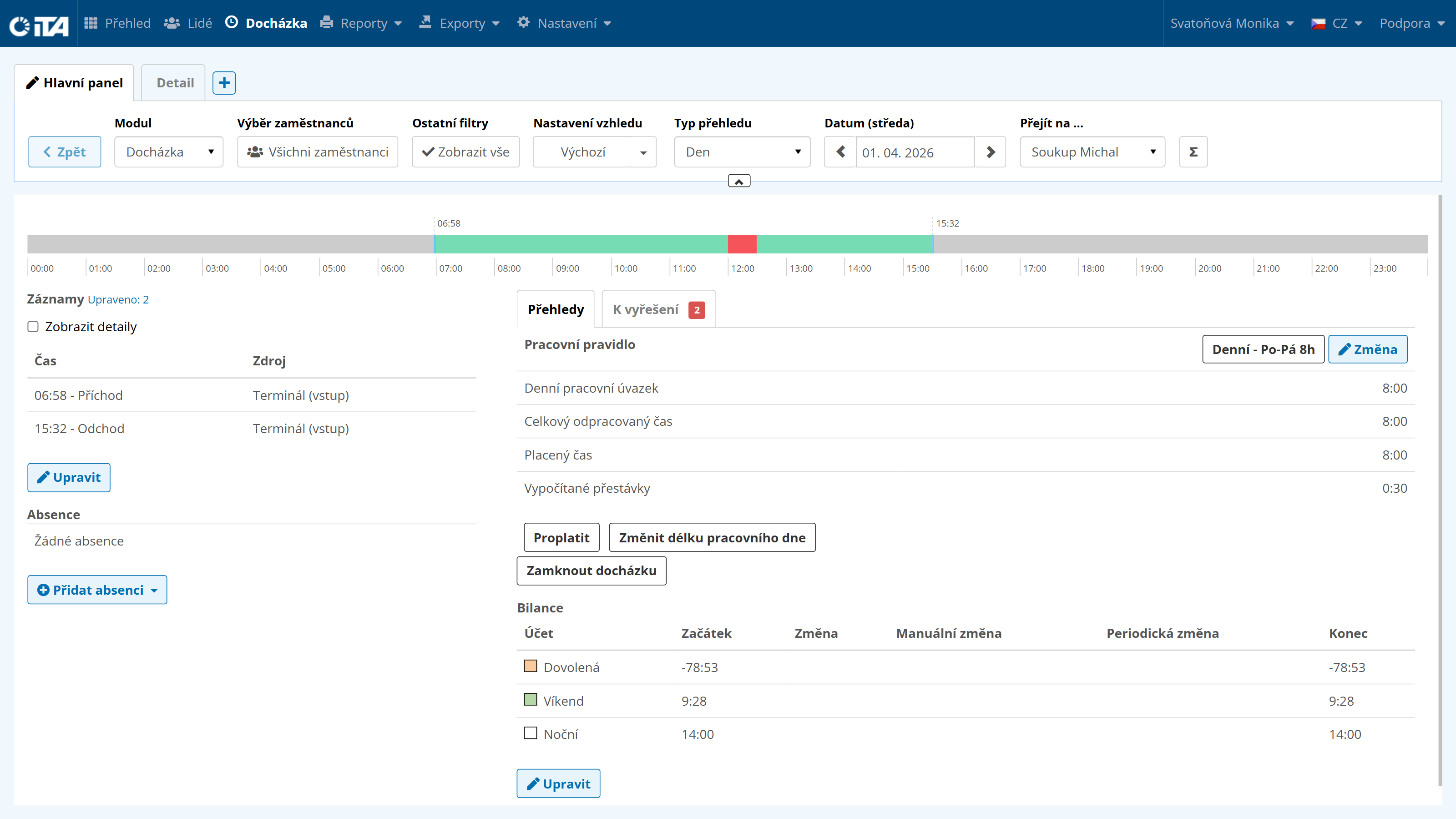
A graphical view of the employee’s attendance on a timeline. To see more detailed information, hover the mouse over the section of the timeline whose data you want to display.

Records#
Records display the times the employee arrived at and left the workplace, the break, and any additional information such as a doctor’s appointment or business trip. Records can be edited and supplemented later — you can add an arrival or departure, or delete an incorrect record.
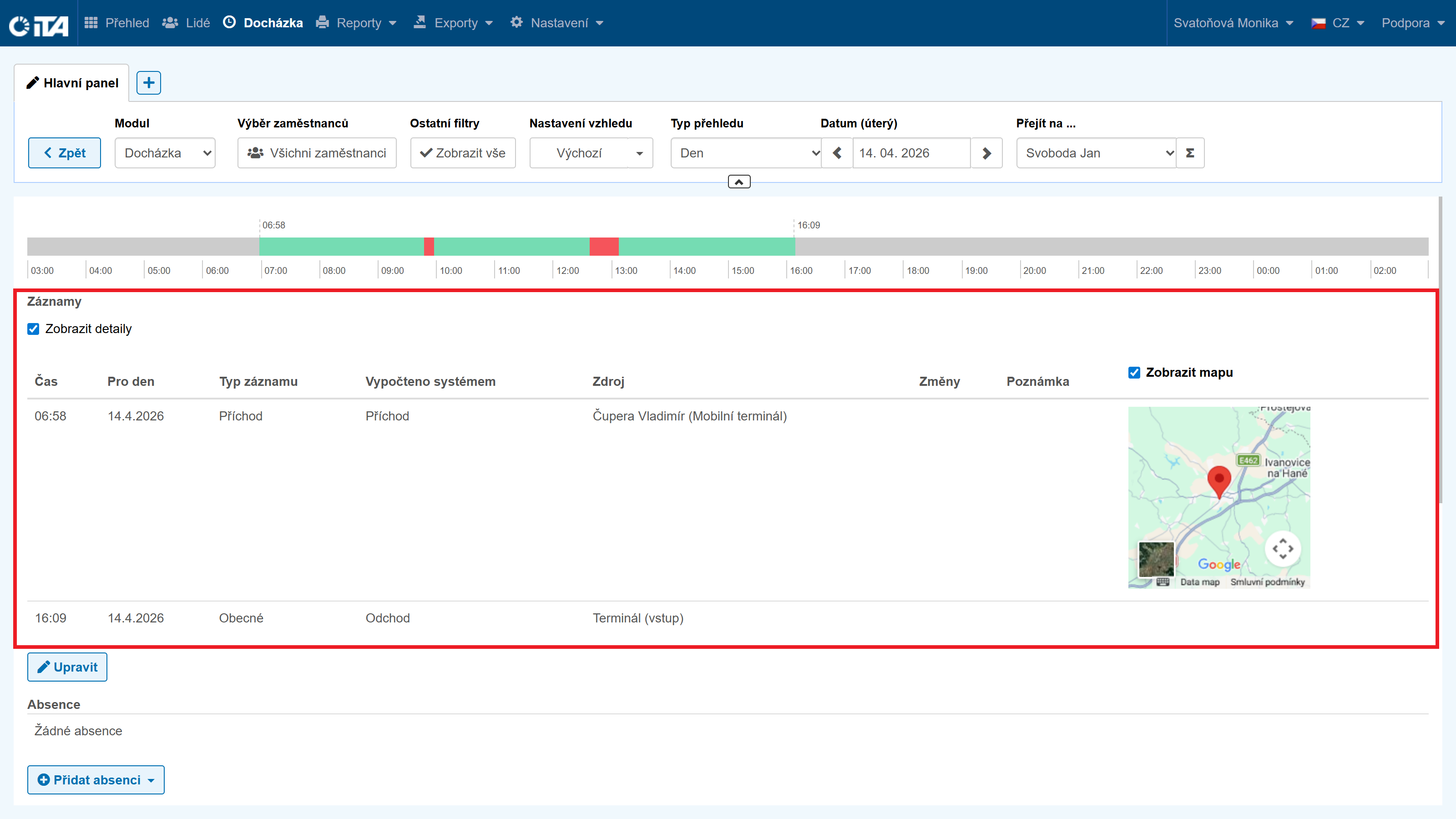
The “Show Details” option is also available for records. When selected, it displays detailed information about the chosen day — time, date, type, source, changes, and the record’s note. In addition, if the geolocation feature is used, you can see the record’s GPS coordinates with the option to display the record on the map.
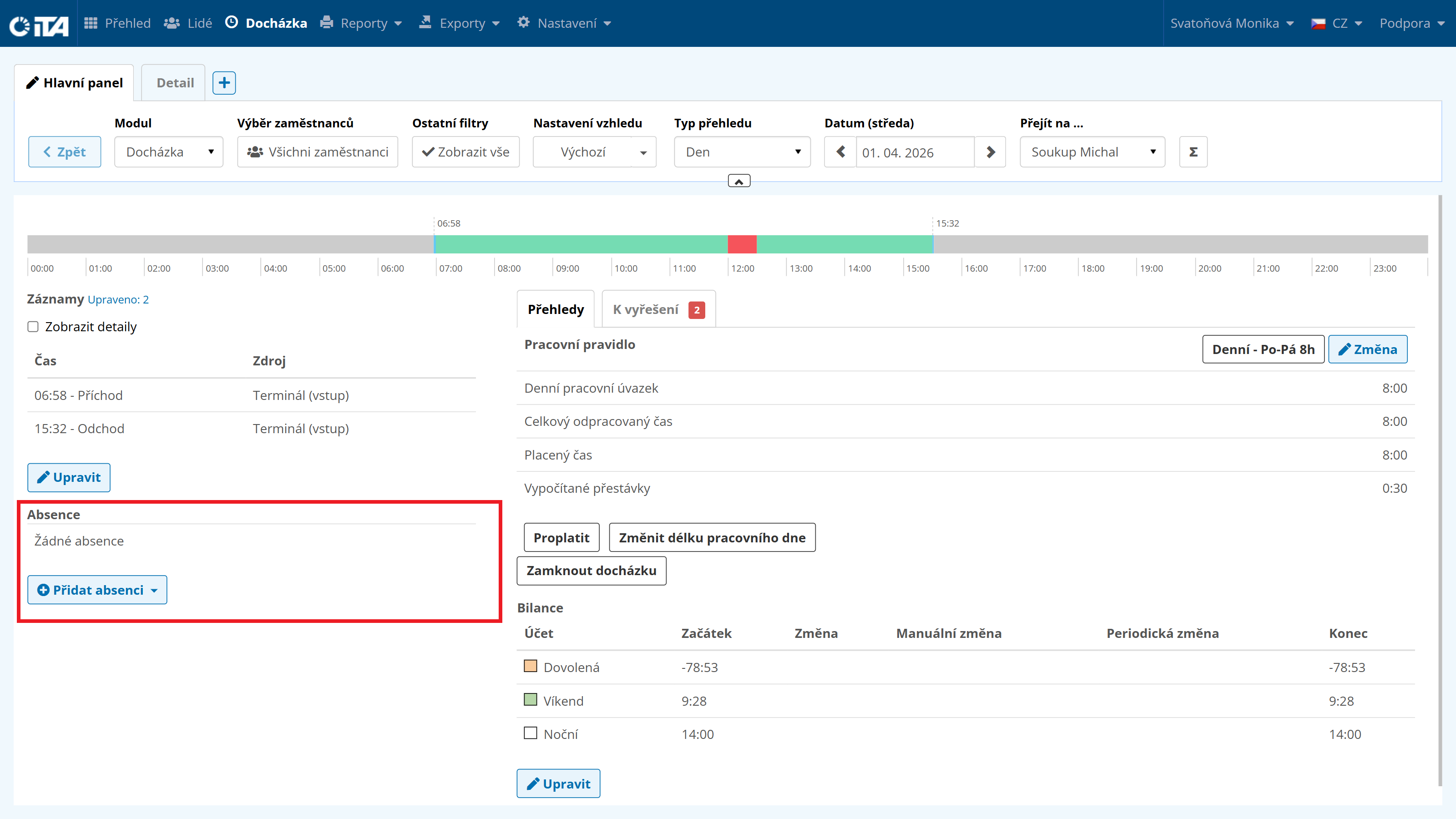
Absences#
Absences display the employee’s time away due to vacation, sick leave, or other individual absences. Absences can be added or deleted later.
Overviews#
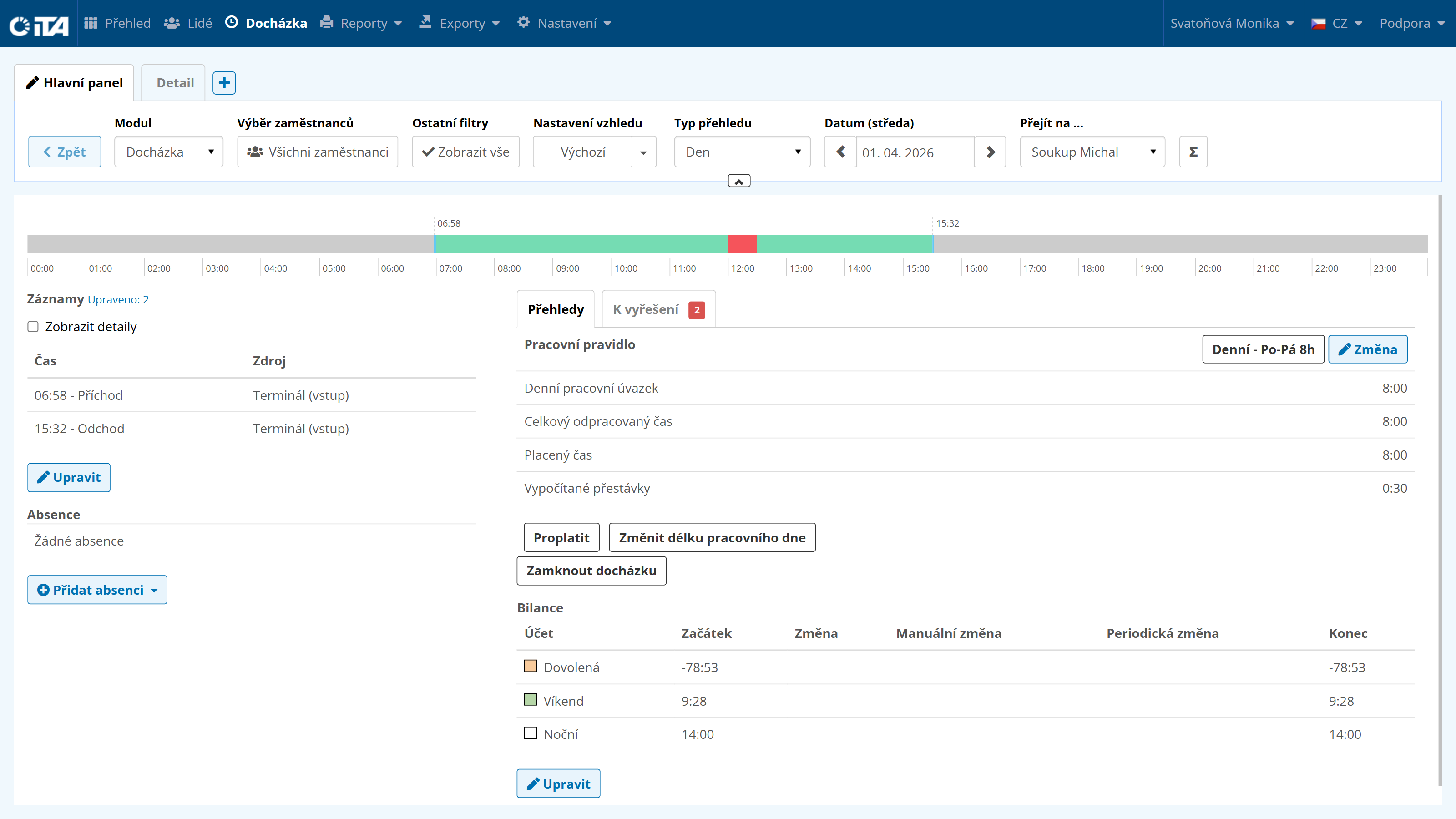
Overviews show which work rule governs attendance for a specific day, the working time obligation, how many hours the employee was actually at work, and how much time was deducted from this for breaks.
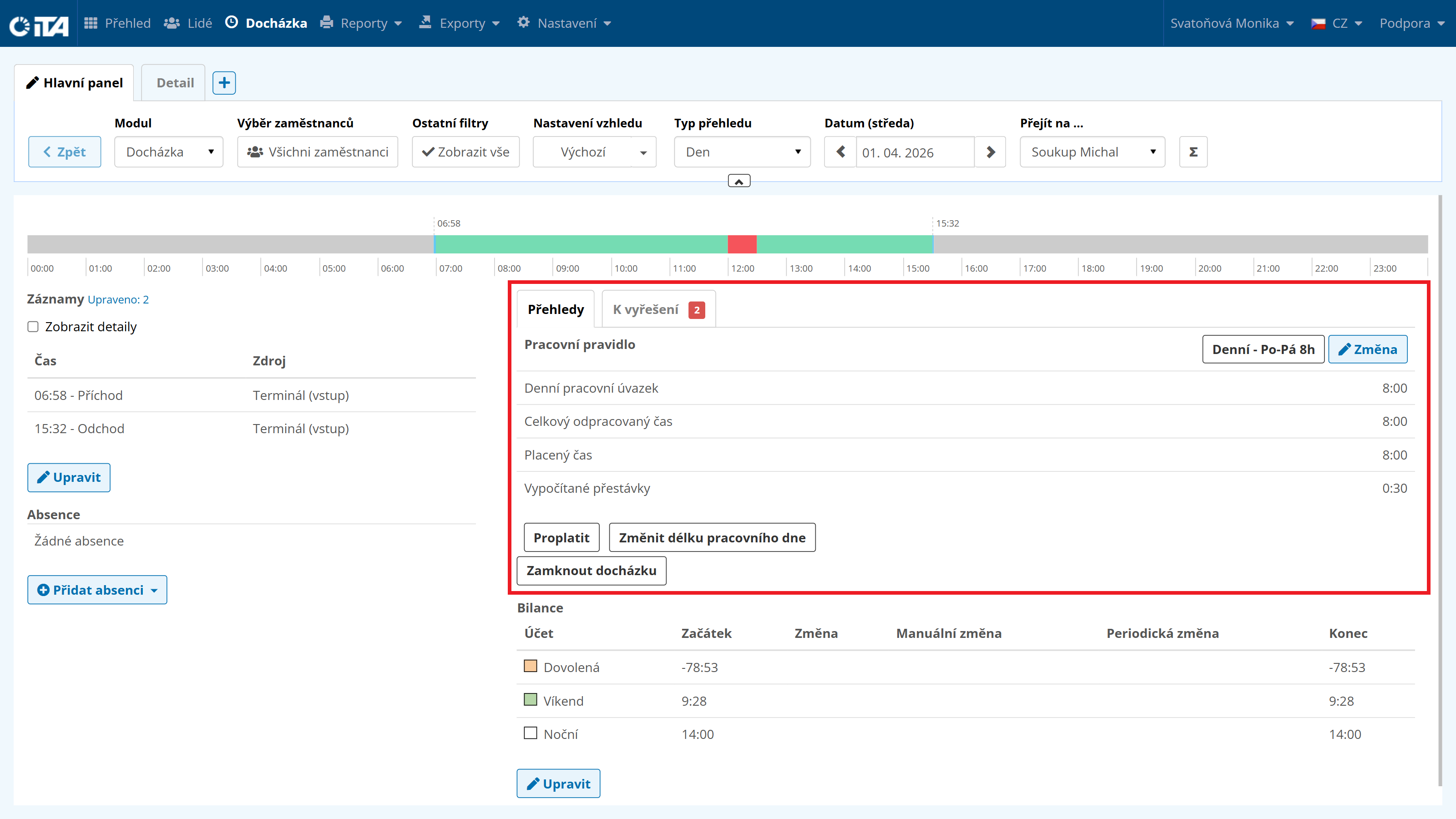
The Pay Out function allows you to pay out an early arrival, a late departure, or a break.
The Lock Attendance function locks or unlocks attendance, typically used for attendance review and payroll processing in the company.
Balance#
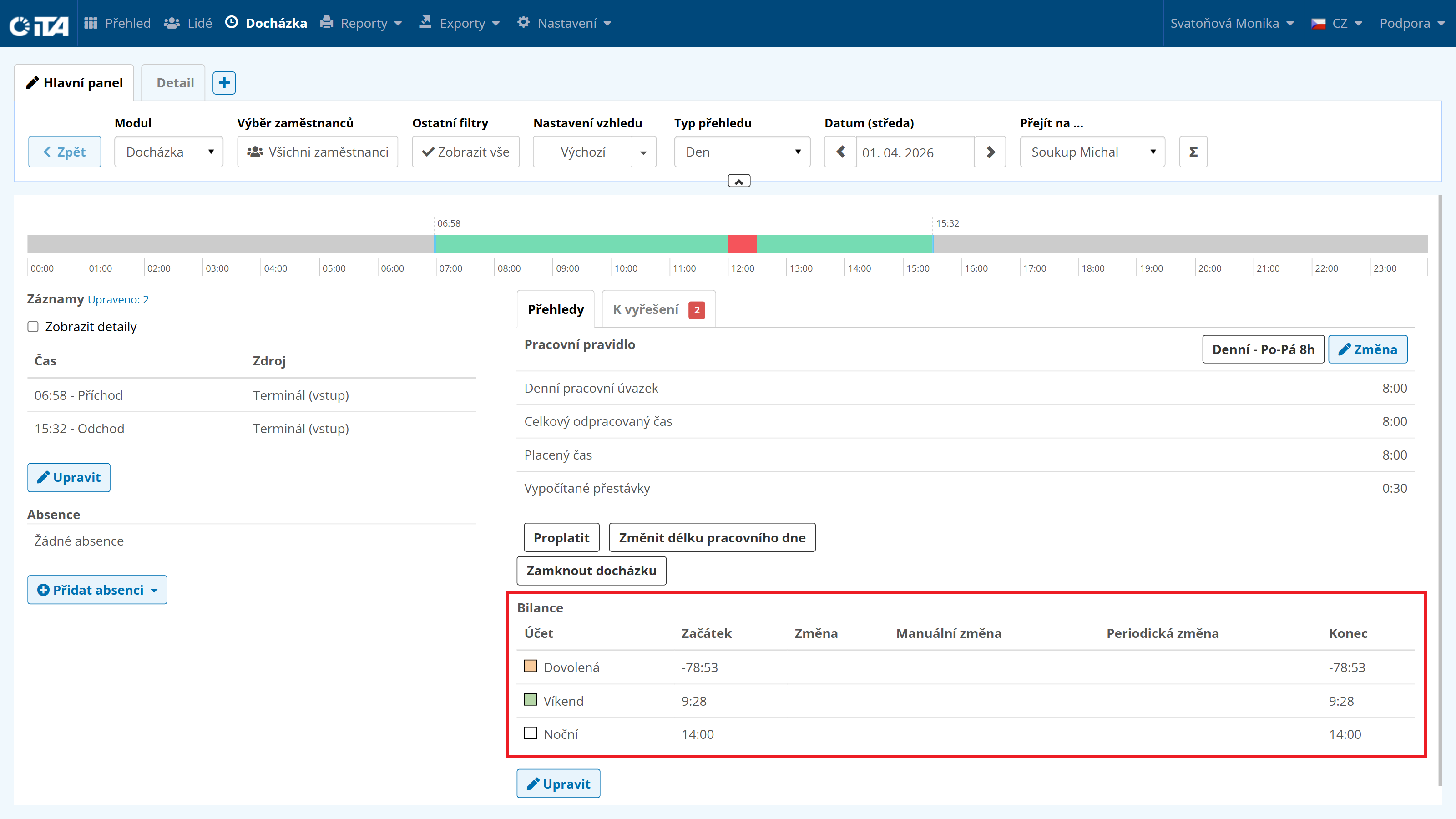
This section shows the cumulative balance status (and the status of other accounts) from the previous day (opening balance) plus or minus the new value for the given day (closing balance).
To Be Resolved#
This section displays violations of the configured work rule. When you select “Show Details”, the system suggests possible resolutions.