

Locking Module#
This module locks or unlocks attendance, typically used for attendance review and payroll processing in the company.
Module Locking | Employee Selection any | Overview type any | Month (month) any
It provides easy management and a complete overview of attendance locking. Users can lock or unlock attendance and view the status of all lock levels for the selected time period and group of employees.
There are 3 lock levels:
Locked by Employee#
At this level, the employee can lock their own attendance. Once locked, the employee can no longer edit their own attendance. By doing so, the employee typically signals to the group leader that their own attendance is complete and reviewed. The group leader and company administrator can still edit the attendance.
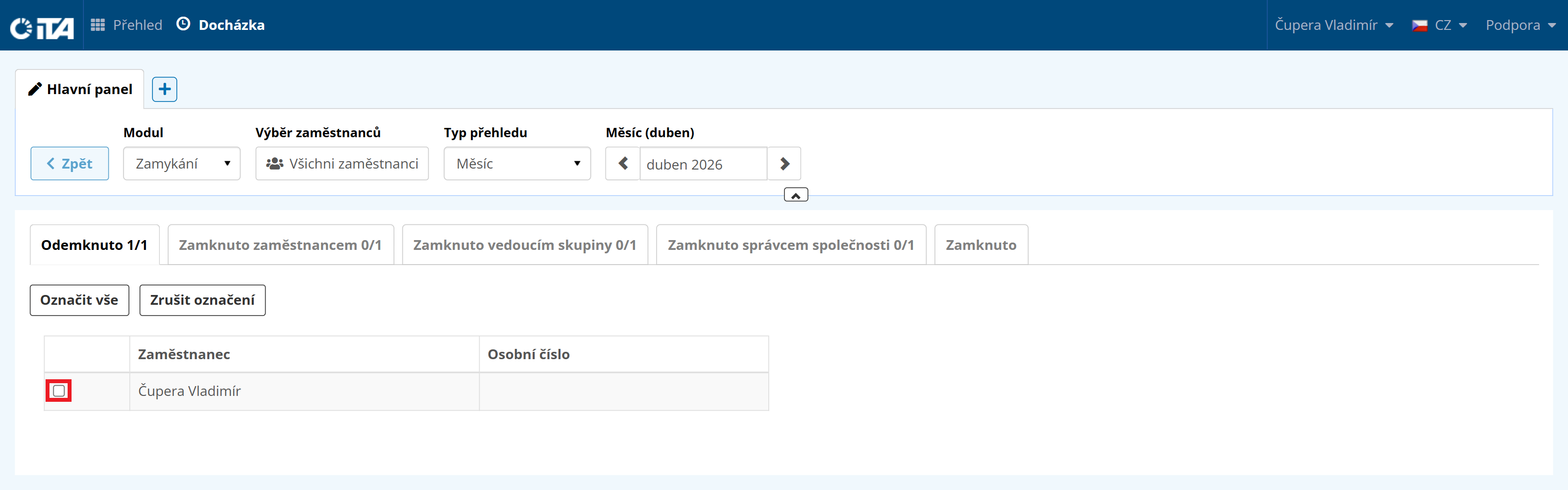
Select the employee using the checkbox:
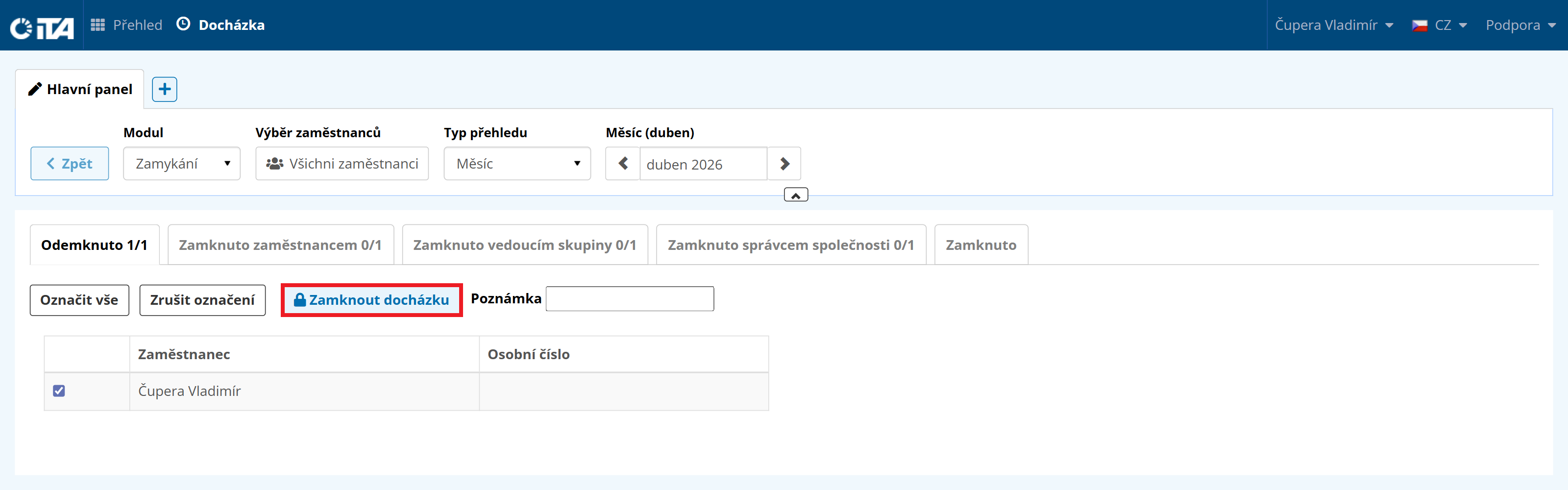
Click Lock Attendance:
Locked by Group Leader#
The group leader can lock the attendance of employees in their group. Once locked, the group leader can no longer edit the attendance of the locked employees. The company administrator can still edit the attendance. By doing so, the group leader typically signals to the company administrator that their own group is complete and reviewed.
Locked by Company Administrator#
The company administrator can lock the attendance of all employees in the company. Once locked, no one can edit the attendance of the locked employees. Typically used for payroll processing in the company.