
Absence Module#
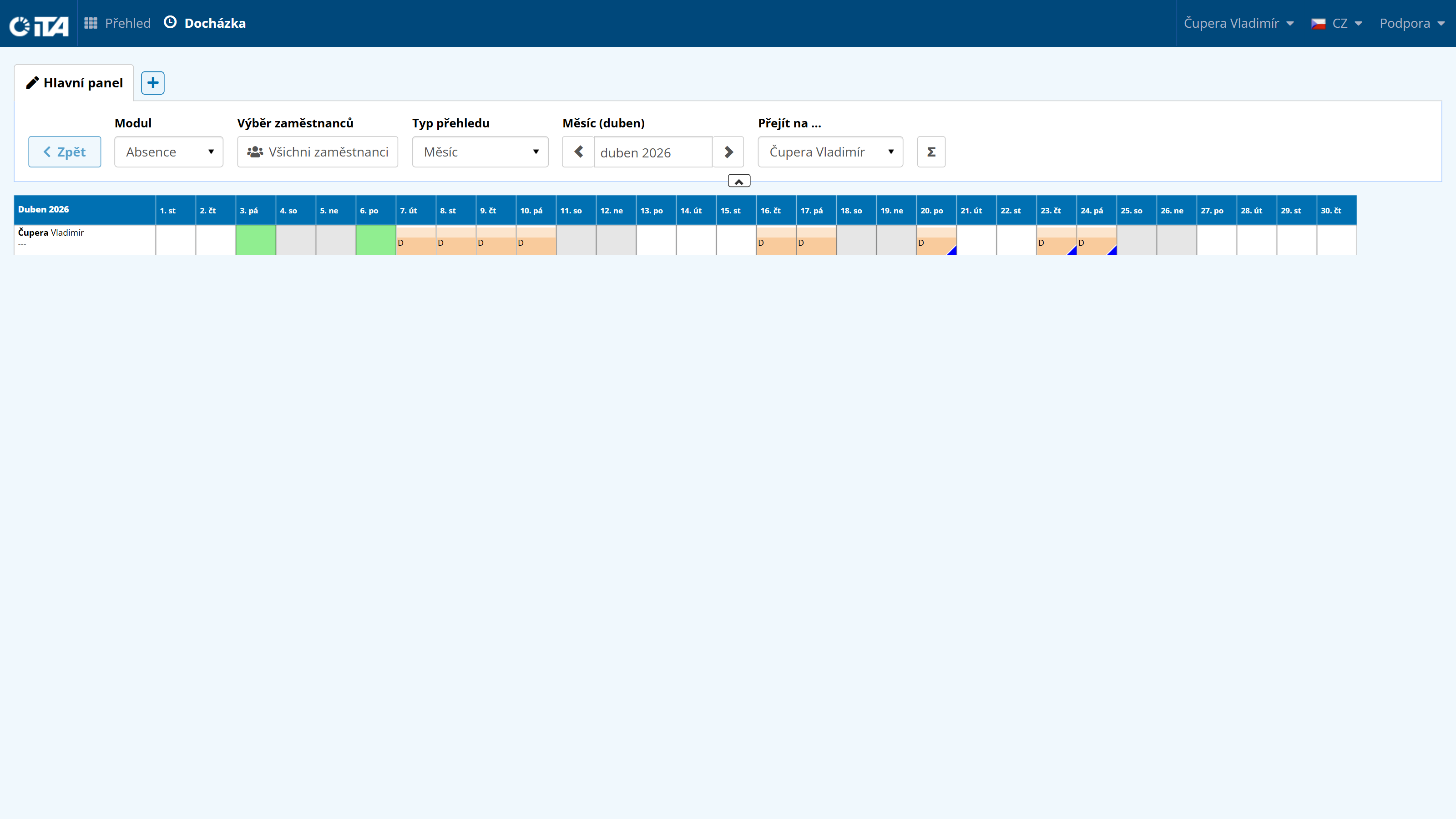
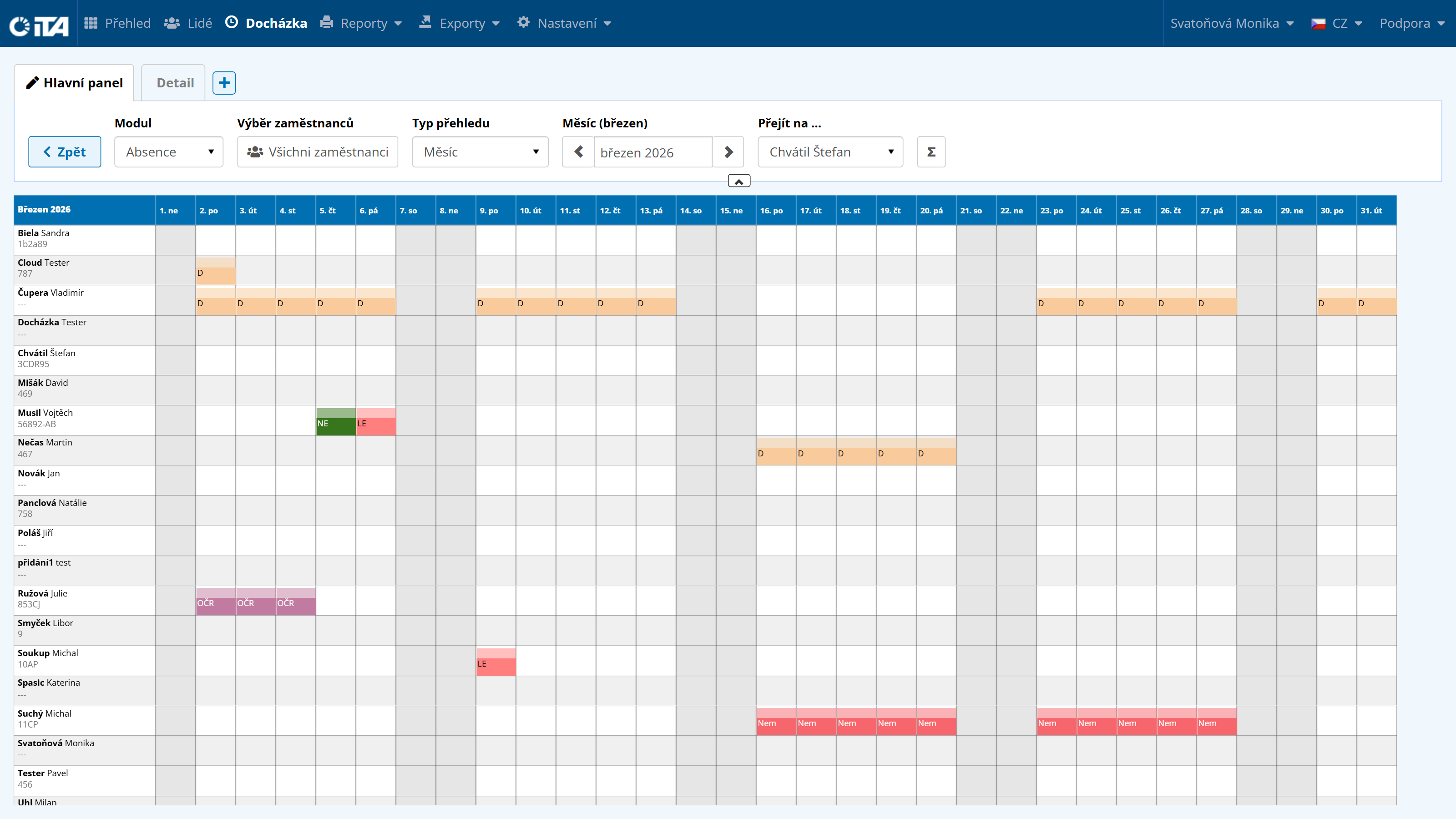
This module lets an employee plan their own absences and view the absences of their colleagues (if they have the relevant permission).
Module Absence | Overview type any | Month (month) any | Go to … any
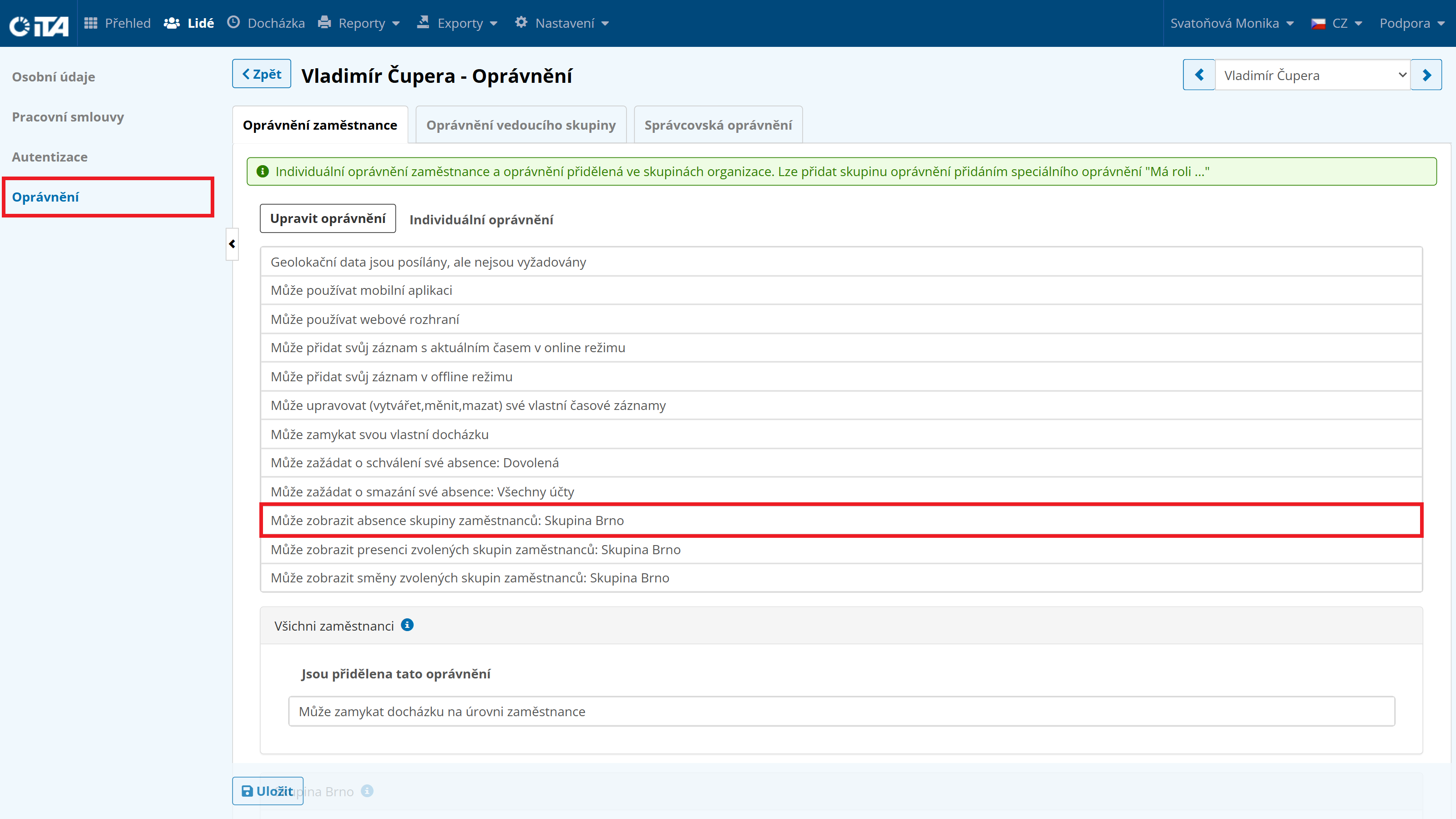
To manage the Absence module, the employee must be granted access rights in People → Employees → select the relevant employee → Authorization → Edit Permissions → Add Permission.
Then select the permission that allows viewing presence and choose the employees or groups of employees you want to grant access to.
Requesting an Absence — Employee View#
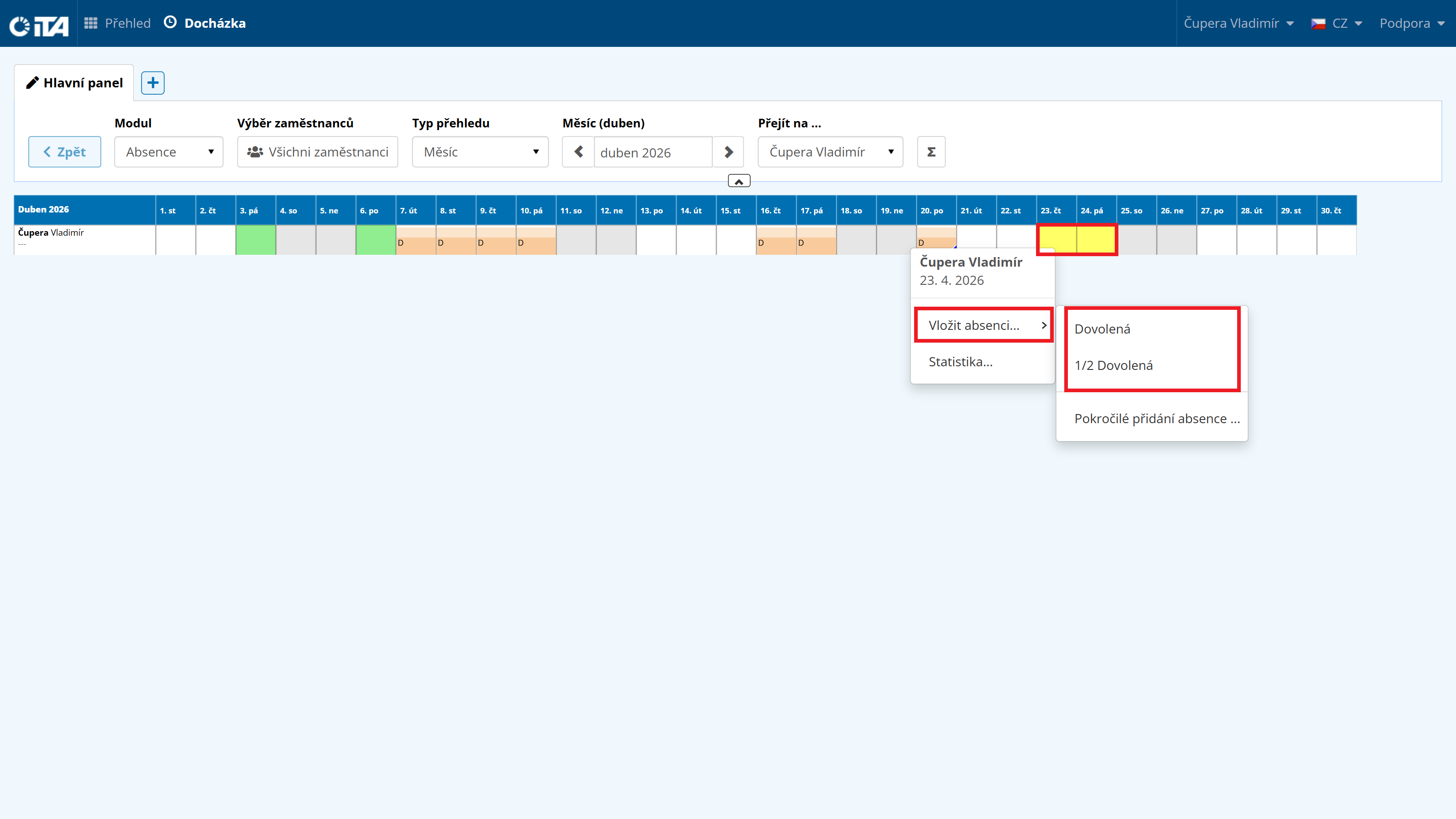
For full-day or multi-day absences, use the “Monthly or Yearly Overview”, where the employee can easily select the days they need.
Right-clicking the selected days opens a menu.
From this menu, the employee can choose one of the allowed absences in the “Insert Absence…” field, or add the required records in the “Add Records” field (the same as in the “Daily Overview”; however, here you can edit multiple arrivals and departures at the same time).
1
Tip:
To select multiple days, hold the Ctrl key while selecting, or simply hold down the left mouse button and drag across the desired selection.
In the Absence module, the employee then sees their planned absences and the related requests. They can also view absence statistics, but cannot make changes to other employees’ absences.