

Authorization#
This section lets you edit your employee’s access rights. You can also choose which account they may write to with or without absence approval (see the Approving chapter), and whether they can view other employees’ records.
Employee Authorizations#
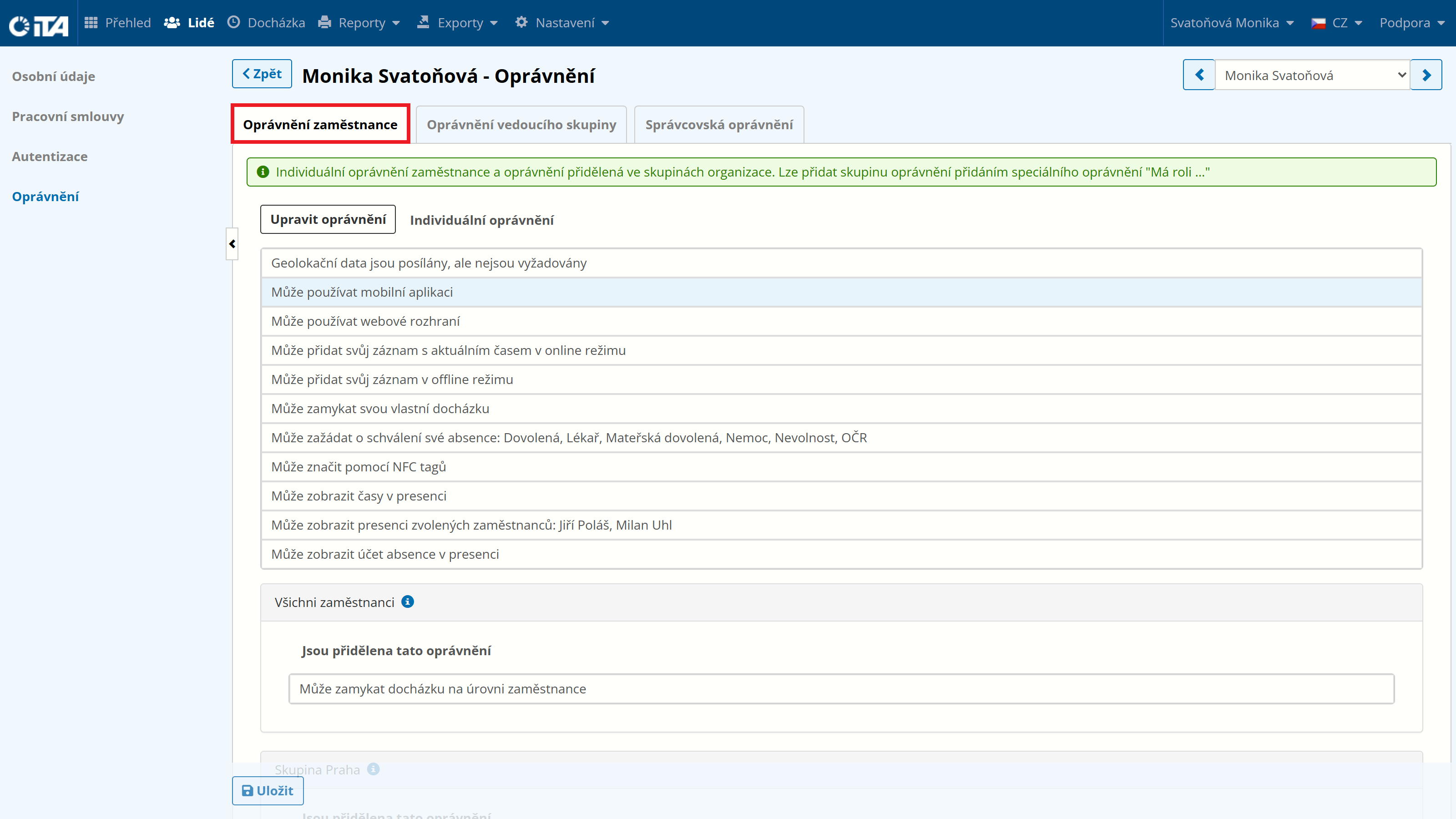
Available authorizations
Authorization |
What is it used for |
|---|---|
Geolocation data is sent but not required |
The mobile app sends location, but the record is saved even without it. |
Geolocation data is sent; without it the record cannot be saved |
Without GPS data, the record cannot be saved from the mobile app. |
Geolocation data is sent; if not, a violation is recorded |
Absence of GPS data during recording triggers a rule violation. |
Geolocation data is sent; if not, approval is requested |
Without GPS data, the record is saved but awaits manual approval. |
Has role [click to set role name] |
Assigns the user a predefined set of permissions (custom role). |
Can use the mobile application |
The employee can log in and work in the mobile application. |
Can use the web interface |
The employee can log in and work in the web application. |
Can add their own absence [click to set absence type] |
The employee can add their own absence without requiring approval. |
Can add their own record with the current time in online mode |
The employee can record arrival/departure online in real time. |
Can add their own record in offline mode |
The employee can add a record with any timestamp (offline). |
Can delete their own absence [click to set absence type] |
The employee can remove their own absence themselves. |
Can manage (create, edit, delete) their own time records |
The employee can manage their own time records themselves. |
Can manage (create, edit, delete) their own time records; edits must be approved |
The employee can edit their records, but changes must be approved by a supervisor. |
Can lock their own attendance |
The employee can lock their own attendance data. |
Can request approval for their own absence [click to set absence type] |
The employee submits an absence request awaiting supervisor approval. |
Can request deletion of their own absence [click to set absence type] |
The employee submits a request to delete an absence, awaiting supervisor approval. |
Can record using NFC tags |
The employee can record attendance by tapping an NFC tag. |
Can record using NFC tags with geolocation |
The employee can record attendance with an NFC tag; GPS location is also sent. |
Can view absences of an employee group [click to set group] |
The employee can see absence records of employees in the selected group. |
Can view absences of a selected employee [click to set employee] |
The employee can see absence records of a specific colleague. |
Can view times in presence |
The employee sees exact arrival and departure times in the presence overview. |
Can view geolocation in presence |
The employee sees GPS location of employees in the presence overview. |
Can view presence of all other employees |
The employee sees the presence overview of all colleagues in the company. |
Can view presence of selected employee groups [click to set groups] |
The employee sees the presence overview of employees in selected groups. |
Can view presence of selected employees [click to set employees] |
The employee sees the presence overview of selected specific employees. |
Can view shifts of selected employee groups [click to set groups] |
The employee sees planned shifts of employees in selected groups. |
Can view shifts of selected employees [click to set employees] |
The employee sees planned shifts of selected specific employees. |
Can view absence account in presence |
The employee sees the type of account used (vacation, etc.) in the presence overview. |
Employee Group Authorizations#
If the employee is also part of a group, their right in these groups can be configured on the Organization tab:
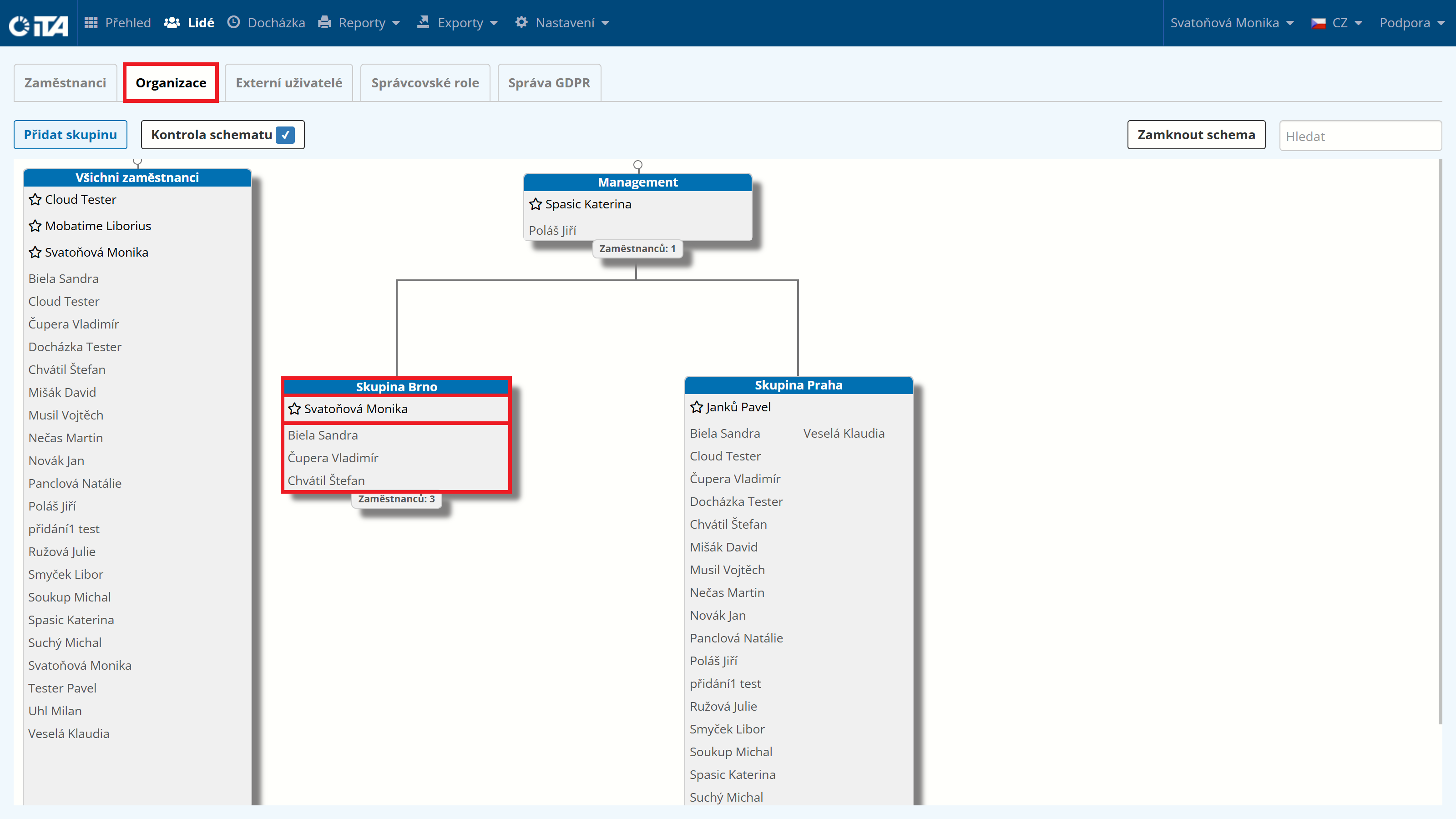
Available authorizations
Authorization |
What is it used for |
|---|---|
Has role [click to set role name] |
Assigns the user a predefined set of permissions (custom role). |
Can add their own absence [click to set absence type] |
The employee can add their own absence without requiring approval. |
Can add their own record with the current time |
The employee can add a record with the current time themselves. |
Can delete their own absence [click to set absence type] |
The employee can remove their own absence themselves. |
Can manage (create, edit, delete) their own time records |
The employee can manage their own time records themselves. |
Can edit planned shifts |
Adds, edits, or deletes planned shifts of employees. |
Can lock attendance at employee level |
Locks attendance records of a specific employee. |
Can request adding their own absence [click to set absence type] |
The employee submits an absence request awaiting approval. |
Can request deletion of their own absence [click to set absence type] |
The employee submits a request to delete an absence, awaiting approval. |
Can request edits (adding, editing, deleting) to their own time records |
The employee submits a request to edit their records, awaiting approval. |
Can view absences [click to set absence type] |
Displays an overview of employee absences in the group. |
Can view account balances [click to set account selection] |
Displays the current balances of employees’ time accounts. |
Can view arrival/departure time |
Displays the exact arrival and departure times of employees. |
Can view employee attendance in the group |
A group member can see the attendance records of other employees in the group. |
Can view employee attendance in the group (exceptions) [click to set exceptions] |
A group member sees the attendance of all employees except the selected ones. |
Can view geolocation |
Displays the employee’s GPS coordinates at the time of recording. |
Can view planned shifts |
Displays the planned shifts of employees. |
Can view violations and exceptions |
Displays a list of rule violations and assigned exceptions. |
Can view absence note |
Displays the text note attached to an absence. |
Can view notes on time records |
Displays notes attached to time records. |
Can view presence except for selected group [click to set group] |
Displays the presence of all employees except the selected group. |
Can view presence except for selected employee [click to set employee] |
Displays the presence of all employees except the selected employee. |
Can view presence with absence |
Also displays the reason for absence in the presence overview. |
Can view presence with record time |
Displays the exact times of individual records in the presence overview. |
Can view presence with geolocation |
Displays the employee’s GPS location in the presence overview. |
Can view presence with record type |
Displays the record type (arrival, departure, etc.) in the presence overview. |
Can view presence of all employees |
Displays the presence overview of all employees in the company. |
Can view presence of selected group [click to set group] |
Displays the presence overview of employees in the selected group. |
Can view presence of selected employee [click to set employee] |
Displays the presence overview of a specific employee. |
Can view absence account |
Displays which account (vacation, sick day, etc.) the absence was drawn from. |
Can view attendance data |
Displays basic summary data about an employee’s attendance. |
Can view attendance locks |
Displays which attendance periods are locked. |
Group Leader and Administrator Authorizations#
If the employee is also a group administrator or has an administrator role, their rights in these roles are specified on the Group Leader Permissions or Administrator Permissions tabs.
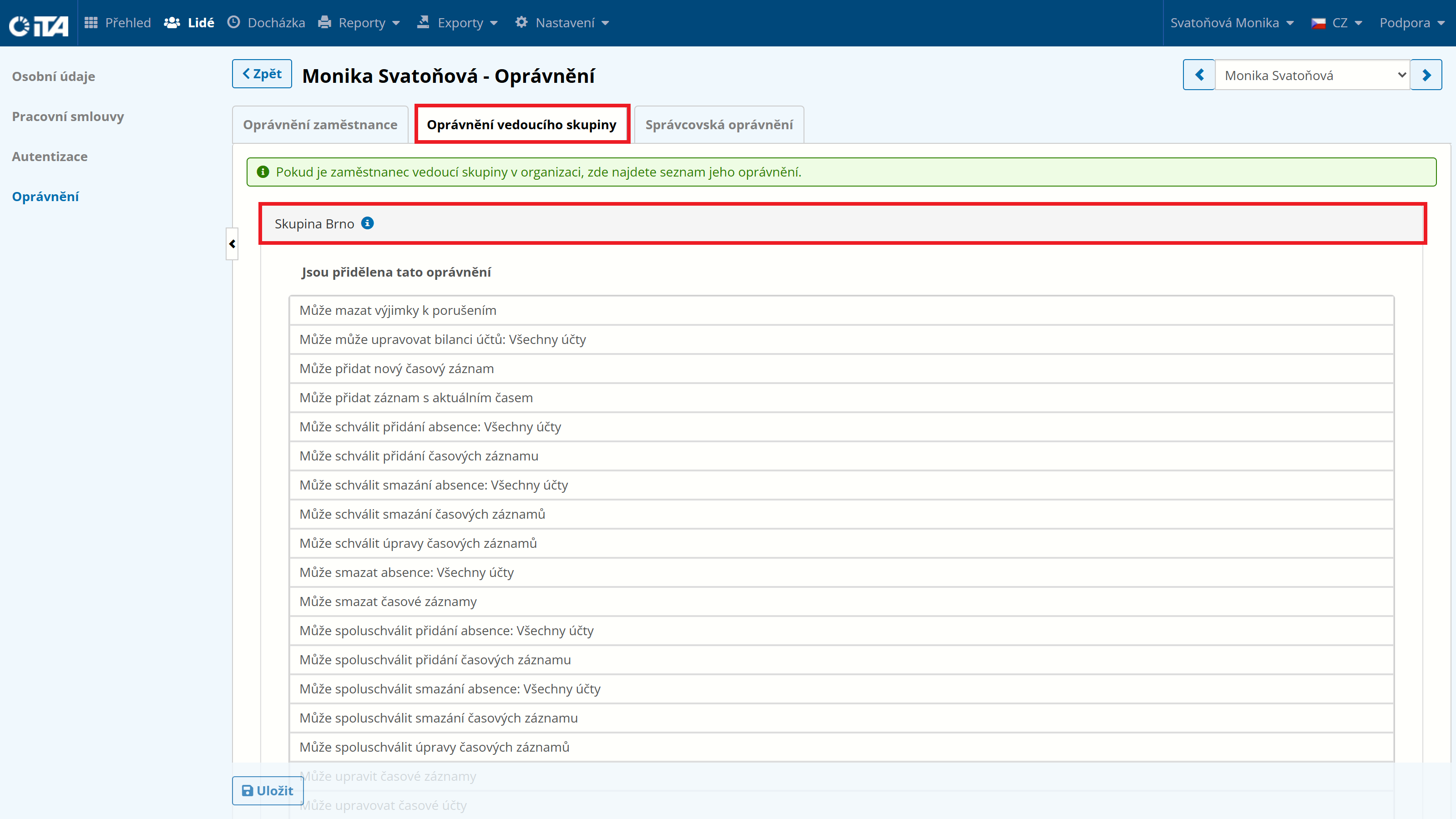
Group Leader Authorizations#
Group leader permissions are configured on the Organization tab:
Available authorizations
Authorization |
What is it used for |
|---|---|
Has role [click to set role name] |
Assigns the user a predefined set of permissions (custom role). |
Can delete violation exceptions |
Removes previously entered exceptions for rule violations. |
Can edit account balances [click to set account selection] |
Edits the balances of employees’ time accounts. |
Can add a new time record |
Inserts a time record with a freely chosen time. |
Can add a record with the current time |
Inserts a time record with the current system time. |
Can approve adding an absence [click to set absence type] |
Finally approves the employee’s request to add an absence. |
Can approve adding time records |
Finally approves the request to add a time record. |
Can approve deletion of an absence [click to set absence type] |
Finally approves the employee’s request to delete an absence. |
Can approve deletion of time records |
Finally approves the request to delete a time record. |
Can approve edits to time records |
Finally approves the request to edit a time record. |
Can delete absences [click to set absence type] |
Removes an employee’s absence from the system. |
Can delete time records |
Removes an employee’s time record. |
Can co-approve adding an absence [click to set absence type] |
Participates in approving the addition of an absence (multi-level approval). |
Can co-approve adding time records |
Participates in approving the addition of a time record. |
Can co-approve deletion of an absence [click to set absence type] |
Participates in approving the deletion of an absence. |
Can co-approve deletion of time records |
Participates in approving the deletion of a time record. |
Can co-approve edits to time records |
Participates in approving the editing of a time record. |
Can edit time records |
Changes the time or type of an employee’s existing record. |
Can edit planned shifts |
Adds, edits, or deletes planned shifts of employees. |
Can create an absence [click to set absence type] |
Inserts an employee’s absence (vacation, sick leave, etc.) into the system. |
Can enter violation exceptions |
Adds an exception to a rule violation (e.g. excusing a late arrival). |
Can lock attendance at group level |
Locks attendance records for the entire employee group. |
Can lock attendance at company level |
Locks attendance records for all employees of the company. |
Can lock attendance at employee level |
Locks attendance records of a specific employee. |
Can view absences [click to set absence type] |
Displays an overview of employee absences in the group. |
Can view account balances [click to set account selection] |
Displays the current balances of employees’ time accounts. |
Can view arrival/departure time |
Displays the exact arrival and departure times of employees. |
Can view geolocation |
Displays the employee’s GPS coordinates at the time of recording. |
Can view planned shifts |
Displays the planned shifts of employees. |
Can view violations and exceptions |
Displays a list of rule violations and assigned exceptions. |
Can view absence note |
Displays the text note attached to an absence. |
Can view notes on time records |
Displays notes attached to time records. |
Can view presence except for selected group [click to set group] |
Displays the presence of all employees except the selected group. |
Can view presence except for selected employee [click to set employee] |
Displays the presence of all employees except the selected employee. |
Can view presence with absence |
Also displays the reason for absence in the presence overview. |
Can view presence with record time |
Displays the exact times of individual records in the presence overview. |
Can view presence with geolocation |
Displays the employee’s GPS location in the presence overview. |
Can view presence with record type |
Displays the record type (arrival, departure, etc.) in the presence overview. |
Can view presence of all employees |
Displays the presence overview of all employees in the company. |
Can view presence of selected group [click to set group] |
Displays the presence overview of employees in the selected group. |
Can view presence of selected employee [click to set employee] |
Displays the presence overview of a specific employee. |
Can view absence account |
Displays which account (vacation, sick day, etc.) the absence was drawn from. |
Can view attendance data |
Displays basic summary data about an employee’s attendance. |
Can view attendance locks |
Displays which attendance periods are locked. |
Administrator Authorizations#
Administrator permissions are specified on the Administrator Roles tab:
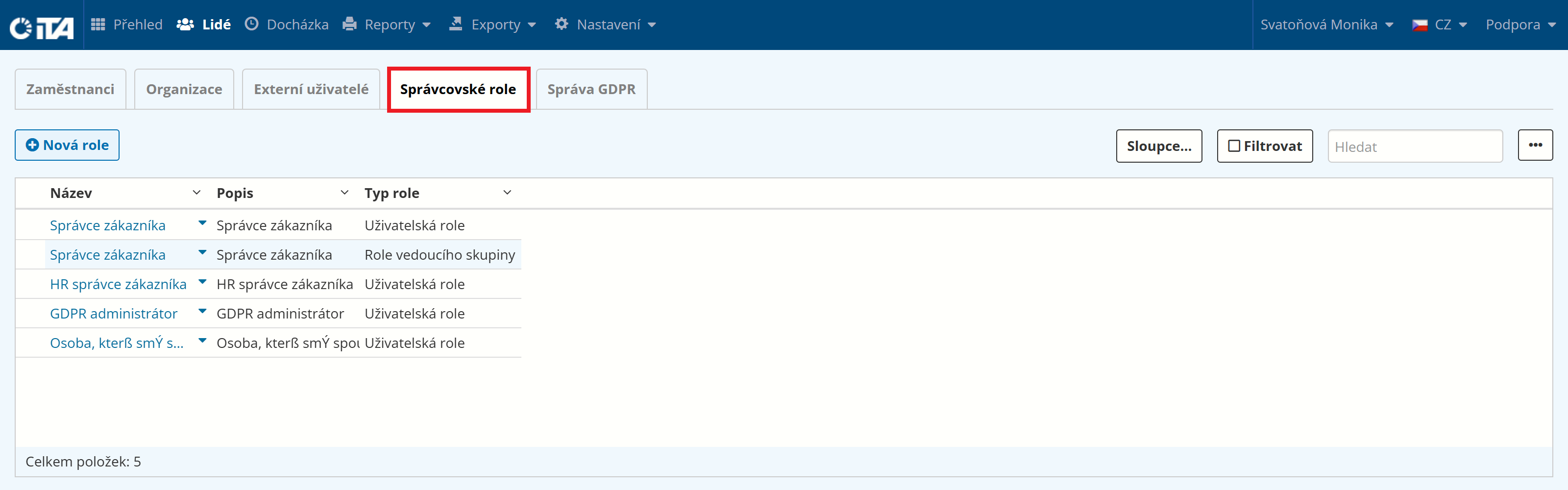
Available authorizations
Authorization |
What is it used for |
|---|---|
Has role [click to set role name] |
Assigns the user a predefined set of permissions (custom role). |
Can set another user as an employee |
Assigns the user the employee role in the system. |
Can delete export templates |
Permanently removes an export template from the system. |
Can delete report templates |
Permanently removes a report template from the system. |
Can act as terminal administrator |
Enables performing administrator actions directly on the terminal. |
Can run customer exports |
Runs a data export to a file (CSV, XLSX, XML, etc.). |
Can run customer reports |
Generates and displays a customer report. |
Can manage employee GDPR data |
Provides access to employees’ personal data and management of GDPR requirements. |
Can edit customer exports |
Changes the settings or template of an export. |
Can edit customer information |
Changes the basic data of a customer. |
Can edit NFC reader settings |
Changes the configuration of NFC readers. |
Can edit work rules |
Changes the settings of work rules. |
Can edit vacation entitlement calculation rules |
Changes the settings of vacation entitlement calculation rules. |
Can edit account transfer rules |
Changes the settings of account balance transfer rules. |
Can edit administrative roles |
Changes the permission definition in a custom administrative role. |
Can edit authentication methods of other users |
Adds, changes, or removes login methods of users. |
Can edit time accounts |
Adds, changes, or removes time account definitions. |
Can edit public holiday calendars |
Adds or changes entries in public holiday calendars. |
Can edit employee contracts |
Changes the employment contract settings of an employee. |
Can edit permissions of other users |
Adds or removes permissions for other users. |
Can edit personal data of other users |
Changes the name, email, or other personal data of a user. |
Can edit employee groups |
Adds, changes, or deletes employee groups. |
Can edit tracked fields for employees |
Changes the definition of tracked fields for employees. |
Can edit report templates |
Changes the definition or settings of a report template. |
Can edit enumerations |
Adds or edits predefined values used in system settings and forms. |
Can create additional users |
Adds new user accounts to the customer’s system. |
Can change notification settings |
Changes notification settings (e-mail, recipients, events, etc.). |
Can change terminal settings |
Changes the configuration of terminals. |
Can change record settings |
Changes the settings of attendance record types. |
Can view authentication methods of other users |
Displays users’ login methods (password, RFID, PIN, etc.). |
Can view information about other users |
Displays personal and contact data of other users. |
Can view customer information |
Displays basic data about the customer (name, address, etc.). |
Can view public holiday calendars |
Displays the defined public holiday calendars. |
Can view employee contracts |
Displays employment contracts and agreements of employees. |
Can view NFC reader settings |
Displays the configuration of NFC readers. |
Can view notification settings |
Displays e-mail notification settings. |
Can view terminal settings |
Displays the configuration of terminals assigned to the customer. |
Can view record settings |
Displays the settings of attendance record types. |
Can view fields tracked for employees |
Displays the list of tracked fields in the employee profile. |
Can view work rules |
Displays the work rule settings (working hours, breaks, etc.). |
Can view account transfer rules |
Displays the rules for automatic transfer of balances between accounts. |
Can view user groups |
Displays an overview of employee groups. |
Can view administrative roles |
Displays an overview of defined custom administrative roles. |
Can view user permissions |
Displays an overview of permissions assigned to users. |
Can view all vacation entitlement calculation rules |
Displays the rules for calculating vacation entitlement. |
Can view all accounts |
Displays an overview of all time accounts (vacation, overtime, etc.). |
Can view enumerations |
Displays predefined values used in system settings and forms. |
Can remove user link as employee |
Removes the employee role from a user. |
Extenal User Authorizations#
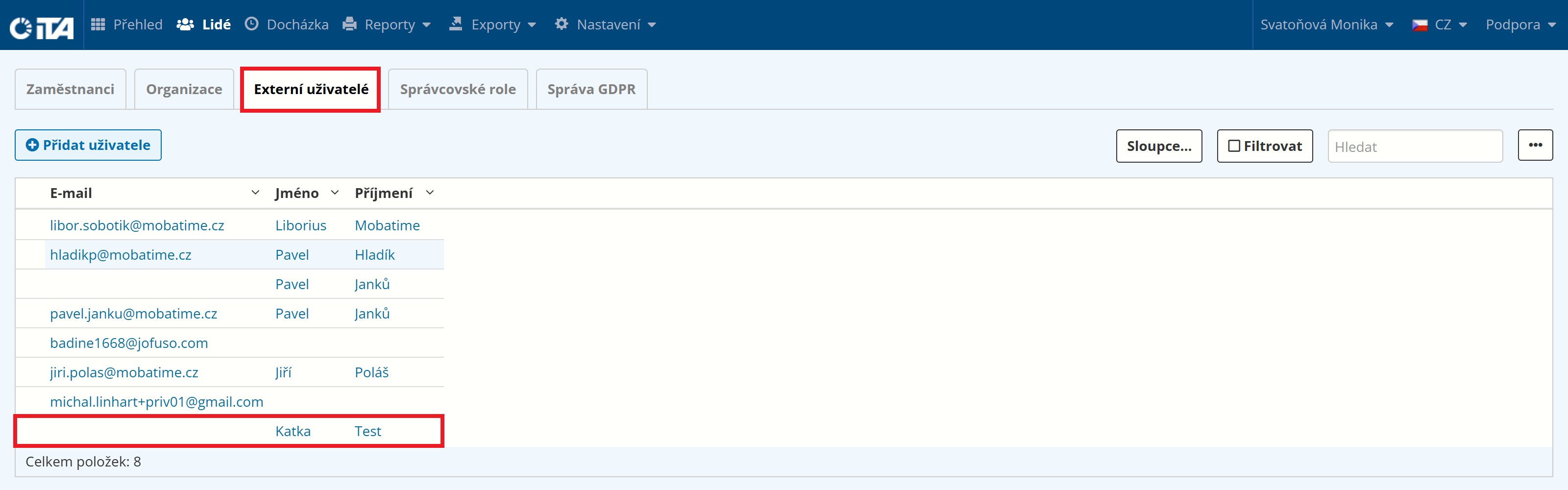
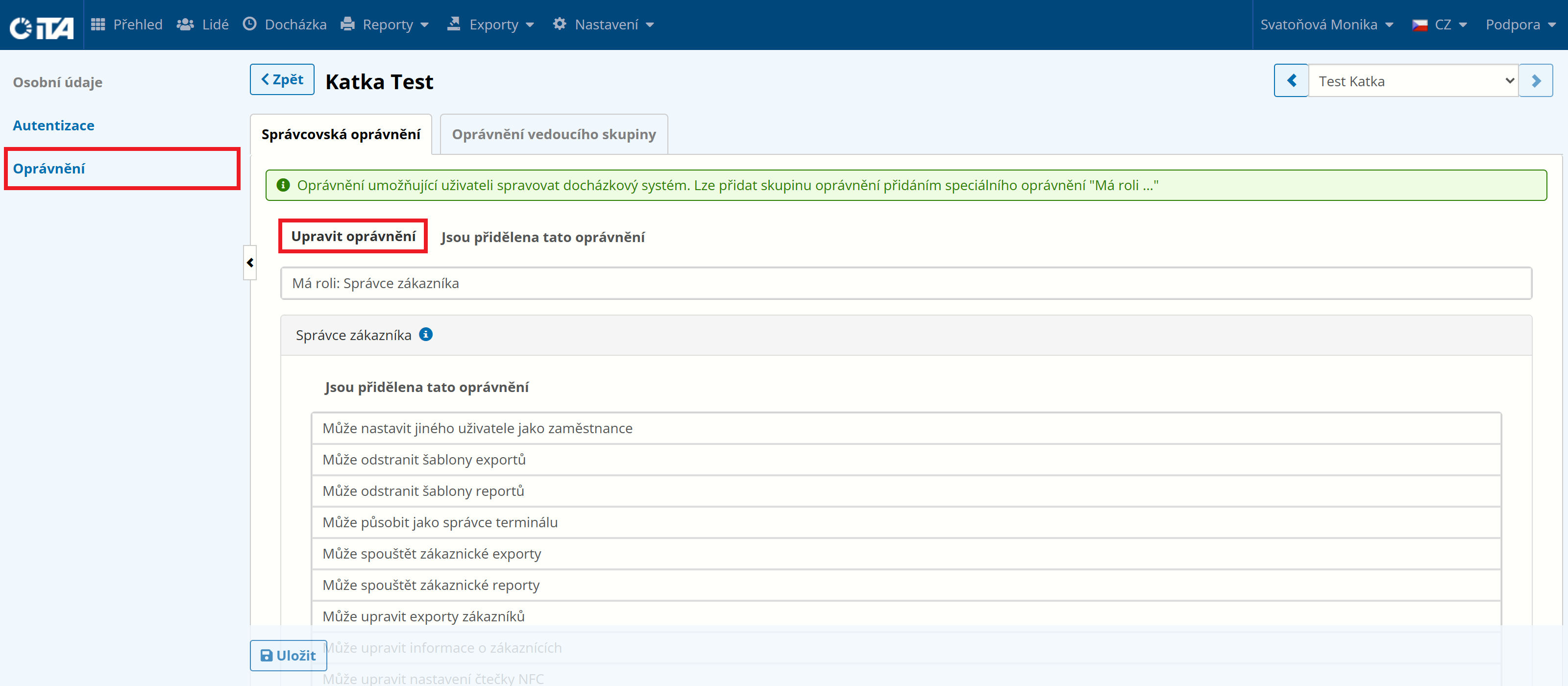
On the External Users tab, you can grant access to a user who does not have a profile in the system (e.g. an external payroll accountant) and assign them the appropriate rights:
Available authorizations
Authorization |
What is it used for |
|---|---|
Has role [click to set role name] |
Assigns the user a predefined set of permissions (custom role). |
Can set another user as an employee |
Assigns the user the employee role in the system. |
Can delete export templates |
Permanently removes an export template from the system. |
Can delete report templates |
Permanently removes a report template from the system. |
Can act as terminal administrator |
Enables performing administrator actions directly on the terminal. |
Can run customer exports |
Runs a data export to a file (CSV, XLSX, XML, etc.). |
Can run customer reports |
Generates and displays a customer report. |
Can manage employee GDPR data |
Provides access to employees’ personal data and management of GDPR requirements. |
Can edit customer exports |
Changes the settings or template of an export. |
Can edit customer information |
Changes the basic data of a customer. |
Can edit NFC reader settings |
Changes the configuration of NFC readers. |
Can edit work rules |
Changes the settings of work rules. |
Can edit vacation entitlement calculation rules |
Changes the settings of vacation entitlement calculation rules. |
Can edit account transfer rules |
Changes the settings of account balance transfer rules. |
Can edit administrative roles |
Changes the permission definition in a custom administrative role. |
Can edit authentication methods of other users |
Adds, changes, or removes login methods of users. |
Can edit time accounts |
Adds, changes, or removes time account definitions. |
Can edit public holiday calendars |
Adds or changes entries in public holiday calendars. |
Can edit employee contracts |
Changes the employment contract settings of an employee. |
Can edit permissions of other users |
Adds or removes permissions for other users. |
Can edit personal data of other users |
Changes the name, email, or other personal data of a user. |
Can edit employee groups |
Adds, changes, or deletes employee groups. |
Can edit tracked fields for employees |
Changes the definition of tracked fields for employees. |
Can edit report templates |
Changes the definition or settings of a report template. |
Can edit enumerations |
Adds or edits predefined values used in system settings and forms. |
Can create additional users |
Adds new user accounts to the customer’s system. |
Can change notification settings |
Changes notification settings (e-mail, recipients, events, etc.). |
Can change terminal settings |
Changes the configuration of terminals. |
Can change record settings |
Changes the settings of attendance record types. |
Can view authentication methods of other users |
Displays users’ login methods (password, RFID, PIN, etc.). |
Can view information about other users |
Displays personal and contact data of other users. |
Can view customer information |
Displays basic data about the customer (name, address, etc.). |
Can view public holiday calendars |
Displays the defined public holiday calendars. |
Can view employee contracts |
Displays employment contracts and agreements of employees. |
Can view NFC reader settings |
Displays the configuration of NFC readers. |
Can view notification settings |
Displays e-mail notification settings. |
Can view terminal settings |
Displays the configuration of terminals assigned to the customer. |
Can view record settings |
Displays the settings of attendance record types. |
Can view fields tracked for employees |
Displays the list of tracked fields in the employee profile. |
Can view work rules |
Displays the work rule settings (working hours, breaks, etc.). |
Can view account transfer rules |
Displays the rules for automatic transfer of balances between accounts. |
Can view user groups |
Displays an overview of employee groups. |
Can view administrative roles |
Displays an overview of defined custom administrative roles. |
Can view user permissions |
Displays an overview of permissions assigned to users. |
Can view all vacation entitlement calculation rules |
Displays the rules for calculating vacation entitlement. |
Can view all accounts |
Displays an overview of all time accounts (vacation, overtime, etc.). |
Can view enumerations |
Displays predefined values used in system settings and forms. |
Can remove user link as employee |
Removes the employee role from a user. |