

Employment Contracts#
Contracts contain information that may affect certain configured work rules — for example, the part-time percentage.
- Description:
Description of the employment contract
- Valid from:
Enter the contract start date
- Valid to:
Enter the contract end date. If left empty, the contract is valid indefinitely.
- Personnel number:
Personnel number assigned to the employee within the company structure
- Public holidays:
Calendar that governs the employee’s working hours. You can switch to a predefined public holiday calendar for other countries or create your own.
- Part-time [%]:
For a full-time position, enter 100% or leave empty.
- Work schedule:
… and its associated working hours configuration
- Vacation entitlement calculation rule:
Select from the configured vacation entitlement rules.
- List of account balance transfer rules:
List of active rules
- Company, Department, Cost center:
Used to set a value from a code list — see the Code Lists chapter. You can also enter a new code list value directly.
Example:
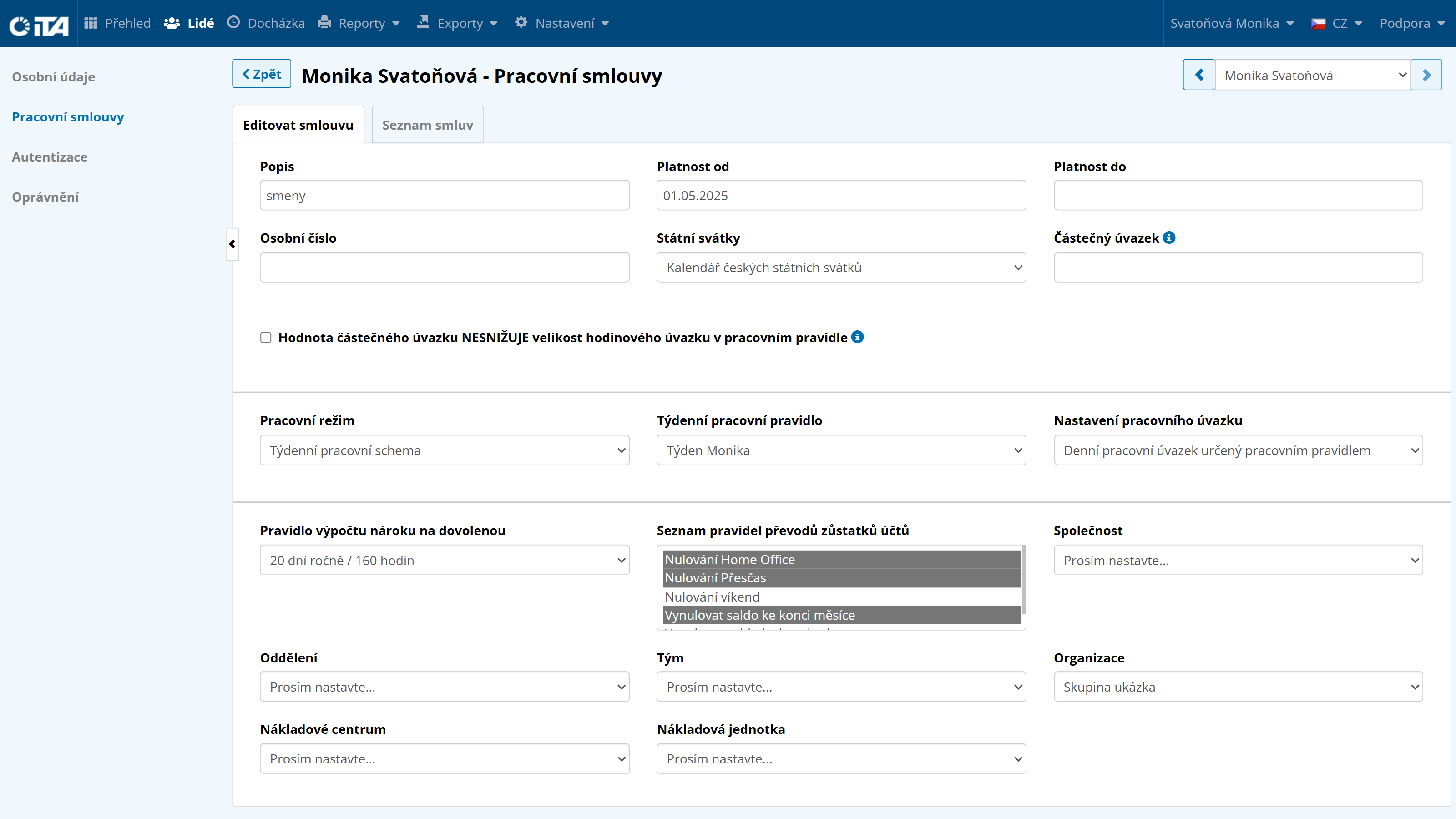
After filling in the data, be sure to click Save before switching to another section.
Contract List#
You must first assign the employee a contract valid from a specific date. To do this, click Add Contract.
To add a follow-up contract, click Add Follow-up Contract. The follow-up contract automatically continues from the end date of the active contract.
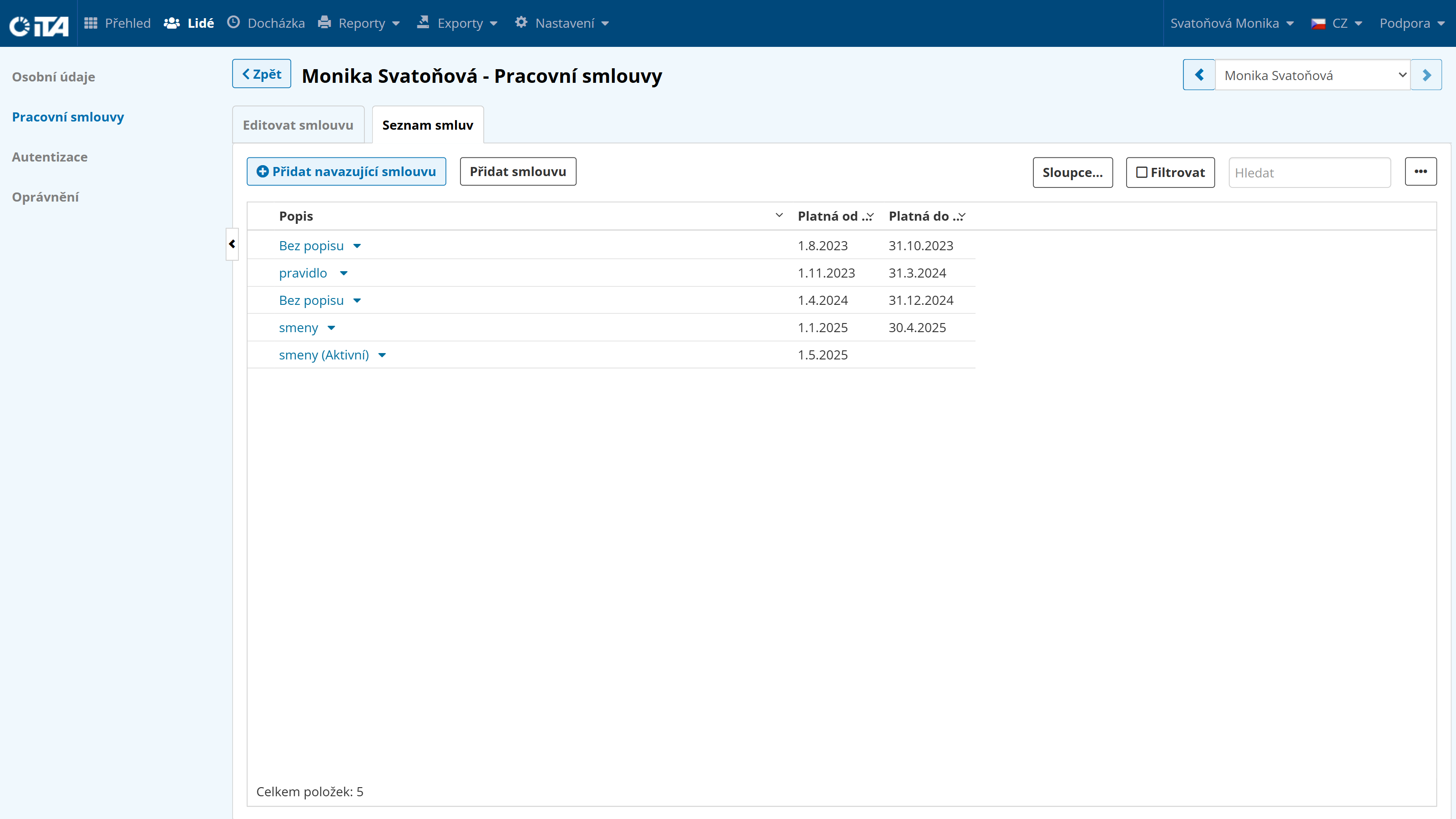
For permanent (open-ended) employment, leave the “Valid to” field empty.
For fixed-term employment, clicking Add Follow-up Contract creates a new contract that continues exactly from the end of the previous one.