

Vacation Entitlement Calculation#
→
List of Vacation Assignment Rules#
By configuring the vacation calculation rules, you can define a flat vacation entitlement for employees, or specify individual dependencies of the calculation according to the practices in your company.
You can set the number of vacation days per calendar year as a flat value, or define the number of days based on the employee’s age or the length of their employment.
Procedure#
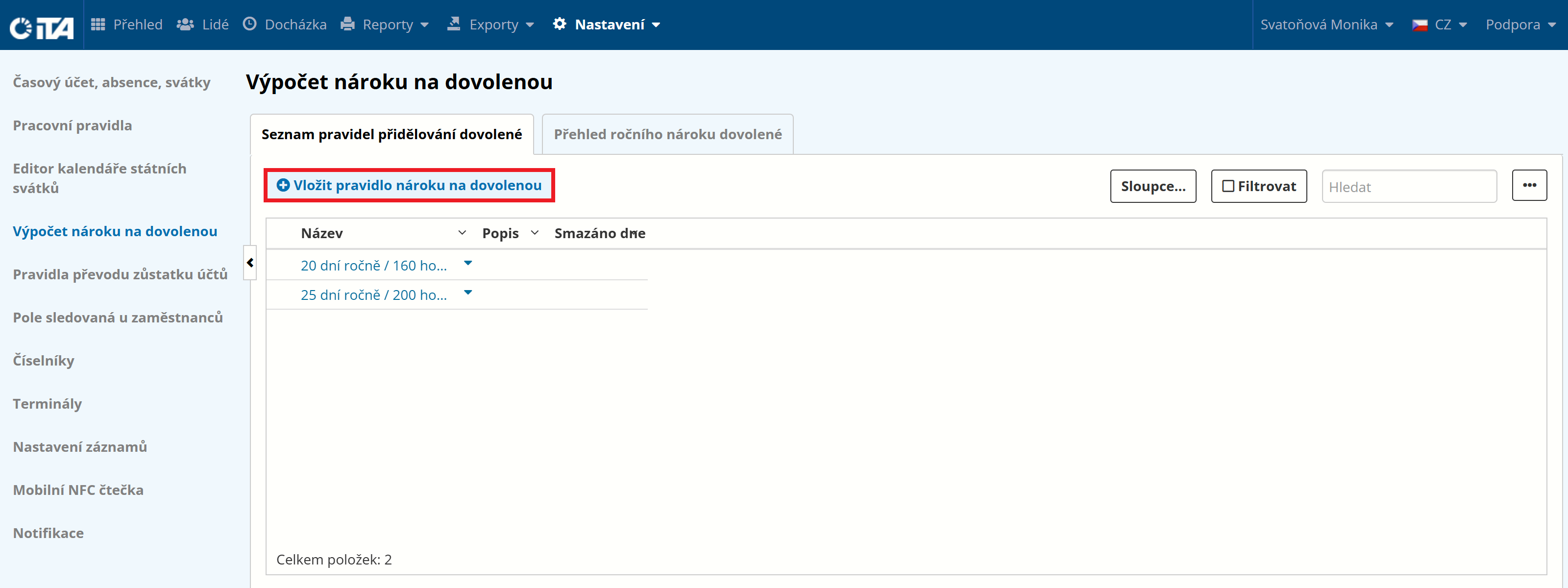
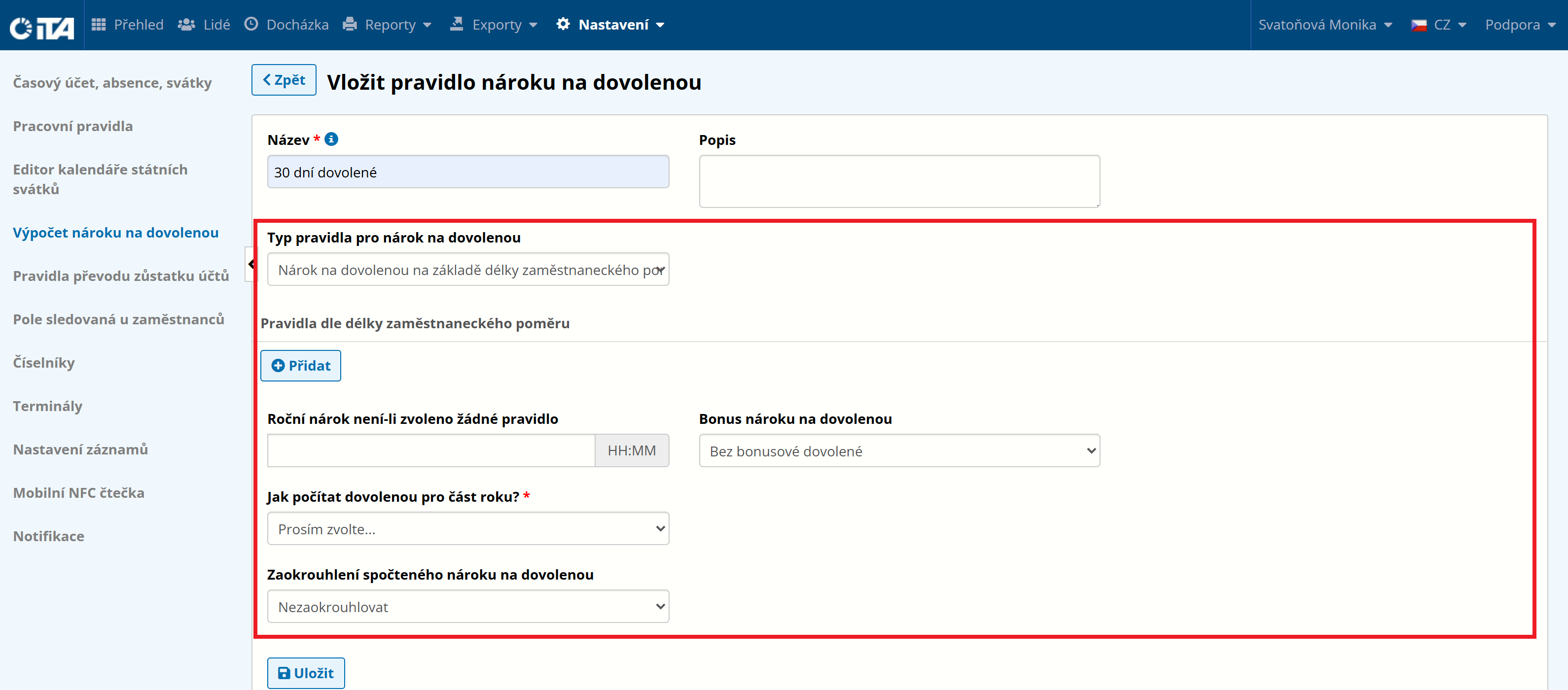
Click Add Vacation Entitlement Rule.
Fill in the parameters:
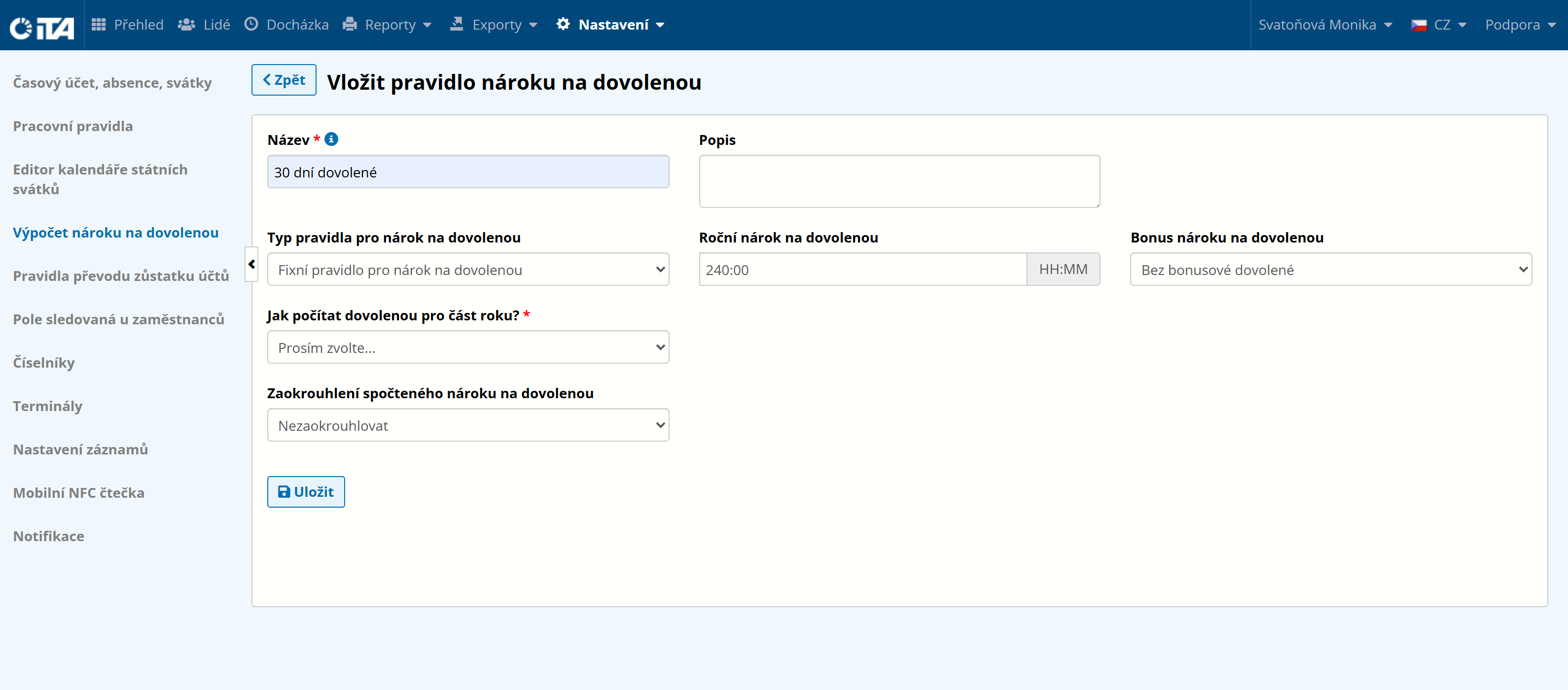
- Name:
Name of the rule; we recommend a short, descriptive name
- Description:
Optional detailed description
- Vacation entitlement rule type:
Available options:
After selection, another table opens for configuring the conditions.
After filling in the parameters, click Save.
Fixed Vacation Entitlement Rule#
Defines a fixed flat vacation amount unrelated to any other circumstances.
1
Example:
The employee is entitled to 30 days (240 hours) of vacation per calendar year.
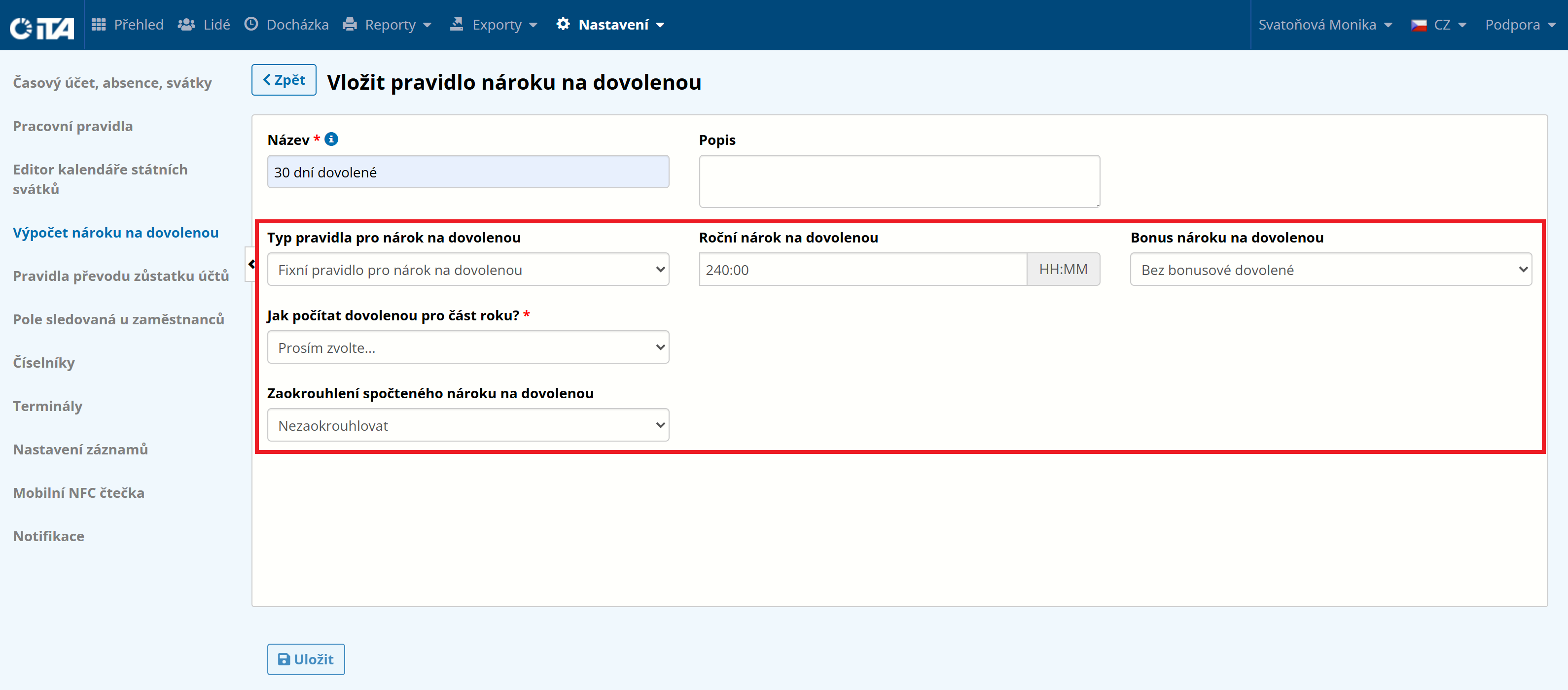
How to Calculate Vacation for Part of a Year?#
Three options are available:
By the number of full months of employment
By the number of full weeks of employment
By the number of days of employment
This setting refines the vacation calculation for an employee who, for example, started during the year.
Entitlement Based on Employee Age#
Adjusts the basic default vacation amount based on the chosen parameters.
1
Example:
The employee is entitled to 20 days (160 hours) of vacation per calendar year if they are aged up to 19, 22 days (176 hours) if they are aged 20–29, and 25 days (200 hours) if they are older than 30.
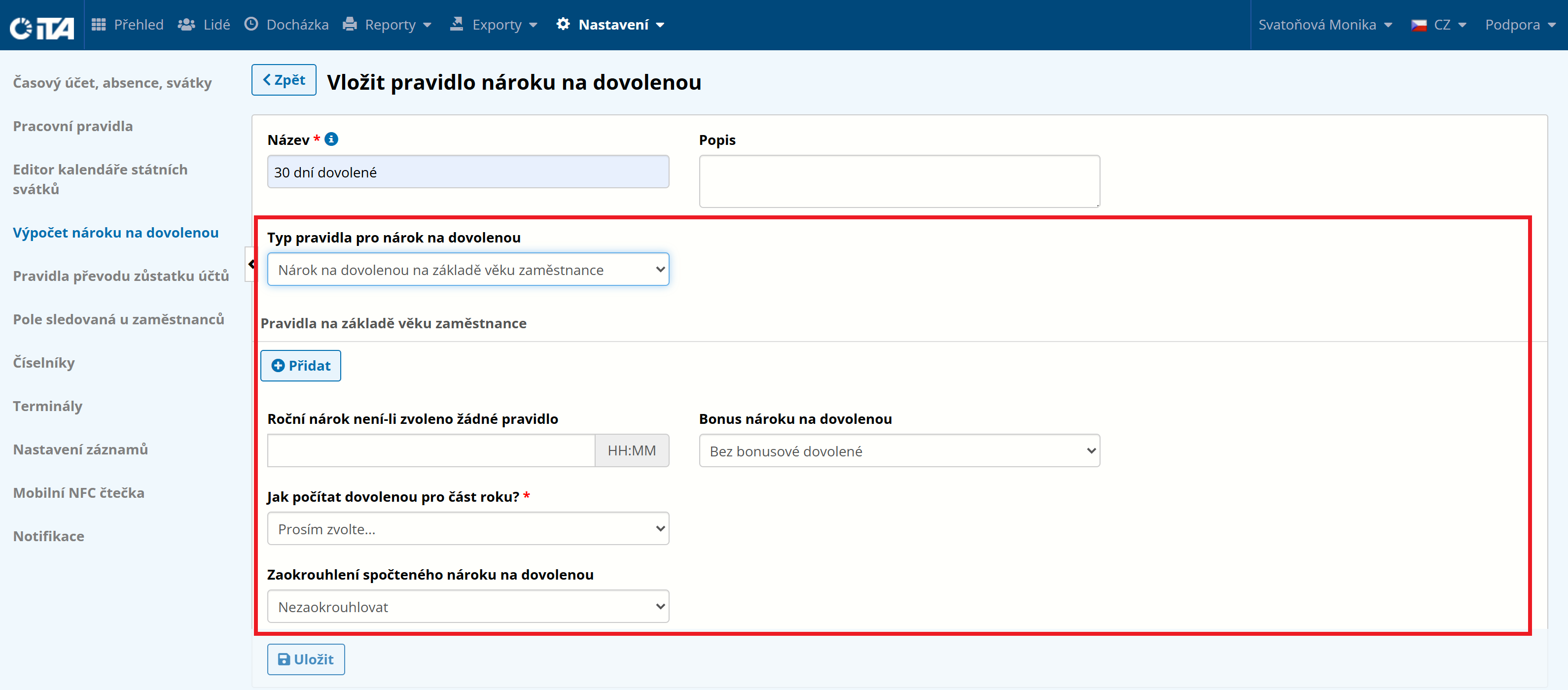
Entitlement Based on Length of Employment#
This rule calculates how long the employee has been employed with your company and determines the vacation length accordingly.
1
Example:
If the employee has not worked at least 5 years, they are entitled to 20 days (160 hours) of vacation. After 5 years of employment, the employee is entitled to 22 days (176 hours) of vacation. After 10 years worked, to 25 days (200 hours) of vacation.
List of Created Vacation Entitlement Rules#
In the displayed list of account balance transfer rules, you can edit or delete each rule.
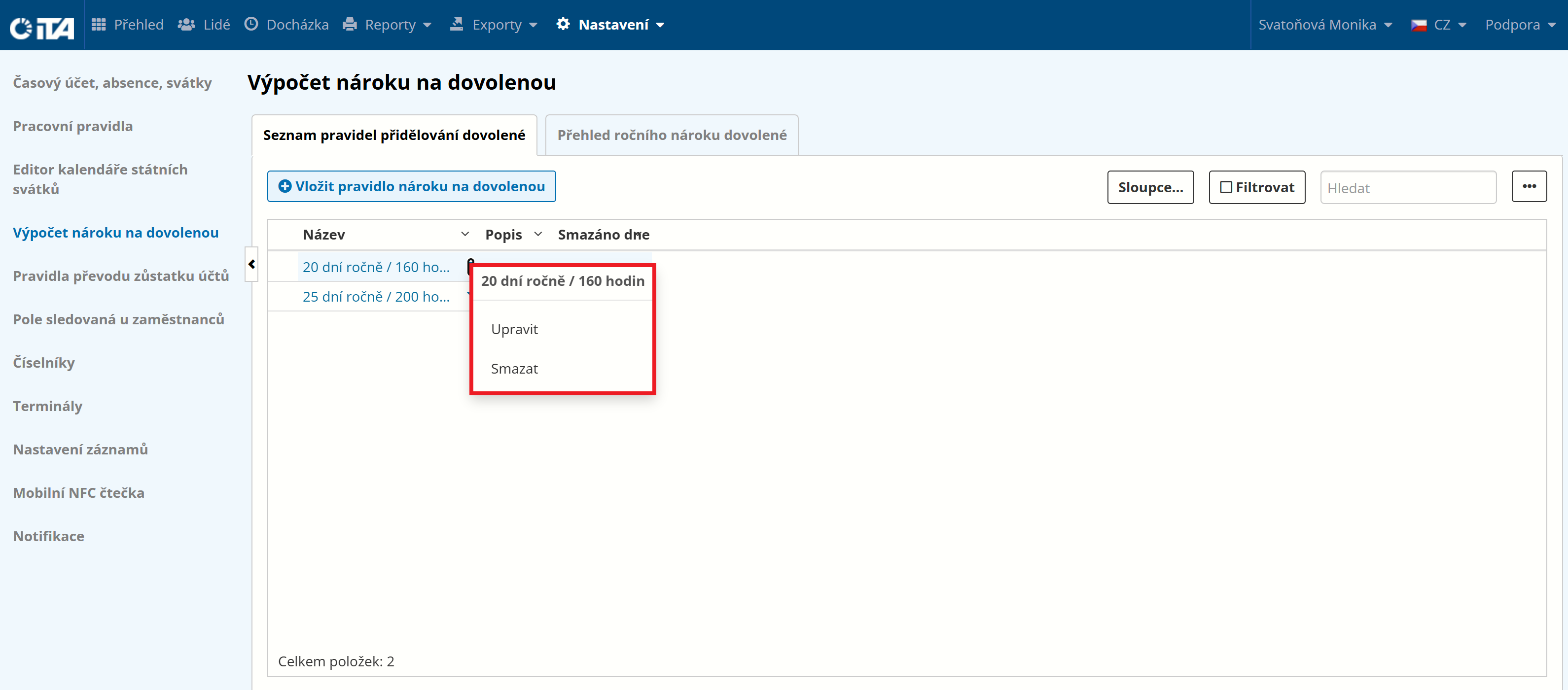
When a rule is edited, any change is reflected wherever the rule is assigned.
If a rule is deleted (not recommended), some already-configured rules may stop working.
Annual Vacation Entitlement Overview#
This overview lets you see how many vacation days have been calculated for your employees. Select a year and click Show Allocated Vacation Overview.
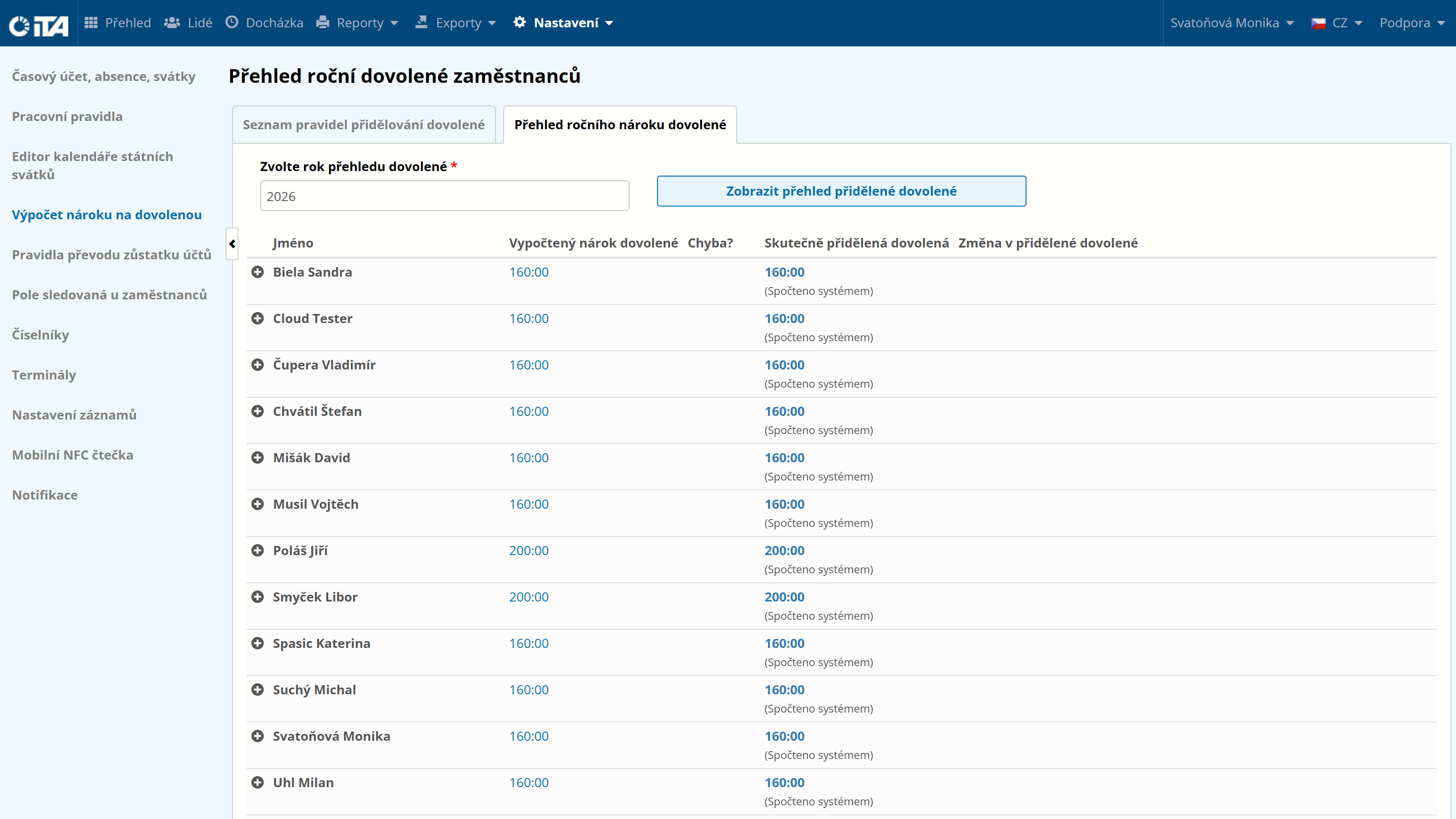
To manually change the number of vacation days, click “Edit”, set the desired number of days, and click “OK”. Then confirm by clicking “Send Changes in Allocated Vacation”.