

Account Balance Transfer Rules#
→
Procedure#
These rules determine how the account balance is further processed at the transition between months and years. If the balance is to be carried over, configuring these rules lets you define the specific transfer method and any adjustment of the balance.
The rule conditions are used for this configuration.
Click New Setting.
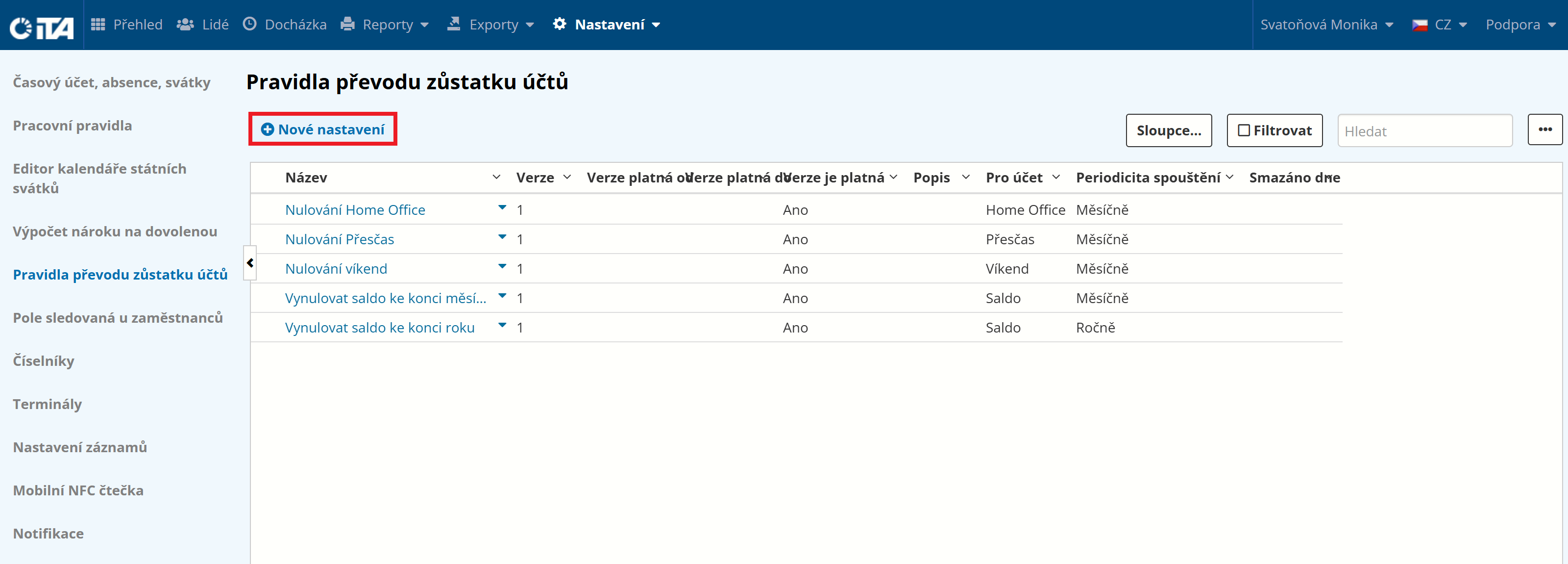
Enter the rule name (we recommend a short, descriptive name) and the time account the rule applies to:
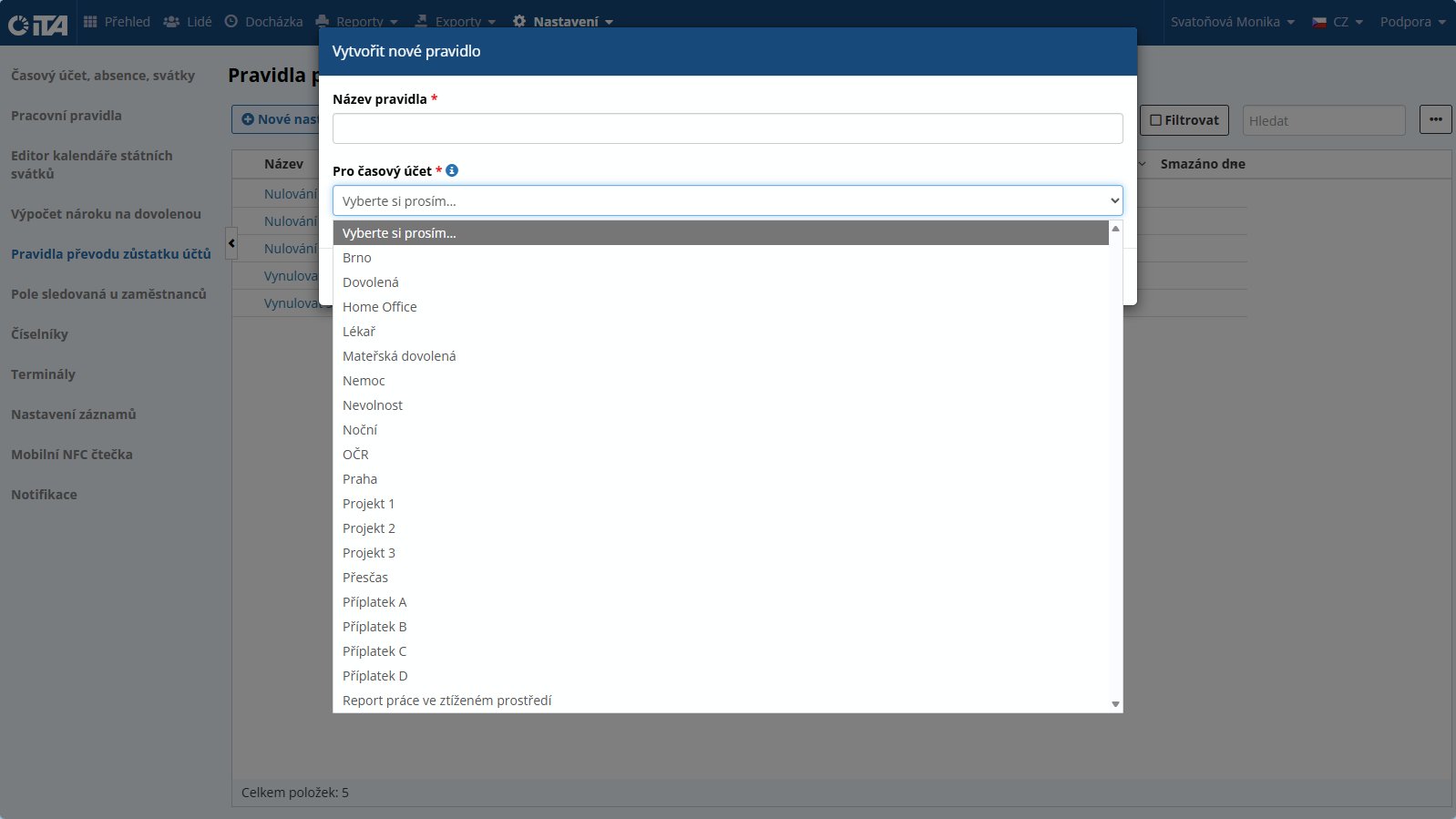
After filling in the rule name and time account, click Create.
Configuring and Editing a Rule#
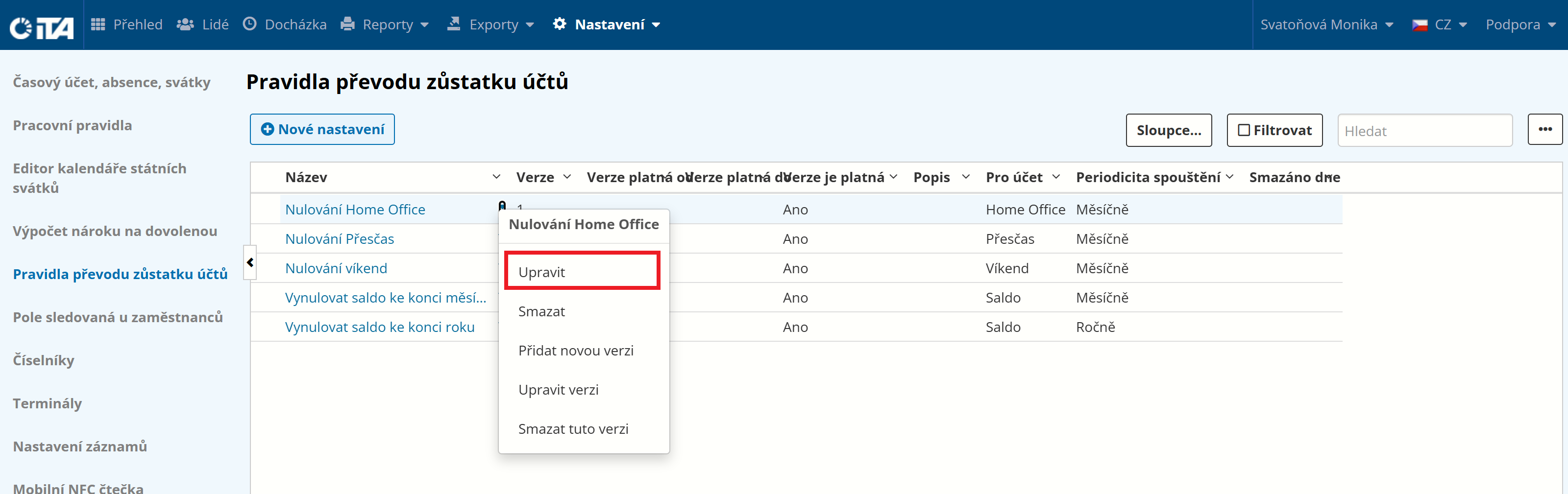
To configure a rule, click the rule you want to configure, or click the arrow to the left of the version and choose “Edit”.
Fill in the following fields:
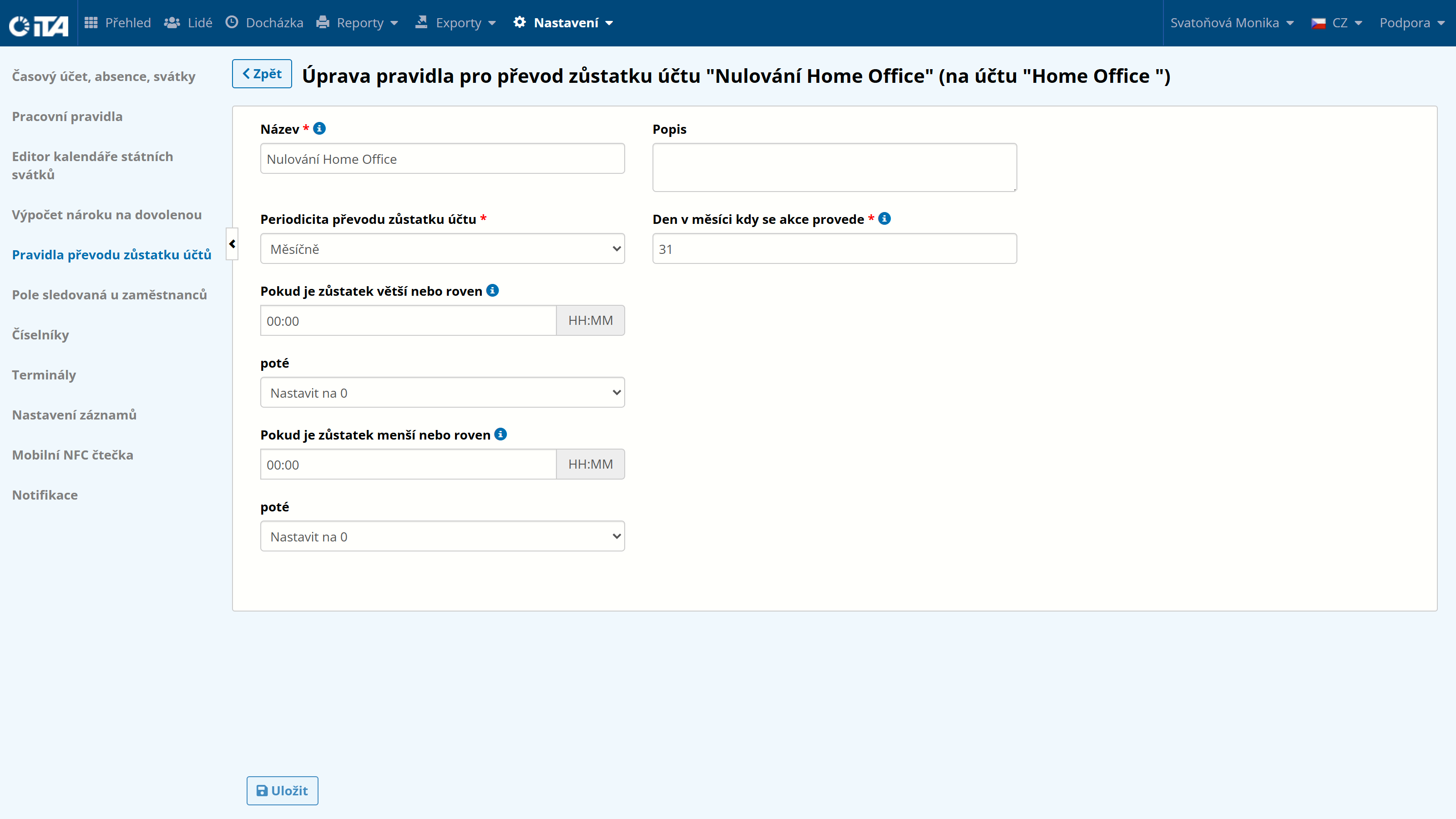
- Name *:
we recommend a short, descriptive name
- Description:
optional detailed description
- Transfer frequency *:
how often the rule should be applied:
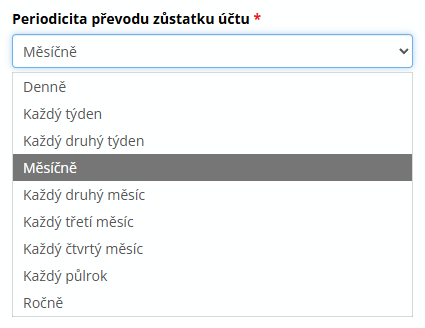
- Days of the week / Date of the year on which the action is performed *:
the day and month on which the action is performed; the year selected is ignored, and the action is performed every year.
- If the balance is greater / less than or equal to …:
the transfer rule
1
Example:
An employee has 30 full vacation days remaining (the vacation account is kept in days); the employer allows all days to be carried over to the following year.
If the employee has fewer than 3 days remaining, those days are deleted.
- then:
If the state is greater than or less than, perform the following action:
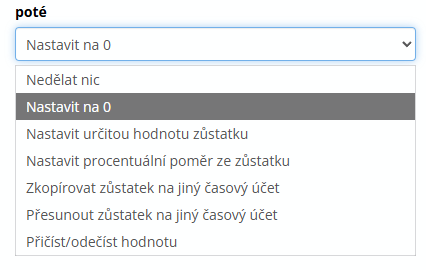
Once configured, click Save.
List of Created Balance Transfer Rules#
In the displayed list of account balance transfer rules, the following actions are available for each rule:
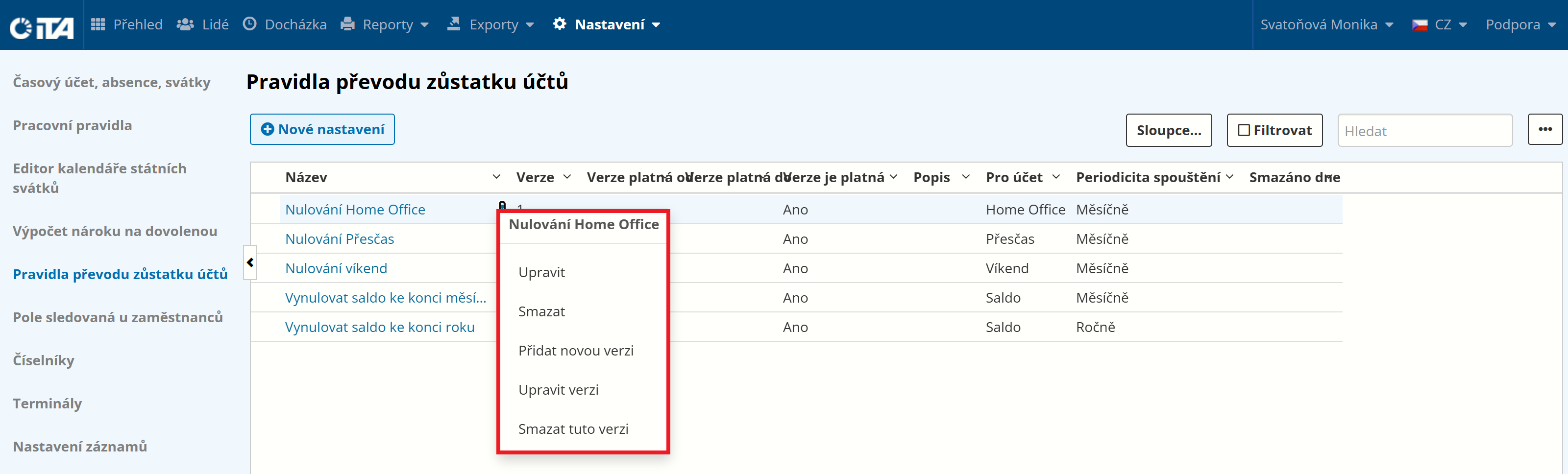
- edit:
any change is reflected wherever the rule is assigned
- delete:
not recommended — when deleted, some already-configured rules may stop working
- add new version:
creates a new version of an existing rule, effective from the chosen date